

Close Menu

    Subscribe to Updates

    Get the latest creative news from FooBar about art, design and business.

    What's Hot

    Reid Hoffman Wants Silicon Valley to ‘Stand Up’ Against the Trump Administration

    January 13, 2026

    Smartphone Camera Scores Explained: Are DxOMark Rankings Really Reliable?

    January 13, 2026

    Samsung Pushes Galaxy Watch 8 (2025) to Its Lowest Price in New Year Clearance, While Apple Watches Stay Full Price

    January 13, 2026
    Facebook X (Twitter) Instagram
    Tuesday, January 13
    Facebook X (Twitter) Instagram YouTube Mastodon Tumblr Bluesky LinkedIn Threads
    ToolcomeToolcome
    • Technology & Startups

      Reid Hoffman Wants Silicon Valley to ‘Stand Up’ Against the Trump Administration

      January 13, 2026

      Urevo SpaceWalk 5L Walking Pad Review: Compact and Affordable

      January 13, 2026

      Board Review: Tabletop Video Games With Physical Pieces

      January 13, 2026

      Atonemo Streamplayer Review: Make Old Speakers New Again

      January 13, 2026

      What to Do If ICE Invades Your Neighborhood

      January 13, 2026
    • Science & Education

      Hubble Nets Menagerie of Young Stellar Objects

      January 13, 2026

      Ötzi the Iceman mummy carried a high-risk strain of HPV, research finds

      January 13, 2026

      Can you eat too much protein?

      January 13, 2026

      NASA’s Webb Delivers Unprecedented Look Into Heart of Circinus Galaxy

      January 13, 2026

      Backcountry is blowing out hiking bags, backpacks, and luggage for up to 65% off during this clearance sale

      January 13, 2026
    • Mobile Phones

      Smartphone Camera Scores Explained: Are DxOMark Rankings Really Reliable?

      January 13, 2026

      Motorola expands Android 16 beta program to 8 more devices

      January 13, 2026

      Motorola Introduces Moto Pen Ultra for Foldables and Moto Tag 2 Item Tracker

      January 13, 2026

      OnePlus Nord CE 5 Update Adds Video Editing Tools and January Security Patch

      January 13, 2026

      Vivo rolls out OriginOS 6 (Android 16) update to Vivo V40

      January 13, 2026
    • Gadgets

      Star Wars Outlaws developer Massive Entertainment and Ubisoft Stockholm face layoffs

      January 13, 2026

      Insta360 releases AI-powered follow-up to its Link webcams

      January 13, 2026

      Proton’s Lumo AI chatbot now has an encrypted space for your projects

      January 13, 2026

      The best streaming devices for 2026

      January 13, 2026

      UK regulator Ofcom opens a formal investigation into X over CSAM scandal

      January 13, 2026
    • Gaming

      Samsung Pushes Galaxy Watch 8 (2025) to Its Lowest Price in New Year Clearance, While Apple Watches Stay Full Price

      January 13, 2026

      ASUS ROG Xbox Ally (2025 Ryzen Z2 A) Just Hit Its Lowest Price Ever With 3 Months of Game Pass Included

      January 13, 2026

      Samsung Goes All-In on Galaxy S25 Ultra Clearance at a Record Low as the New S26 Launch Approaches

      January 13, 2026

      This Great Switch 2 Handheld Controller Is On Sale For New Best Price At Amazon

      January 13, 2026

      Google Pixel 9a Drops to All-Time Low to Compete With Samsung Galaxy S25 Deals, Now the Cheapest Gemini-Powered Smartphone

      January 13, 2026
    • Cars

      Beyond Speed: A Deep Dive into the 6 Safety Features That Could Save Your Supercar in 2026

      January 13, 2026

      A Commercial Truck Caused a Hit-and-Run: Who Pays for the Damage?

      January 13, 2026

      Risk and reward: what driving teaches about smart decisions

      January 13, 2026

      How It’s Played Online on GameZone

      January 12, 2026

      How Dubai Became the Supercar Capital of the World

      January 12, 2026
    • PC Accessories

      A Kilowatt PSU Is So 2025, The Seasonic Prime PX-2200 Is The Future

      January 12, 2026

      CES 2026: The Good, Bad And Ugly

      January 12, 2026

      Hands-On With Samsung Galaxy Z TriFold: An Impressive New Take On Foldables

      January 11, 2026

      Edifier’s Funky Portable ES300 Wireless Speaker

      January 9, 2026

      Testing All The Features of AMD’s FSR Redstone

      January 9, 2026
    ToolcomeToolcome
    Home»Science & Education»17 clever Apple Notes tips you might not know
    Science & Education

    17 clever Apple Notes tips you might not know

    January 10, 2026No Comments6 Mins Read0 Views
    Facebook Twitter Pinterest LinkedIn Telegram Tumblr Email
    Share
    Facebook Twitter LinkedIn Pinterest Email


    Get the Popular Science daily newsletter💡

    Breakthroughs, discoveries, and DIY tips sent every weekday.

    Apple Notes is available to you if you buy an iPhone, iPad, or Mac computer—oh, and it’s available on the web too. Introduced with the first iPhone back in 2007, Notes is now one of the most ubiquitous apps. And over the years, it’s added more and more features to its basic note-taking structure.

    Even if you use Apple Notes every day to make lists, keep on top of your to-dos, or jot down random thoughts, you may not be aware of everything Notes can do for you. It’s an incredibly capable and versatile app, despite its unassuming interface, and you should find at least some of these tips useful.

    1. Collaborate on notes

    You can collaborate on notes with other people, via iCloud, which is handy for families and work teams. From inside a note, tap the share button (the arrow and square), select Collaborate at the top of the next screen, and you’ll get a link you can send to others.

    2. Attach tags to notes

    Tagging is a really effective way of organizing your notes: All you need to do is add the tag with a hashtag (like “#work”) anywhere in the note. You’ll see a list of used tags on the main notes screen, and you can then tap on any hashtag to jump to the matching notes.

    3. Add lines and grids
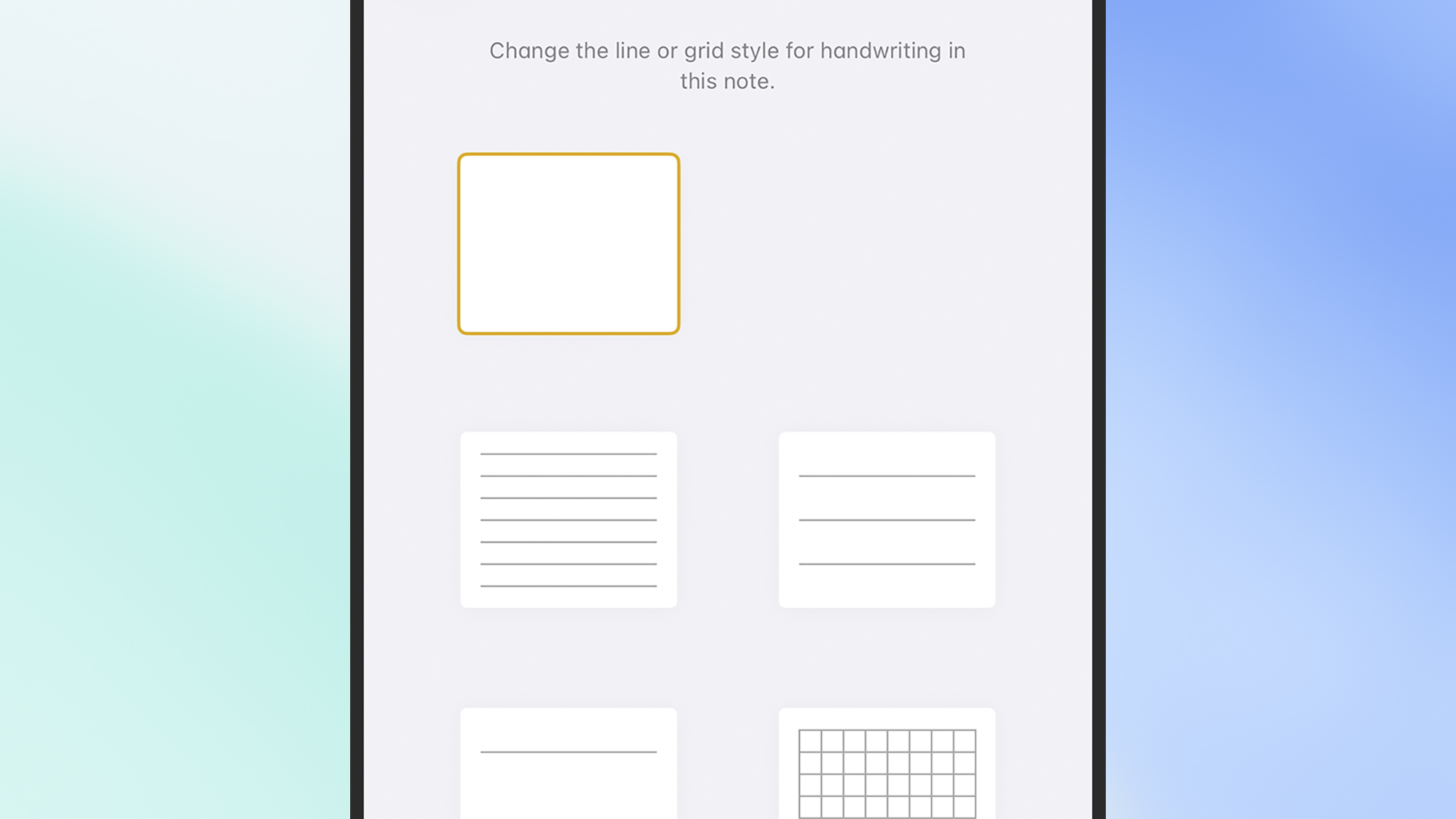
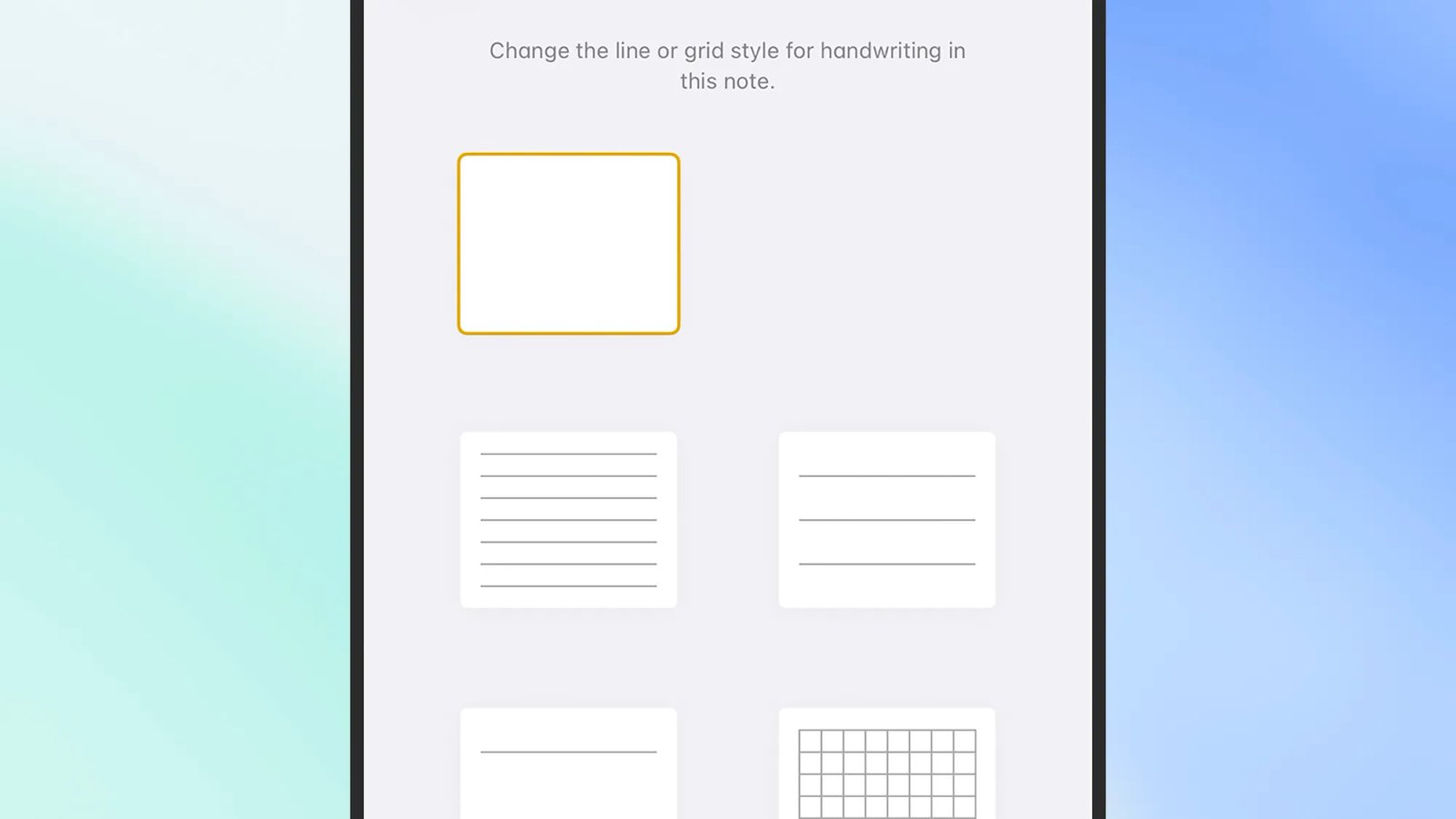
    grid options
    You can add lines and grids to every note. Screenshot: Apple

    If you’re using one of the drawing tools to scribble inside a note—whether it’s sketching or handwriting—lines and grids can be helpful guides. You can drop these into any note when it’s open by tapping the three dots (top right), then choosing Lines & Grids from the menu.

    4. Drop tables into your notes

    Tables can be a really useful way of getting a note organised. When you’re in text editing mode inside a note, tap the table icon on the toolbar (it looks like four rectangles) to add one in. Tap the handles around the table to add and remove columns and rows as needed.

    5. Quickly get to attachments

    You can attach all sorts to your notes now, including photos, files, and web links. To quickly get to your attachments from the main list of notes, tap the three dots (top right), then pick View Attachments—it can save you a lot of time searching and scrolling.

    6. Change the layout
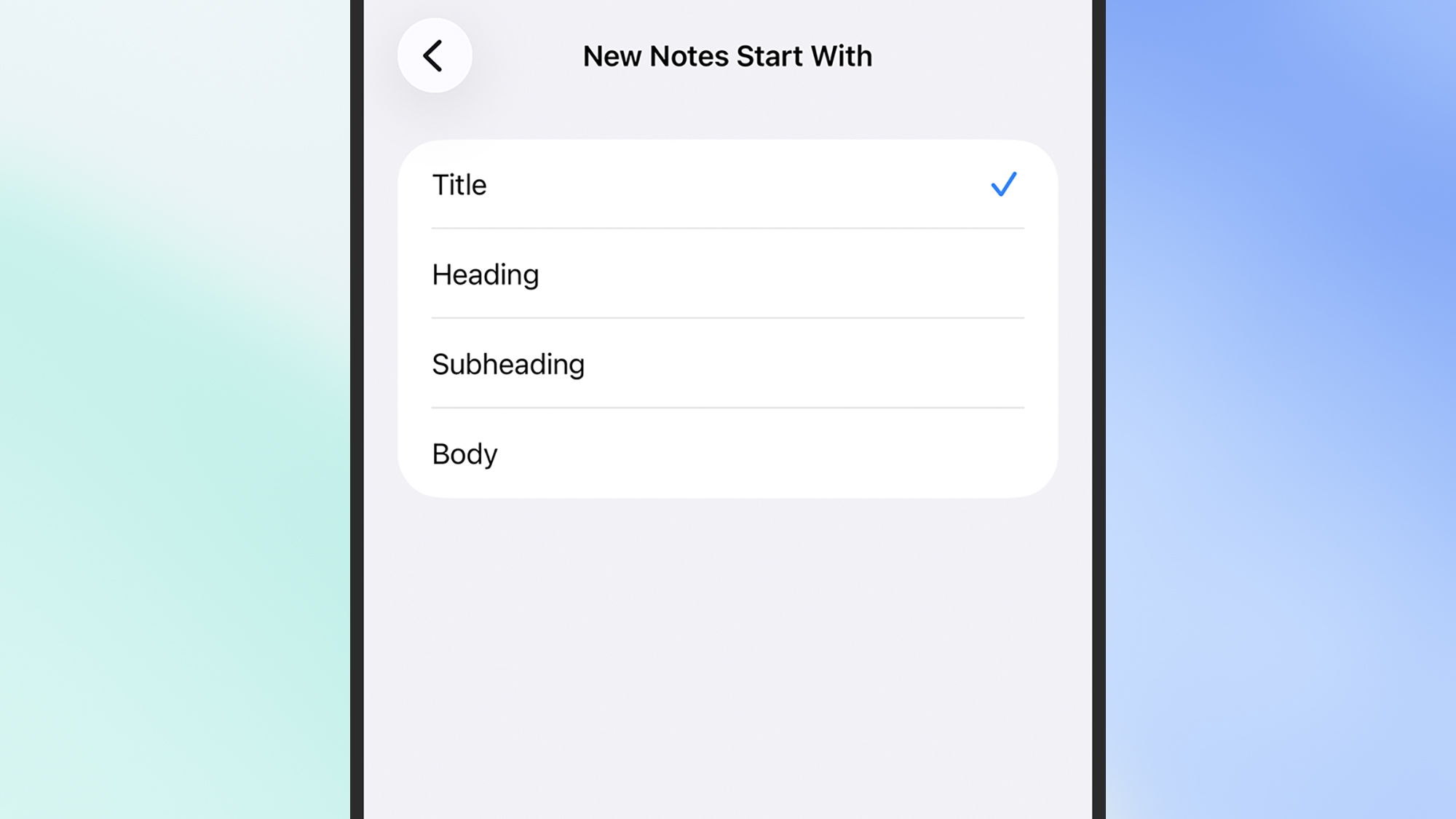
    layout options in notes
    The default notes layout can be changed. Screenshot: Apple

    New notes will start with a larger, bold heading by default, but you don’t have to stick with this if you don’t want to. From the main iOS Settings screen, choose Apps then Notes, then New Notes Start With: The available options are Title, Heading, Subheading, and Body.

    7. Proofread notes with AI

    Apple Intelligence is now available in Notes, if you need it: From inside a note, tap the Apple Intelligence button on the toolbar (it looks like a pen inside a star shape), then choose Proofread to have the AI check spelling, grammar, and sentence structure.

    8. Solve equations

    Notes can solve basic equations and sums for you, like a calculator app or spreadsheet: You don’t need to do anything special to enable this, just write out your calculations followed by an equals sign. You can also do conversions, like “8 centimeters in inches =”.

    9. Link notes together

    link adding options
    Notes can contain links to other notes. Screenshot: Apple

    You can link notes together, Wikipedia style, if you need to. Select some text in a note where you want to create the link, then choose Add Link from the pop-up menu (scroll right if you need to). Next, type the name of the note to create a link to, then select it.

    10. Add scans to notes

    It’s possible to scan all sorts into your notes, if you need to. From inside a note, tap the three dots in the top right corner, then pick Scan and point your camera at whatever it is you want scanning (from documents to artwork). You can annotate your scans too.

    11. Put your notes into subfolders

    Notes supports folders, so you don’t have to have everything in one big bucket. From the main notes screen, tap the back arrow (top left) to see your folders and create new ones (via the new folder icon, top right). You can also make subfolders via the Edit button.

    12. Create smart folders
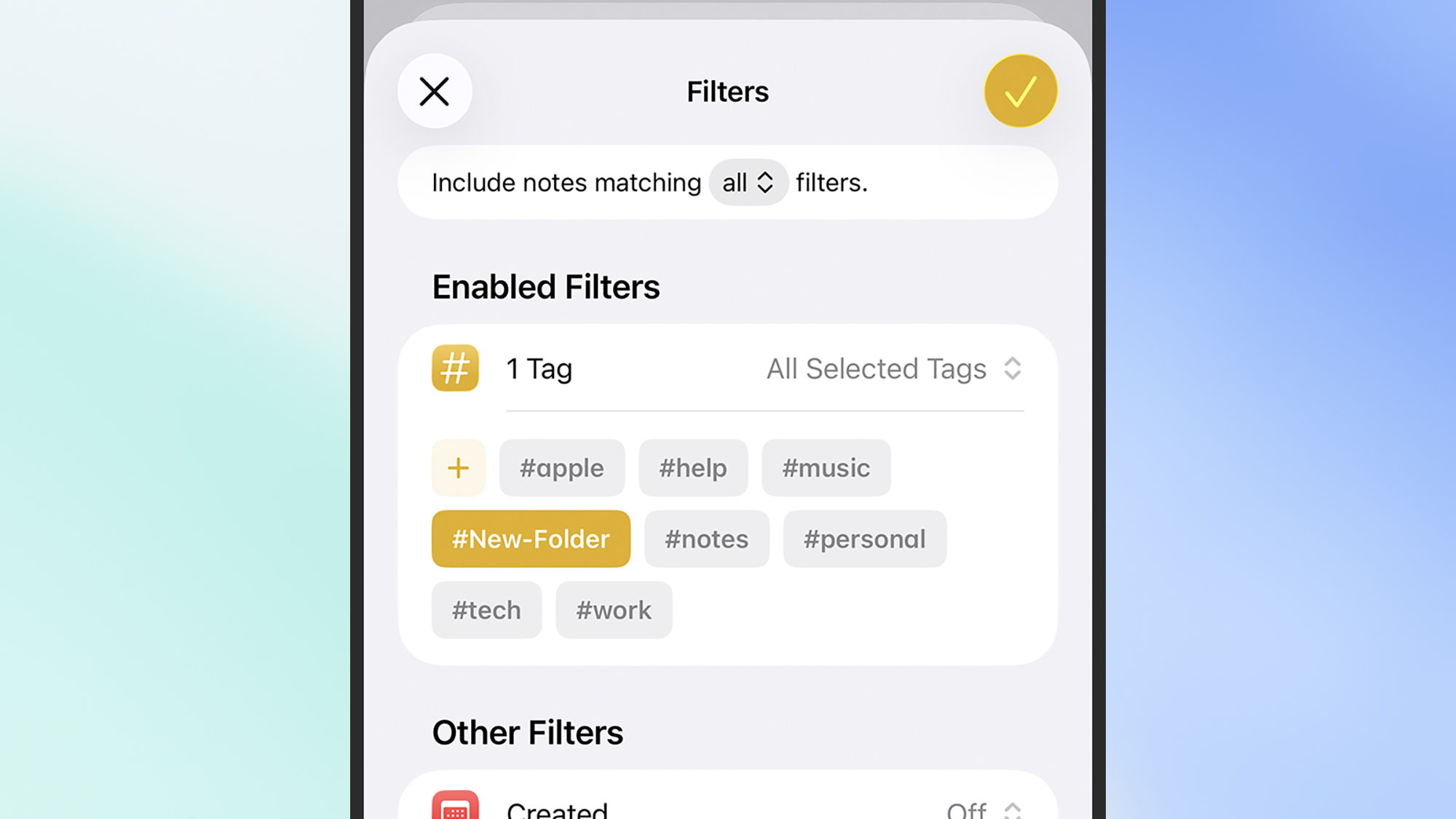
    tag options
    Use smart folders to keep your notes organized. Screenshot: Apple

    Smart folders are really handy. Whenever you create a new folder, you have the option to make it a smart folder, then it can be auto-populated using a range of different criteria: Specific tags, what it has inside it, when it was last edited, whether it’s locked, and more.

    13. Switch to gallery view

    You don’t have to settle for the default list view for your notes: On the screen showing all your notes, tap the three dots in the top right corner, then pick View as Gallery from the pop-up menu. Your notes then show as thumbnails, in reverse chronological order.

    14. Record voice notes

    Your notes can have voice clips attached, making this a handy if basic way of keeping audio recordings organized. To add a voice clip, tap the paperclip icon on the floating toolbar, then pick Record Audio. Tap the red record button, and you can start speaking.

    15. Highlight text in a note
    note highlight options
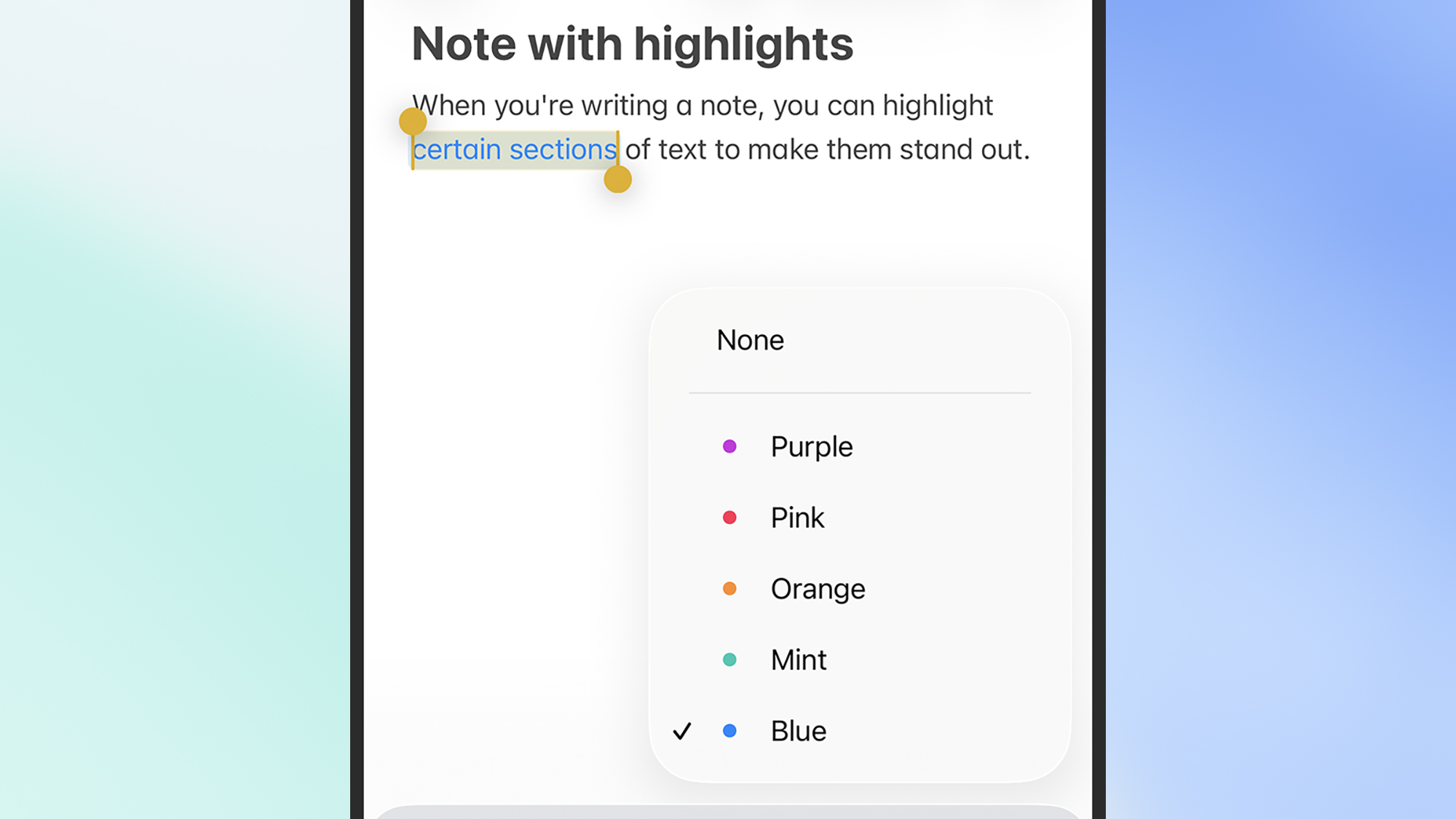
    Text inside notes can be highlighted in a variety of colors. Screenshot: Apple

    Highlighting can help certain blocks of text stand out. Highlight any text in a note with a double tap, then tap the pen icon on the floating toolbar to highlight it. Tap the pen again and you can pick from five highlighter colors: Purple, Pink, Orange, Mint, and Blue.

    16. Make quick notes from anywhere

    It’s possible to make a ‘quick note’ from anywhere on iOS: The quick note link is on the share menu (the arrow and rectangle icon), and you can add it to the Control Center too. Any note you create via the quick note overlay can be found inside the Notes app.

    17. Lock a note

    If there are specific notes you want to make extra sure are kept private, you can lock them with a passcode, Touch ID, or Face ID (whatever you currently use to lock your iPhone). From inside a note, tap the three dots in the top right corner, then tap the Lock icon.


    Outdoor gift guide content widget

    2025 PopSci Outdoor Gift Guide

    20+ editor-approved presents for the hikers on your list


    David Nield produces how-to guides and explainers on everything from improving your smartphone photos to boosting the security of your laptop.


    Share. Facebook Twitter Pinterest LinkedIn Tumblr Email
    mehedihasan9992
    • Website

    Related Posts

    Hubble Nets Menagerie of Young Stellar Objects

    January 13, 2026

    Ötzi the Iceman mummy carried a high-risk strain of HPV, research finds

    January 13, 2026

    Can you eat too much protein?

    January 13, 2026

    NASA’s Webb Delivers Unprecedented Look Into Heart of Circinus Galaxy

    January 13, 2026

    Backcountry is blowing out hiking bags, backpacks, and luggage for up to 65% off during this clearance sale

    January 13, 2026

    Ethereal ice structures swirl alongside Chicago during extreme cold snap fueled by polar vortex — Earth from space

    January 13, 2026
    Leave A Reply Cancel Reply

    Top Posts

    Steam and Valve’s online games are down

    December 24, 2025129 Views

    773,000-year-old fossils found in Casablanca may be earliest common ancestor of modern humans and Neanderthals

    January 8, 202695 Views

    Black Friday Disney+, Hulu and ESPN streaming deal: Up to 44% off

    November 30, 202542 Views
    Don't Miss

    Reid Hoffman Wants Silicon Valley to ‘Stand Up’ Against the Trump Administration

    January 13, 2026

    Reid Hoffman doesn’t do much in half measures. He cofounded LinkedIn, of course, and helped…

    Smartphone Camera Scores Explained: Are DxOMark Rankings Really Reliable?

    January 13, 2026

    Samsung Pushes Galaxy Watch 8 (2025) to Its Lowest Price in New Year Clearance, While Apple Watches Stay Full Price

    January 13, 2026

    Hubble Nets Menagerie of Young Stellar Objects

    January 13, 2026
    Stay In Touch
    • Facebook
    • YouTube
    • TikTok
    • WhatsApp
    • Twitter
    • Instagram
    Latest Reviews
    8.9

    Review: Dell’s New Tablet PC Can Survive -20f And Drops

    January 15, 2021

    Review: Kia EV6 2022 The Best Electric Vehicle Ever?

    January 14, 2021
    72

    Review: Animation Software Business Share, Market Size and Growth

    January 14, 2021
    Most Popular

    Steam and Valve’s online games are down

    December 24, 2025129 Views

    773,000-year-old fossils found in Casablanca may be earliest common ancestor of modern humans and Neanderthals

    January 8, 202695 Views

    Black Friday Disney+, Hulu and ESPN streaming deal: Up to 44% off

    November 30, 202542 Views
    Our Picks

    Reid Hoffman Wants Silicon Valley to ‘Stand Up’ Against the Trump Administration

    January 13, 2026

    Smartphone Camera Scores Explained: Are DxOMark Rankings Really Reliable?

    January 13, 2026

    Samsung Pushes Galaxy Watch 8 (2025) to Its Lowest Price in New Year Clearance, While Apple Watches Stay Full Price

    January 13, 2026

    Subscribe to Updates

    Get the latest creative news from FooBar about art, design and business.

    Toolcome
    Facebook X (Twitter) Instagram YouTube Mastodon Bluesky
    • Home
    • Technology
    • Gaming
    • Mobile Phones
    • Cars
    • PC Accessories
    © 2026 Tolcome.

    Type above and press Enter to search. Press Esc to cancel.