

A tracker with no screen, and that is the whole point
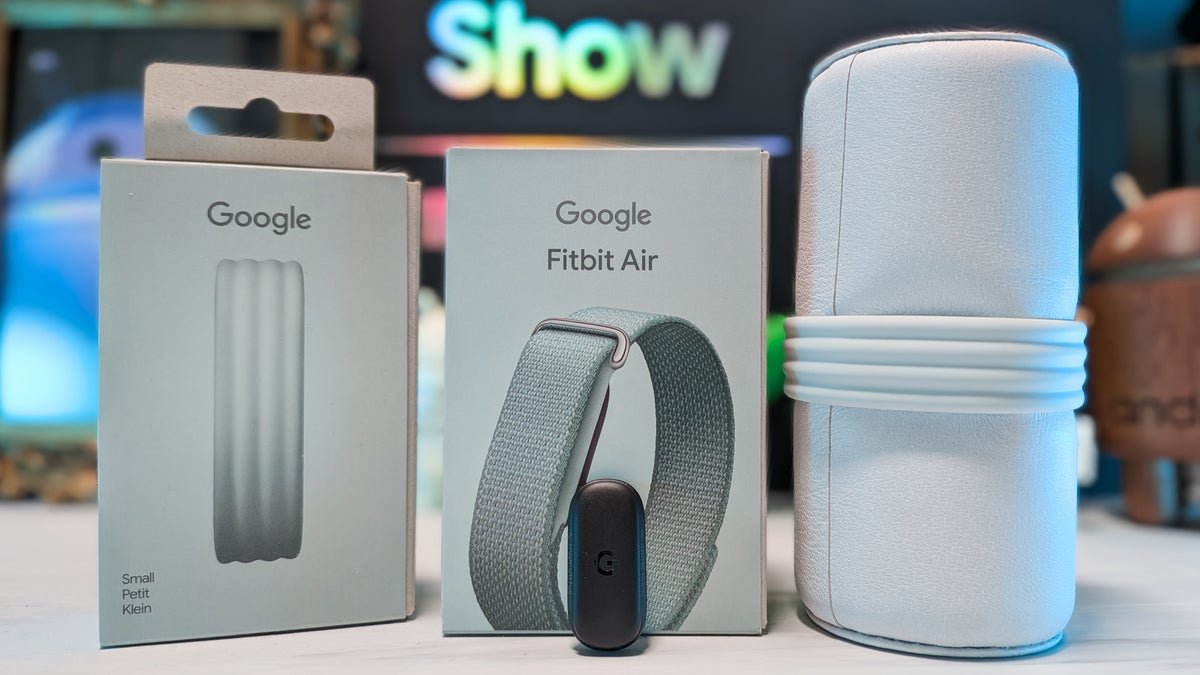
So here’s the first thing you have to wrap your head around: there’s no display on this thing at all. It’s a tiny pod that sits on your wrist and quietly logs everything in the background, and Google made it official in a recent announcement.I’ll be honest, I went in fully expecting the missing screen to drive me up the wall. It won’t be for everyone, and if you want glanceable notifications or the time on your wrist, this isn’t that. For me, though, that limitation quietly turned into the whole point.
The new Fitbit Air doesn’t have a screen. | Images by PhoneArena
I still wear my Pixel Watch through the day for notifications and the time, so the Air doesn’t have to do any of that. It just disappears and tracks, then takes over my sleep once the watch comes off at night. Most wearables are out here fighting for your eyeballs with yet another glowing screen, so having one that simply gets out of the way was a nice change of pace.
The Fitbit Air ships with the Performance Loop band, but it can be switched out for different bands, like the Active Band. | Images by PhoneArena
The battery beat Google’s own promise
Okay, this was the big one for me. Battery life was hands down the most surprising part of my two weeks, and in the best possible way.Google says you’ll get up to seven days, but I got close to eight on a single charge, and that was with everything switched on: all-day heart rate, nightly sleep tracking, the works. Of course, your mileage may vary, but in my experience you start to forget the thing even needs charging, which when you’re trying to track consistently, is a quiet little win.
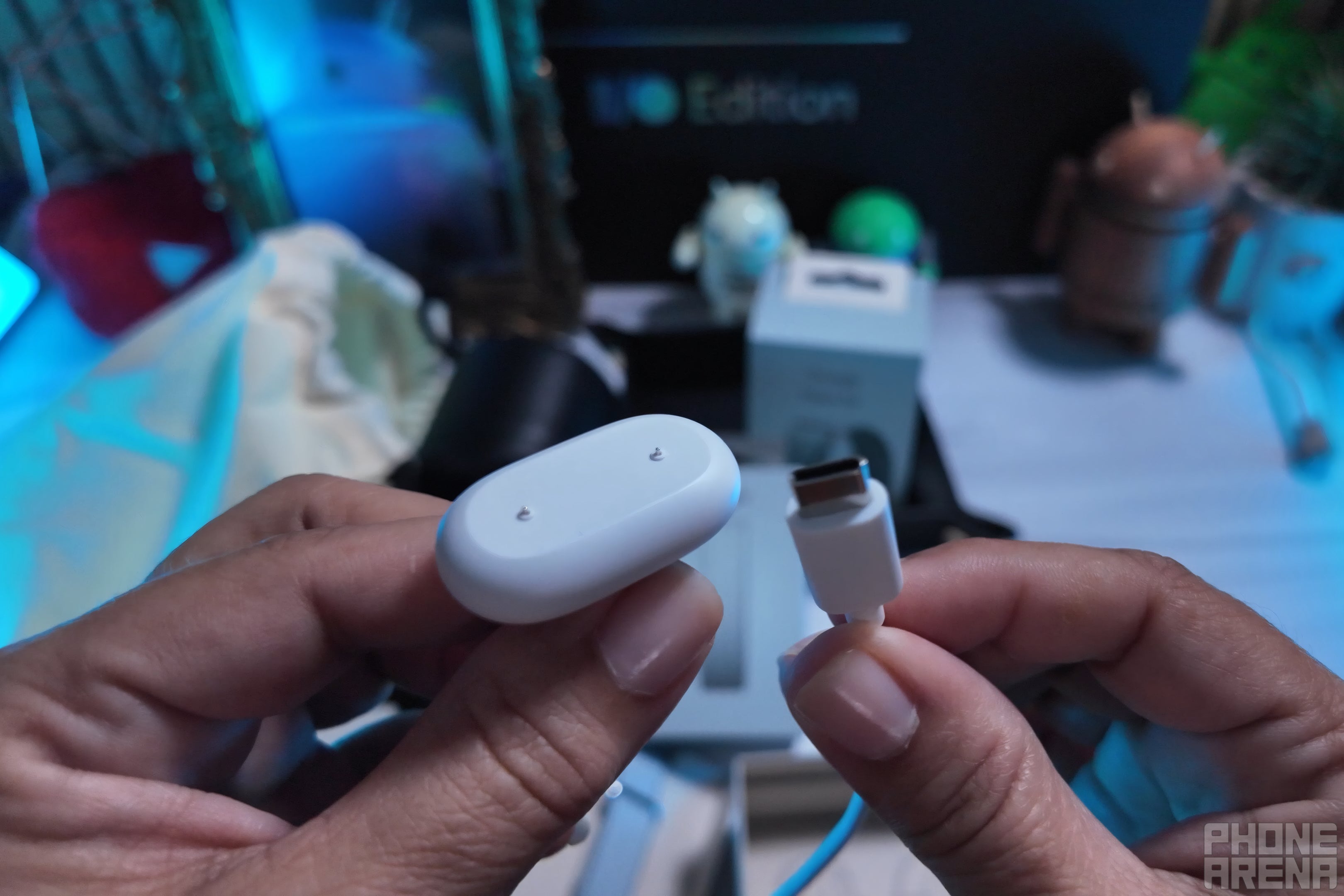
The Fitbit Air’s magnetic charger. | Image by PhoneArena
And when it does finally tap out, the fast charging has your back. Five minutes on the magnetic charger took me from 10% to 34%, which is more than enough to get you through a full day in a pinch.
What it actually tracks while you sleep
This is where the Fitbit Air really earns its spot. Every single night it hands you a Sleep Score and breaks down your sleep stages, and you don’t have to do a thing beyond, you know, actually sleeping.My favorite little touch has to be the Smart Wake feature. Instead of jolting you awake at a set time, it finds the gentlest moment inside a window to nudge you up. One morning it woke me 15 minutes early and I genuinely felt better the whole day. It’s a small thing, but it’s the kind of small thing that adds up.
It handles the serious stuff too: 24/7 heart rate, irregular rhythm alerts, cardio load, and readiness scores, all rated for water resistance up to 50 meters (164 feet). Having all of that logging away silently in the background, with no screen begging for my attention.
The Fitbit Air’s sensors passively track while sitting on your wrist. | Images by PhoneArena
Fitbit Air key specs
- Price: $99.99, with three months of Google Health Premium included
- Display: none (screenless)
- Battery: up to seven days claimed, closer to eight in my real-world testing
- Water resistance: 50 meters (164 feet)
- Sensors: optical heart rate, SpO2, skin temperature, accelerometer and gyroscope
- Compatibility: Android 11 and up, iOS 16.4 and up
The AI coach
The headline act here has to be the Gemini-powered Google Health Coach, which studies your data and builds you an adaptive fitness plan. I committed to it fully during my testing to see if it was the real deal, and it did feel tailored to where I am right now rather than the usual “go for a walk” filler. Whether it stays that sharp over months, instead of just the first week, is the part I can’t answer yet.The photo food logging is the fun party trick. You snap a picture of your plate and it figures out what you’re eating, though it isn’t always spot on. It would occasionally misread a food or miss something on the plate entirely, so I wouldn’t lean on it for precise calorie counts. However, as a quick, low-effort way to stay accountable, it does the job.
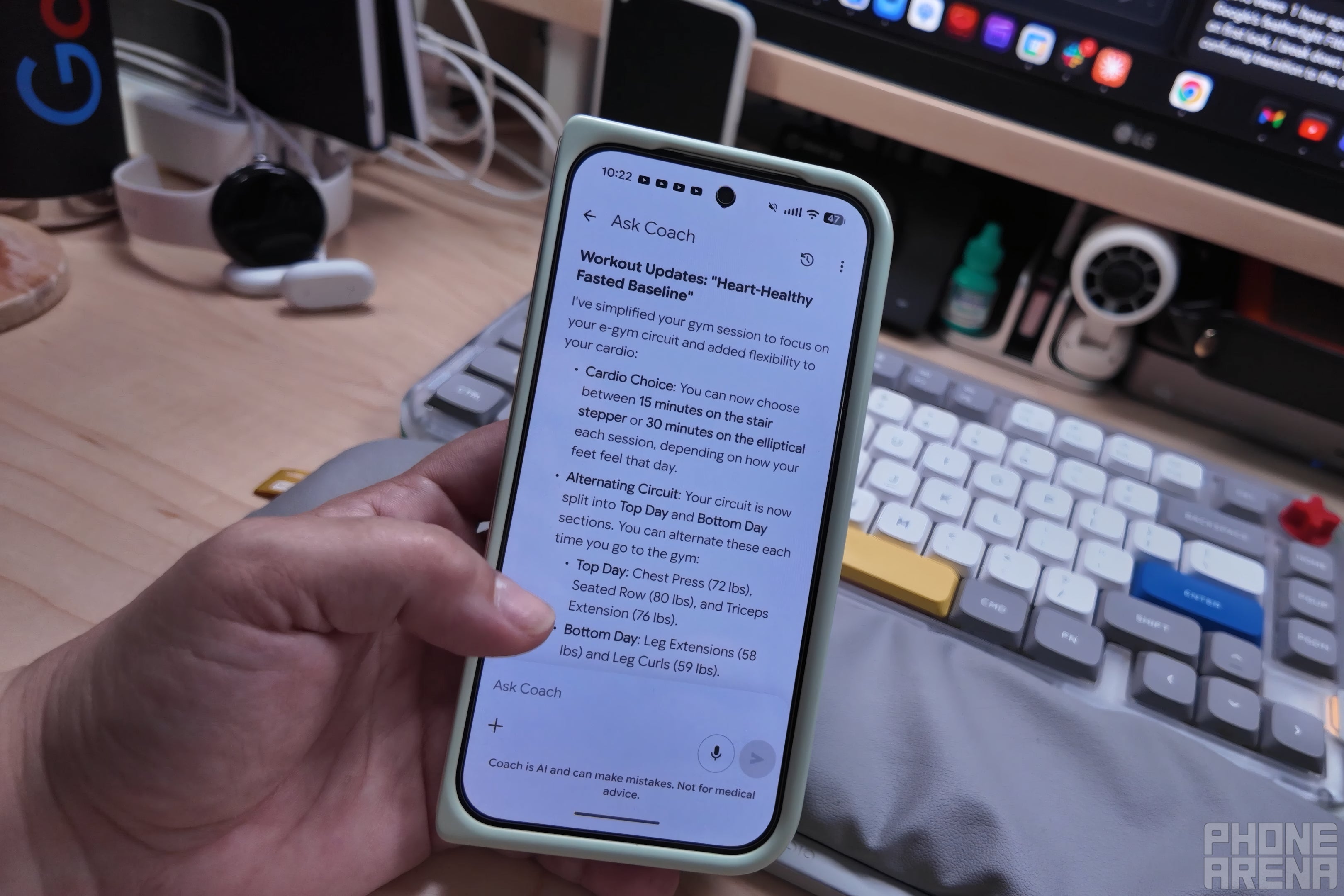
Google Health’s Gemini-powered health coach can craft a workout plan for you based on the information you give it. | Image by PhoneArena
But here’s an important bit of info that Google isn’t necessarily advertising: you do not need the subscription. At all. That $9.99 monthly plan unlocks the AI Coach and the adaptive plans, but your steps, heart rate, sleep, and workouts all work for free, forever. So, skipping Premium doesn’t leave you with some crippled half-device, it just means going without the AI layer.
The catches every buyer should weigh
It’s not all smooth sailing, though, and two things tripped me up enough to mention.
The first is logging strength training, which I’ve been doing a lot of, and at the start it was genuinely confusing. There are so many ways to log a workout in the app that I kept accidentally starting sessions I didn’t mean to and then had to go back and delete them. It clicked after a few days, so it’s less “this is broken” and more “give yourself a week to get comfortable with the UI.”
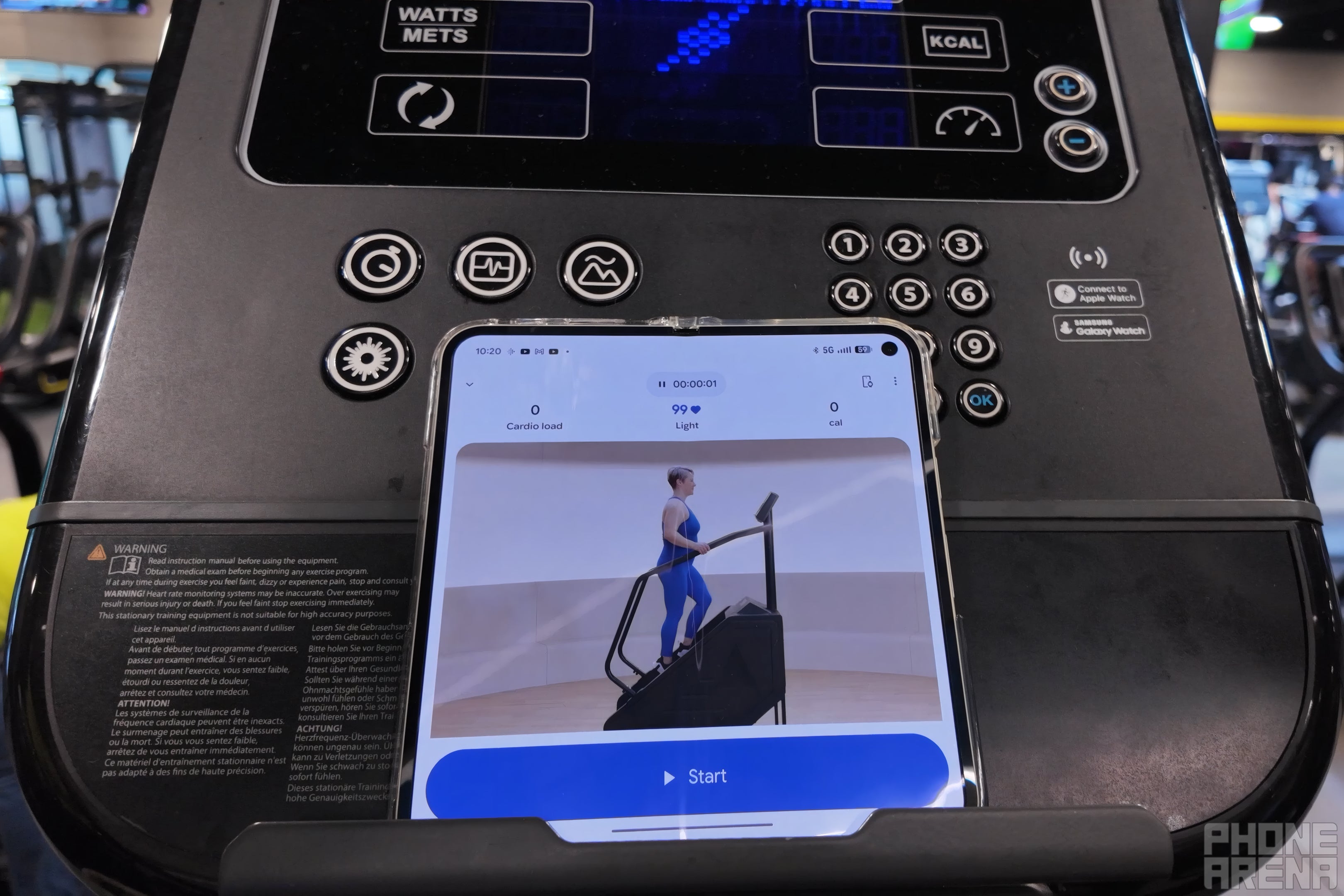
The Fitbit Air can automatically track some workouts, and strength training sessions can be logged in a variety of ways. | Image by PhoneArena
The second one matters if you’re like me and want to wear the Air right alongside a Pixel Watch. The app blends both devices into one health picture, which sounds great, except the watch wins every data tie by default and there’s no way to override it yet.
So every casual walk kept logging to my watch instead of the Air, even after I went digging through settings to find a way to disable automatic exercise tracking on the watch. Google has confirmed a priority toggle is on the way, so for now, two-device folks should file this under “coming soon.”

The Fitbit Air is very comfortable to wear. | Image by PhoneArena
You can find more of my hot takes and behind-the-scenes coverage on X and on Threads.
