

What Google Messages is finally adding
Google is swapping out the old, bare “Change colors” toggle for a new feature called “Chat themes,” and we covered the first details as the change started coming together. For years, that toggle was the entire customization story. You tapped a three-dot menu, picked a bubble color, and that was that.Chat themes opens things way up. Each conversation can get its own color palette, plus a wallpaper sitting behind your chat, and that wallpaper can be one of your own photos.
This is exactly the kind of personalization Samsung users have been bragging about for years. We first caught the code strings hinting at it back when Google started building the feature out, something we dug into when we noted Google was chasing the customization edge Samsung fans love.
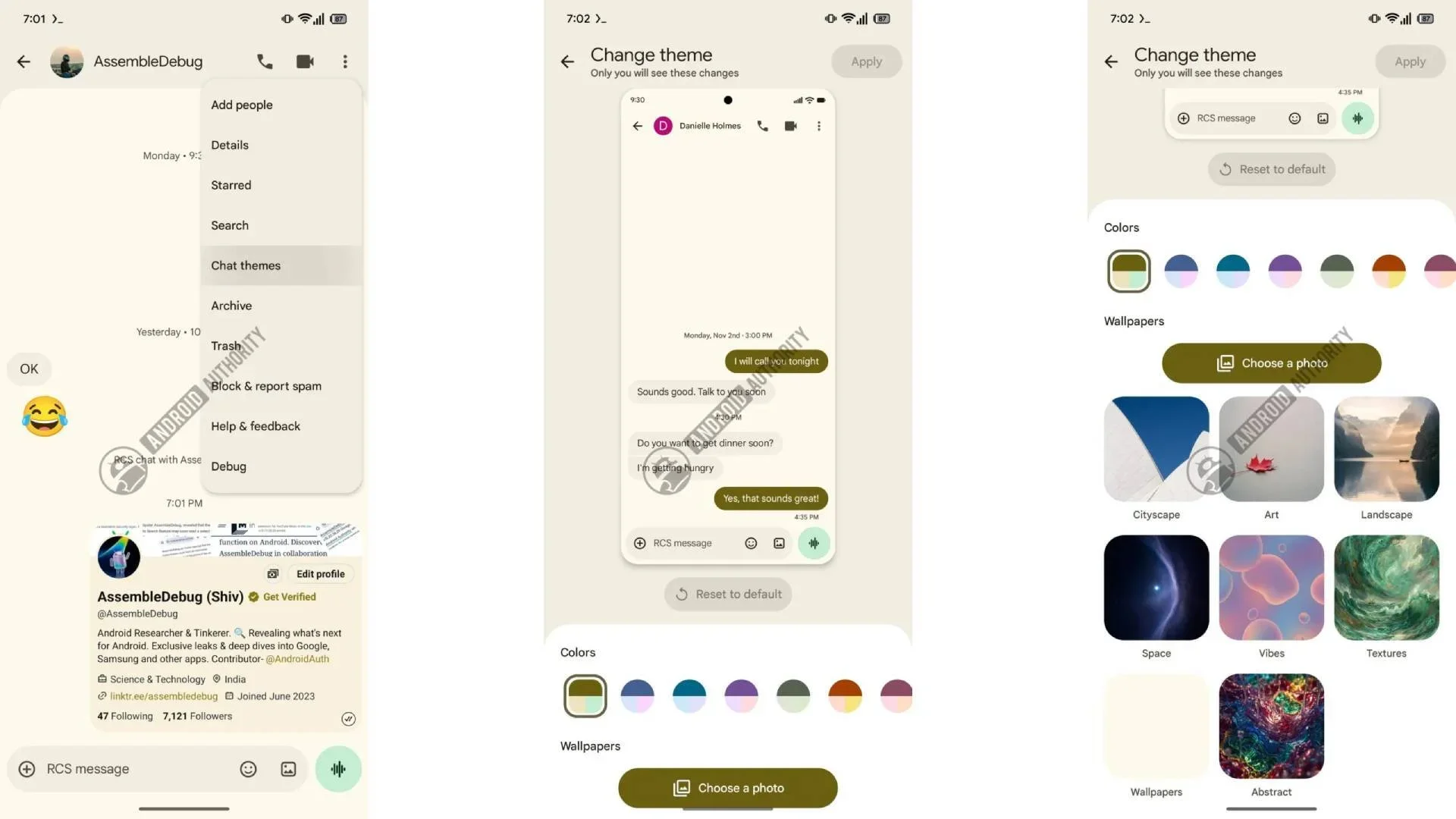
More customizations options are coming to Google Messages. | Image by Android Authority
The real reason this matters now
Here’s the context that changes how the update feels. Samsung confirmed on its own US support page that Samsung Messages shuts down on July 6, 2026, and it’s pointing those users straight at Google Messages. The cutoff hits US devices running Android 12 or higher.
So a huge group of people is being moved off an app they liked and onto one a lot of them have never even opened. Newer Galaxy phones already ship without Samsung Messages, so honestly, the writing has been on the wall for a while.
Google rolling out themes right at this moment isn’t really a gift. It’s more of a welcome mat, smoothing over a switch plenty of Samsung loyalists are making with gritted teeth.
What you gain in the switch
Credit where it’s due, because the gains are real. Google Messages handles RCS the way it should work: high-quality photo and video sharing, typing indicators, read receipts, reactions, and reliable texting back and forth with iPhones.You also pick up end-to-end encryption, strong spam and scam filtering, and the freedom to keep a conversation going on your tablet, your watch, or the web. If you bounce between devices all day, that flow is genuinely handy.
And now, with Chat themes on the way, the one big thing Google Messages was missing is getting sorted. The app is closing its last obvious gap with Samsung’s.
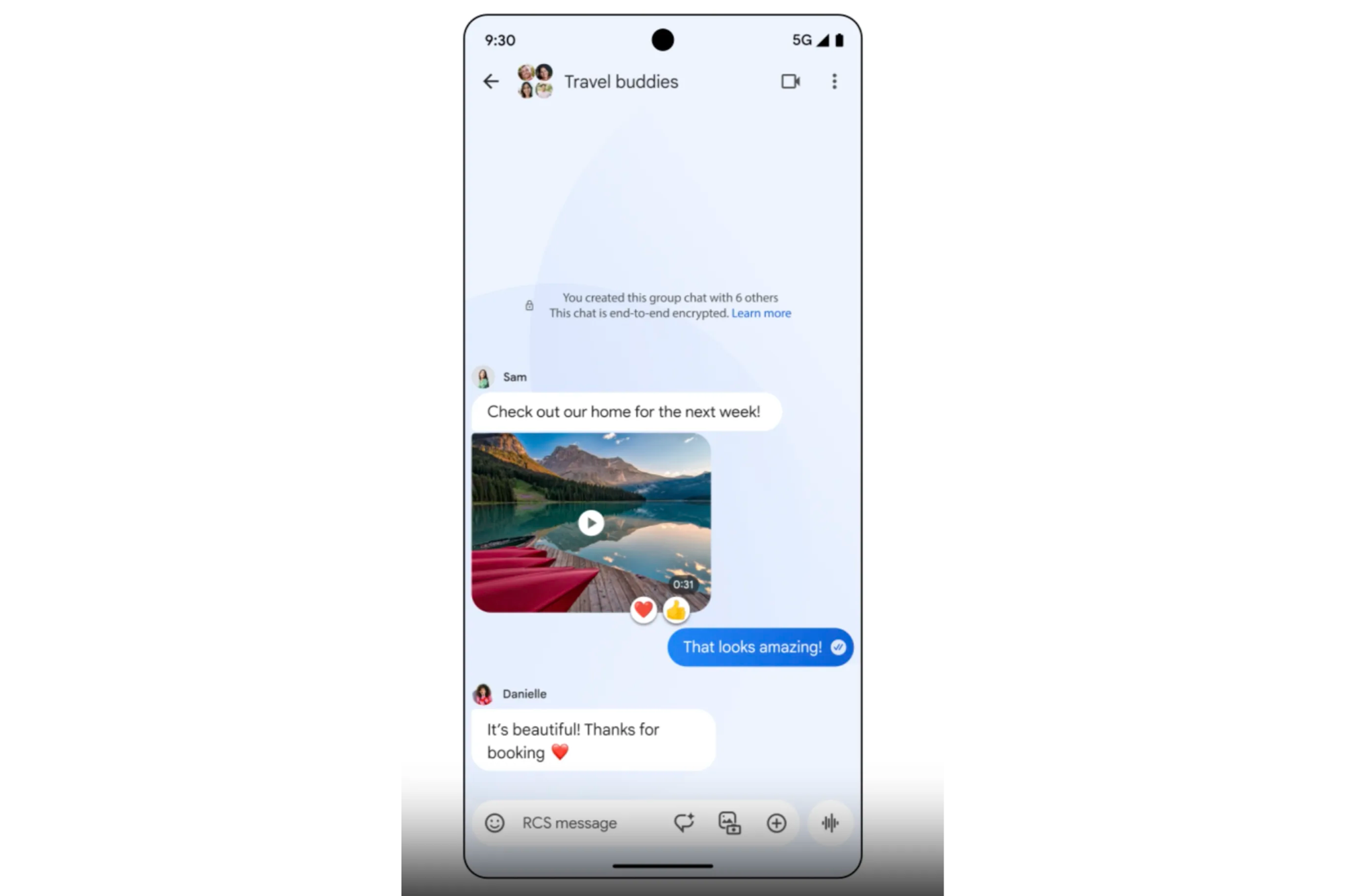
Reliable RCS, with typing indicators and read receipts, is the real reason the switch is worth it. | Image by Google
What you actually lose
The losses are real too, and they run deeper than looks. Samsung nailed customization, yes, but it also let you drop chats into folders and auto-delete old texts. Those are organization tools, not decoration.
Themes don’t replace folders. A pretty photo wallpaper is nice, but it won’t help you dig out that one conversation buried under 40 group chats.
There’s another catch worth saying out loud. There’s no guarantee your Samsung themes follow you over when you make the jump, so you might be rebuilding your setup from scratch.
It should be noted that Google Messages is the only Android app that fully supports RCS, so for most US users this isn’t really a choice at all. That’s exactly why the gaps sting the way they do. When you’re pushed somewhere, you notice everything it can’t do.
The trade is worth it, but Google isn’t off the hook
I’ll say plainly where I land: the switch is worth it. Reliable RCS and true cross-device texting beat a folder system every single day of the week.As someone who basically lives in Google Messages, I’ll take an app that just works over one that looks prettier but flakes on the basics. When I had a Galaxy in my rotation, Samsung’s customization was nicer to look at, but I never once missed it enough to give up Google’s reliability.
None of that means Google gets a free pass. Chat themes is the easy win, the fun one, the one that demos beautifully. The harder and far more useful problems, like real chat organization and message categorization, are still sitting untouched while Google ships paint.
Closing that gap is what would actually win the Samsung crowd over. Pretty colors alone won’t.
