

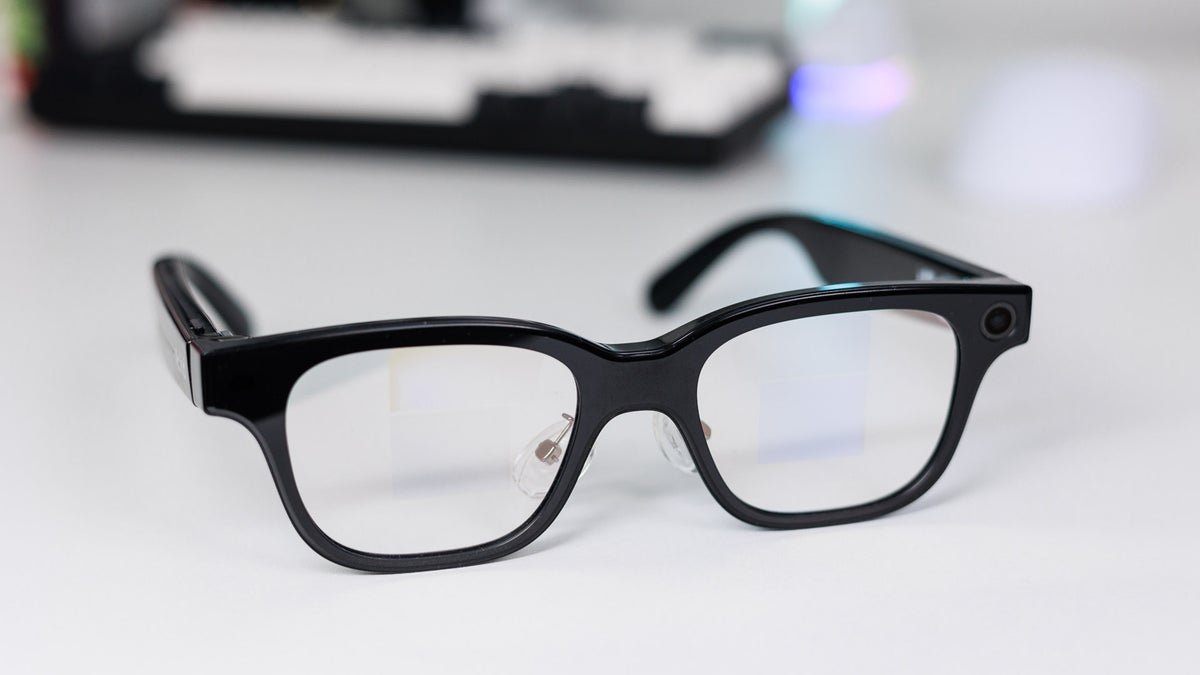
The Rokid Glasses are now available to purchase on Rokid’s website for a whopping $599, with practically worldwide shipping. For the record, you can get a full-blown Meta Quest 3 VR headset for that much, and the core opponent here — the aforementioned Meta Ray-Bans — costs about $300.
Rokid’s screen integration basically has to impress me so much that it makes up for that $200 price jump, because the Quest 3 is pretty impressive, even beyond gaming. But I’ve always wanted true AR glasses, with a clean design and features that can improve my everyday life.
In short: I was very excited to check the Rokid Glasses out. A few weeks later, I can say that the crowdfunding campaign here goes beyond just marketing buzz, which also means that these specs feel like a work in progress.
Table of Contents:
Rokid Glasses Specs
And do they matter if the main draw is AI?
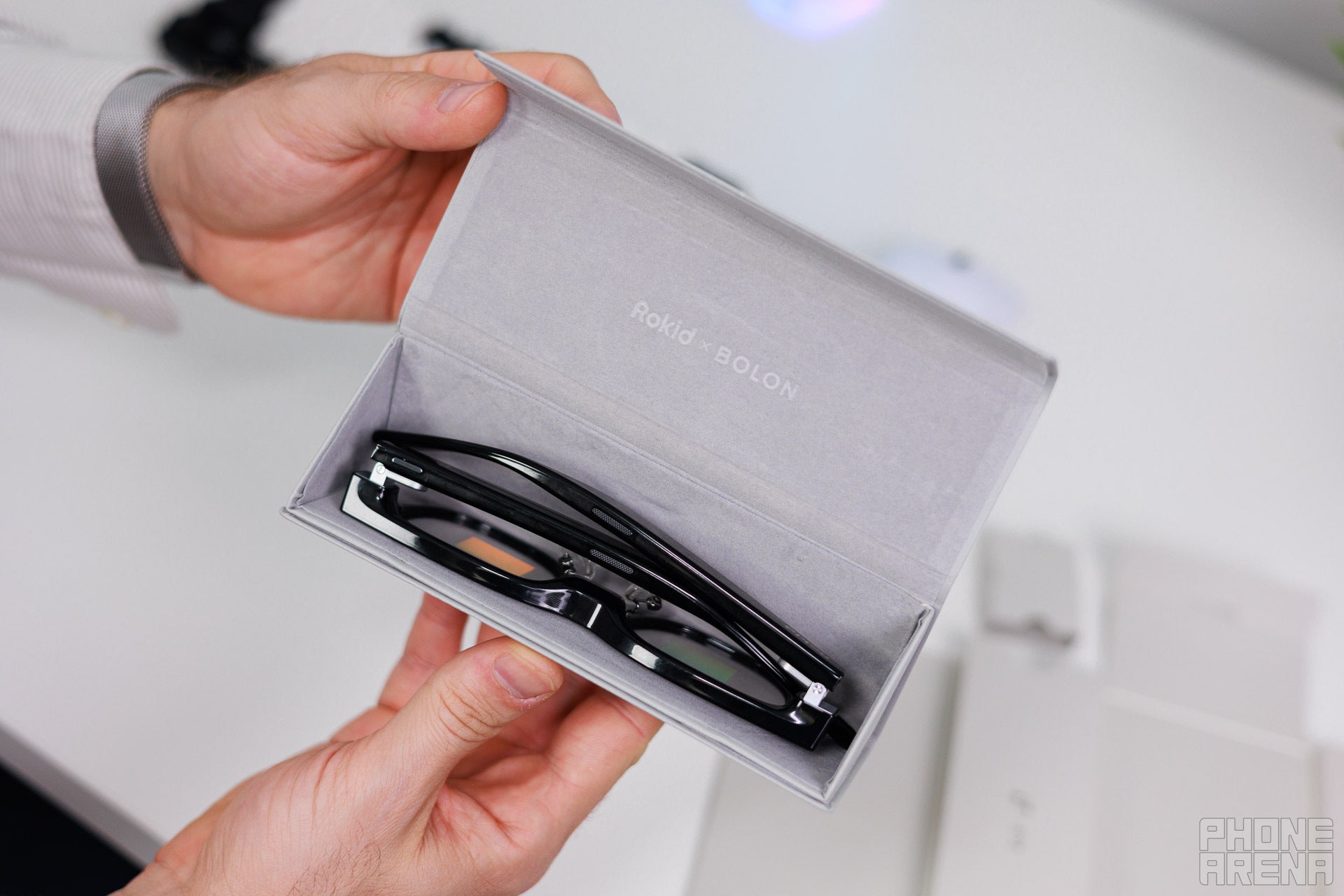
Putting them the right way in takes a bit of practice. | Image by PhoneArena
Let’s start with an overview of the Rokid Glasses’ specs:
| Size | 44.4mm x 146.3mm for the frontal area, and then 155.5mm of length for the frame (extended), with the lens width being 49mm |
|---|---|
| Weight | 49 grams |
| Display | Micro LED binocular display set to matrix green with a 640×480 resolution and 1,500 nits of brightness |
| Processor | Dual-chip architecture with the Snapdragon AR1 for heavy processing and the NXP RT600 for lite tasks |
| Software | YodaOS Sprite |
| Camera | 12MP Sony IMX681 with a 109° FOV at F2.25 aperture, with HDR, noise reduction and stabilization |
| Battery | 210mAh of battery |
| Charging speed | Not disclosed, but can charge up to 80% for about 20 minutes |
| Price | $599 with an available 3000mAh charging case add-on for another $99 |
The specs don’t sound impressive on paper, I know. The Snapdragon AR1 has been outpaced by Qualcomm’s most recent AR-focused releases. The AR1 is comparable to the efficiency and performance of the Snapdragon 4 Gen 1, but that’s not really a fair comparison due to how different AR-chips are designed. What you need to know is that the Glasses don’t feel sluggish at all, but more on that later.The biggest drawback is that 210mAh of battery, which allows for about 4 hours of continuous use, which is a far cry from Rokid’s advertised 8 hours. It also sucks that the charging case is sold separately, because a product with capacity like this could really benefit from such an accessory.
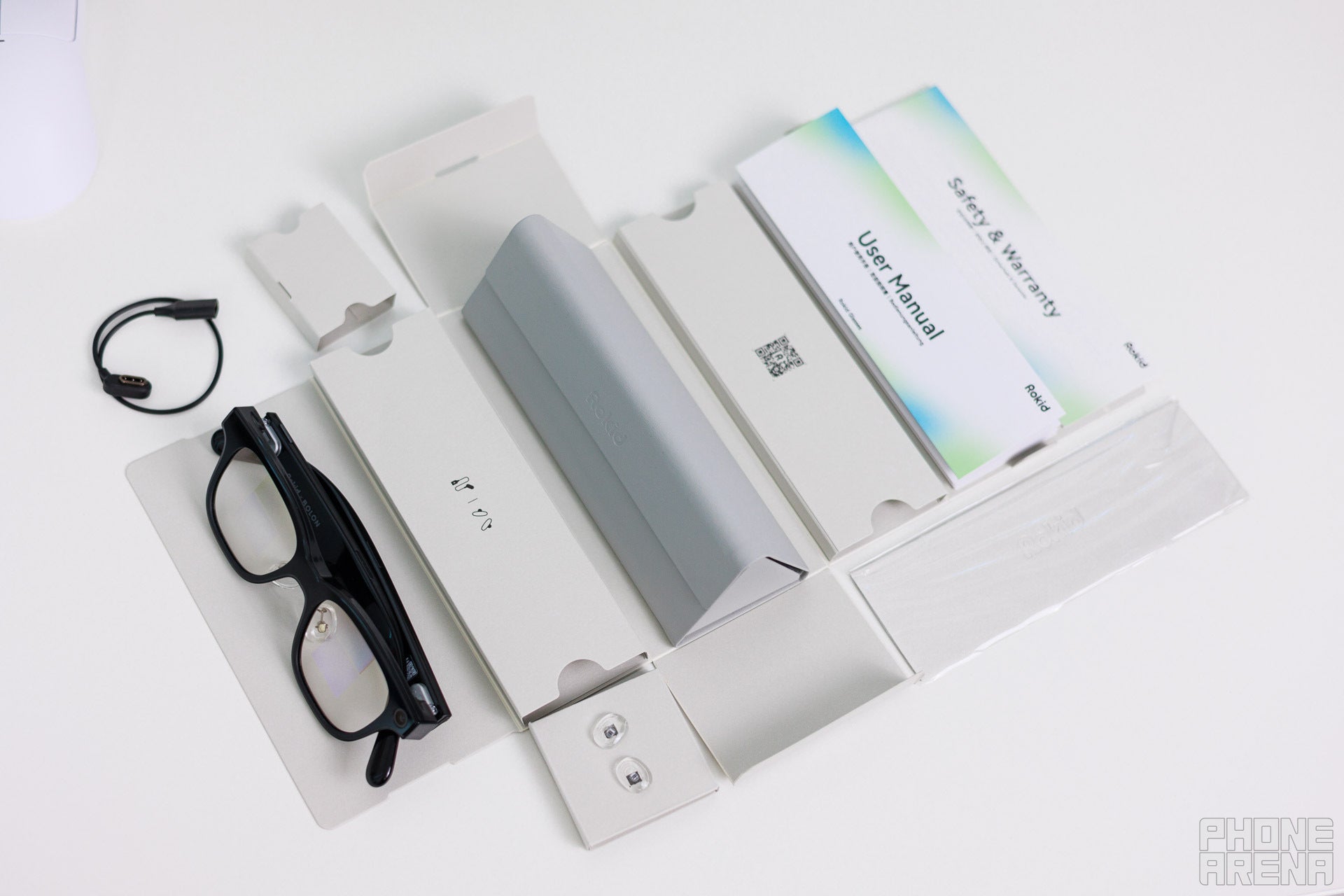
The only thing missing is a charging case. | Image by PhoneArena
Here’s what the Rokid Glasses come with out of the box:
- The smart Glasses
- A magnetic charging cable (which you can also buy separately if you ever lose this one)
- A snazzy, premium feeling magnetic case
- A branded cleaning cloth
Rokid Glasses Design and Display
Not a stunner, but that’s okay
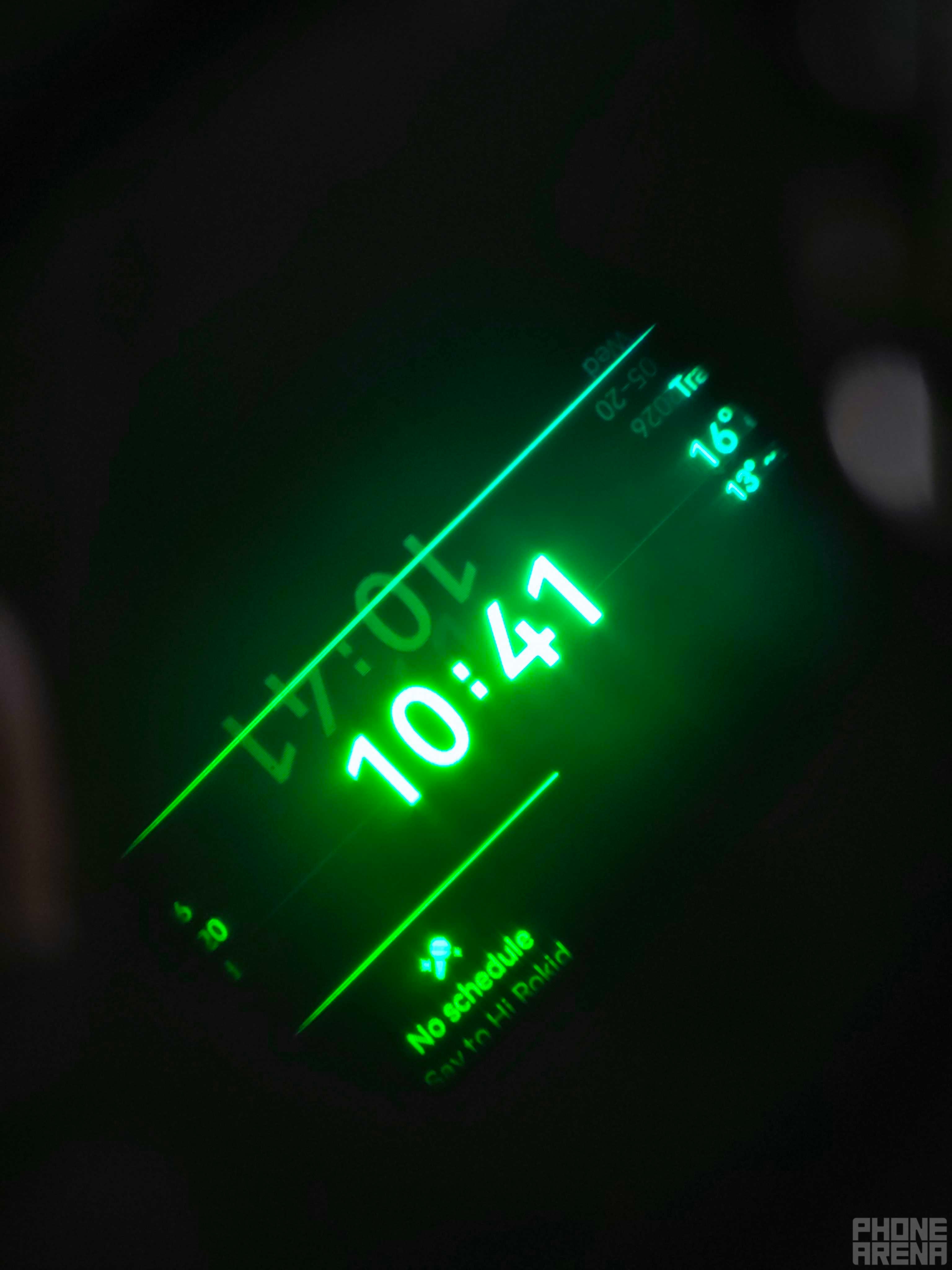
Cut me some slack, it’s hard to get a snap of the display itself. | Image by PhoneArena
I have to admit that the Rokid Glasses certainly feel like a late-gen entry in the smart specs game. They aren’t bulky or uncomfortable to wear. In fact, I often completely forgot that I had them on, which speaks for itself.
From a distance, they look like a regular pair of specs. | Images by PhoneArena
However, I’m not the biggest fan of how they look. The plastic is advertised to be a really sturdy mix, but the result is overly glossy, which makes it a fingerprint magnet. When you factor-in that the glasses have a touch-sensitive side-panel, and another button you need to press, you really start to appreciate the included cleaning cloth. But to be fair, this can be said for a lot of standard-issue glasses too.
By far, the biggest downside in terms of design is the visible 5-pin charging connector, positioned on the outside of the frame of the specs. Sure: putting it on the inside might mean that the constant rubbing on your skin and clothes might damage it. But it really sticks out, and breaks the immersion of these glasses trying to look as ordinary as possible from a distance.
Pardon the slant, but it helps with showing you what it looks like. | Image by PhoneArena
What you see is essentially formed out of a set of dual displays, which makes it less likely that your eyes strain. The resulting image is presented front and center and the UI is minimalistic and approachable in design. The devil, however, is in the details, and you don’t have much control over those.
The biggest issue here is that the software only allows you to move the screen up and down, vertically. You can’t change its size or positioning beyond that, which means that most people will not be able to see all of it. It also means that whenever you activate the glasses, you’ll get everything positioned front and center, which makes multitasking impossible sometimes.
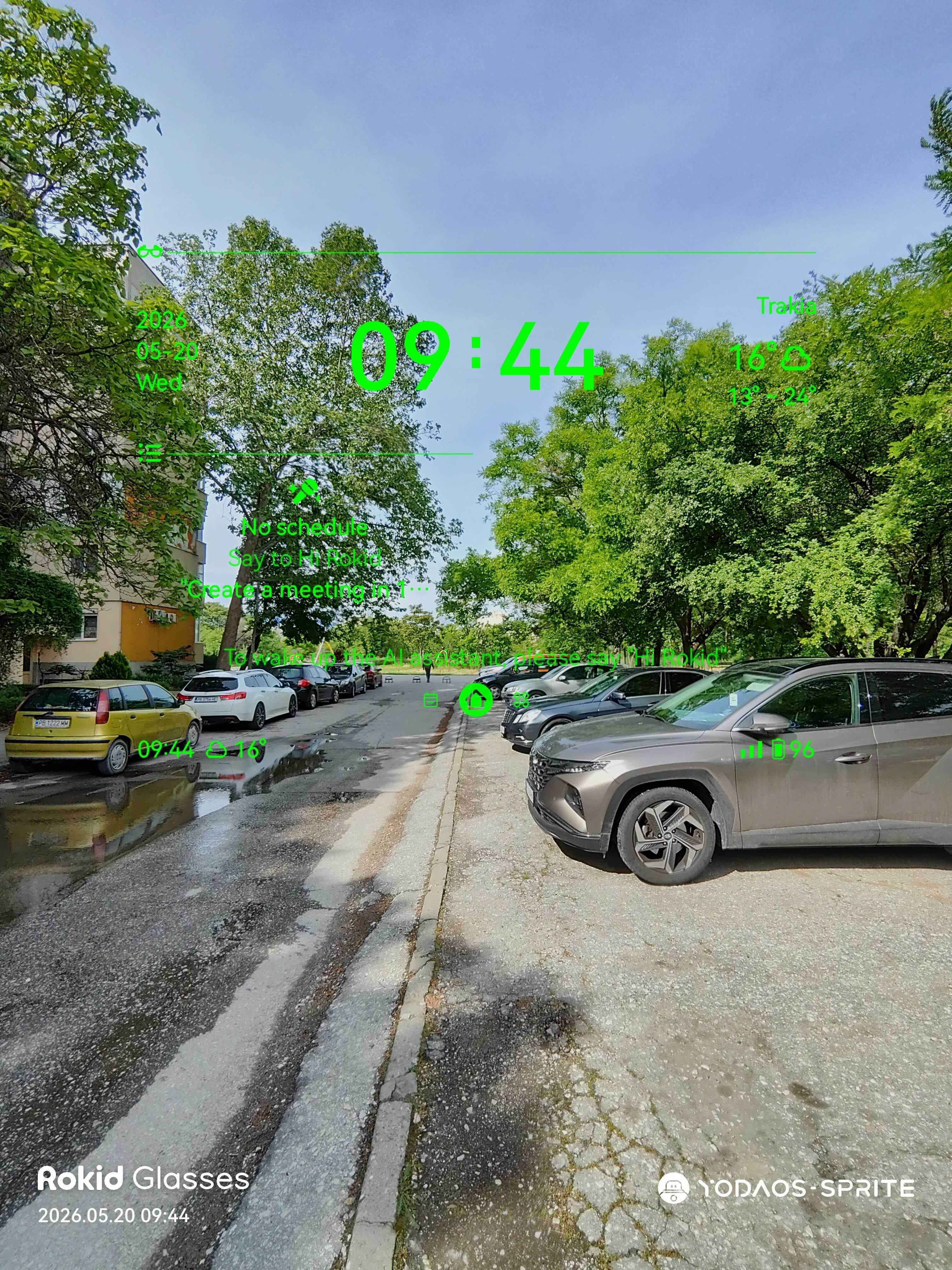
This is what the home screen lookes like. | Image by PhoneArena
Ultimately, the Rokid Glasses do the one thing that glasses are supposed to do very well: they are comfortable to wear, even for longer periods of time. They also do great at the one thing that smart specs are expected to excel at: allow you to get stuff done when your hands are dirty and you can’t whip out your phone. Fixing your car or cooking while being able to ask AI aloud and get a clear and clean response is great.
It’s just not for everyone, especially when you consider that this is also something that most smartphones can do too nowadays. Don’t get me wrong: it works great and it’s impressive, but getting a phone stand for $10 and just putting your phone there in advance, or in a pocket near your face gets the job done. You have to be a very specific type of person to prefer the smart glasses route, especially for $599.
Rokid Glasses Camera
Meta-Ray-Ban contender or wannabe?
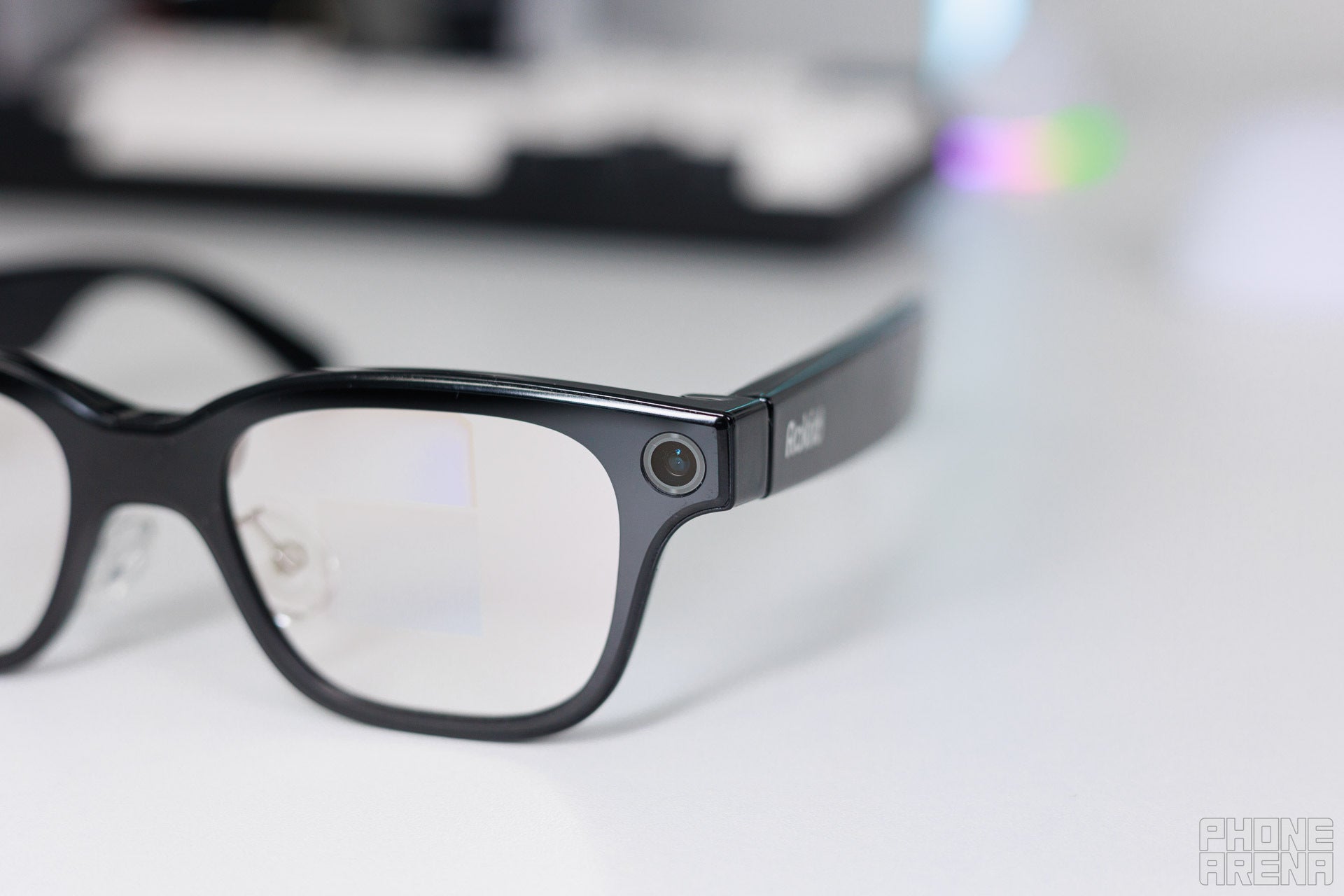
It is noticable when you come in close, for sure. | Image by PhoneArena
The core reason that smart specs come equipped with a camera in the first place is to be able to “see” what you are looking at, so AI can come in and tell you more about it. This worked great for me when I was trying to change out my car’s tailgate lifts, for example. It’s also really handy when you are out and about, and just happen to be curious about something new: it can get you the fun facts rather quickly, without you having to reach for your phone.
All it takes to get started is to say “Hey Rokid, what am I looking at?”. And fun fact: it always thinks you are saying “Rocket”, but it always figures out that you are referring to it, which is great. By proxy, just because it makes sense, the Glasses also allow you to capture photos and video from a first-person perspective. You have a tiny, tactile button on the right side of the frame which you can tap to take a snap or hold to record a video. The real question is if you would want to.
Let’s not discuss the part where I used them while driving. | Images by PhoneArena
Of course, the Rokid Glasses would still work great as a modern-day camcorder, helping you to capture precious moments with your friends and family while staying in the moment. Regardless of quality, the resulting snaps are absolutely crisp enough to bring you back to the moment. You can shoot video up to 10 minutes, which offers more than enough time to make a memory. And it’s also pretty fun to do too — there’s a novelty to the perspective.
One of the draws for such a recording device is social media, because some content just feels more natural when presented from a first-person perspective. That being said, I can’t think of many creatives or influencers that would sacrifice this much quality for the sake of the gimmick. Ultimately, it’s certainly a subjective choice that has notable pros and cons.
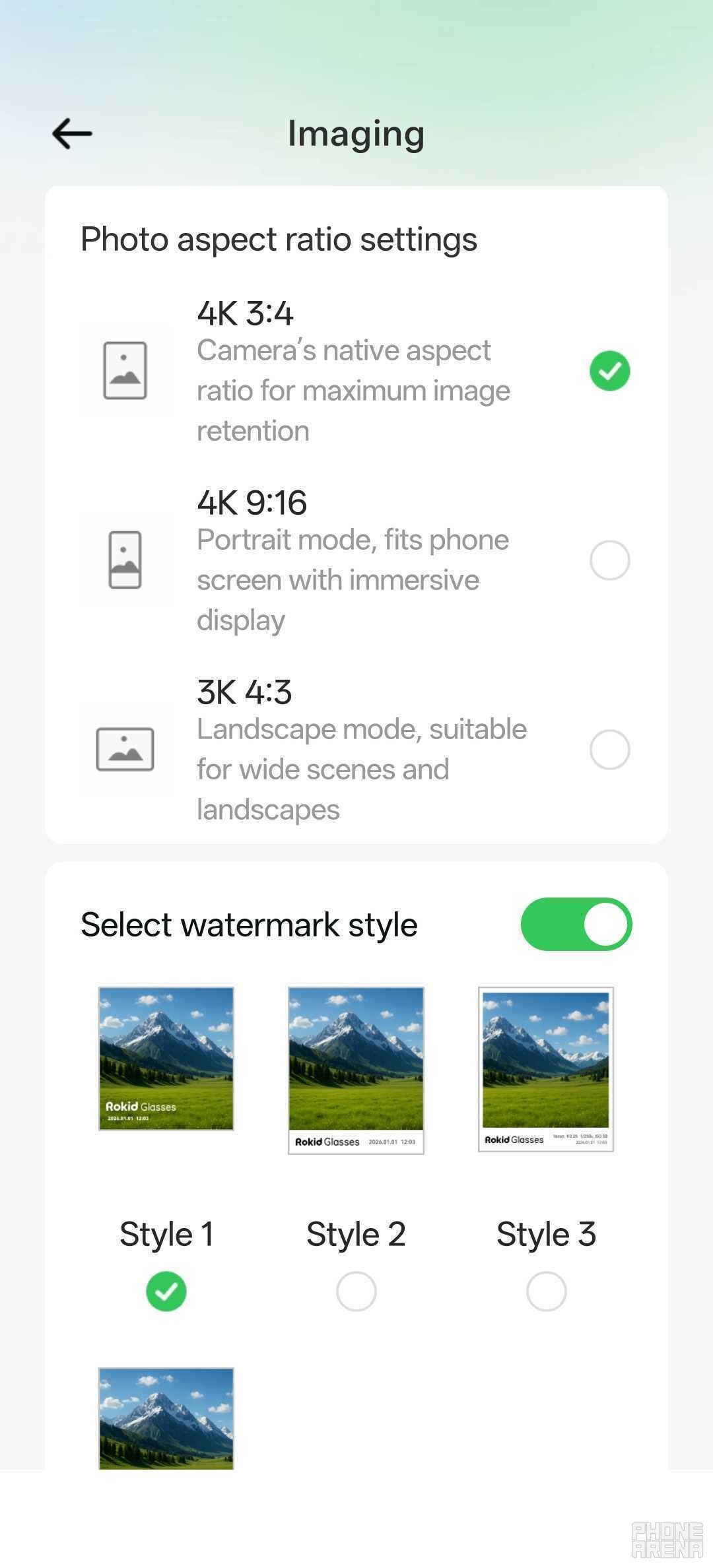
The image settings for the Rokid Glasses. | Image by PhoneArena
I’ll be honest: I lost some pics due to the process here. Once it happened because the glasses ran out of juice in their case, and the other — when I updated them before transferring the images over. Both issues might get patched, but my core message remains: if you like what you’ve captured, you best transfer it over early and not late.
After the transfer, all of your pics and vids will be available in your phone’s gallery and the Rokid app, but they are not separate files: deleting an image from your gallery will delete it from the Rokid app.
I’m not a privacy freak, but I can’t ignore that there’s a privacy risk to all of this. Meta had a huge scandal involving snaps and recordings without user consent, and it’s pretty easy to become paranoid around products like this.
The Rokid Glasses captured a total of two snaps and one voice clip of about 1 minute without my request or permission. Due to the “evolving” nature of the software — which we’re just about to discuss — this could’ve just been a bug. I don’t remember where my hand positioning was at the time, but I certainly didn’t find a way to trigger these by touch, and I’m certain I didn’t say anything.
The pics themselves were full of motion-blur, so they were obviously not planned out. The recording held about a minute of noise while I was working. I asked the AI how I could have prompted these accidentally, since it is supposed to be pre-fed with the full product guide, but it was adamant that the Glasses don’t take recordings without consent. It is what it is.
After you take the Rokid Glasses off, they stay on for a bit so they can be ready if you decide to use them again. This is to counter the boot-up time which feels lengthy, but it’s less than 30 seconds. You can set for how long these stay on in the Settings, but you can’t set it to lower than 10 minutes. To me, this means that these go straight in the case after they are taken off.
Which also makes me think of battery drain, but again: it is what it is.
Rokid Glasses Software
The devil’s in the details
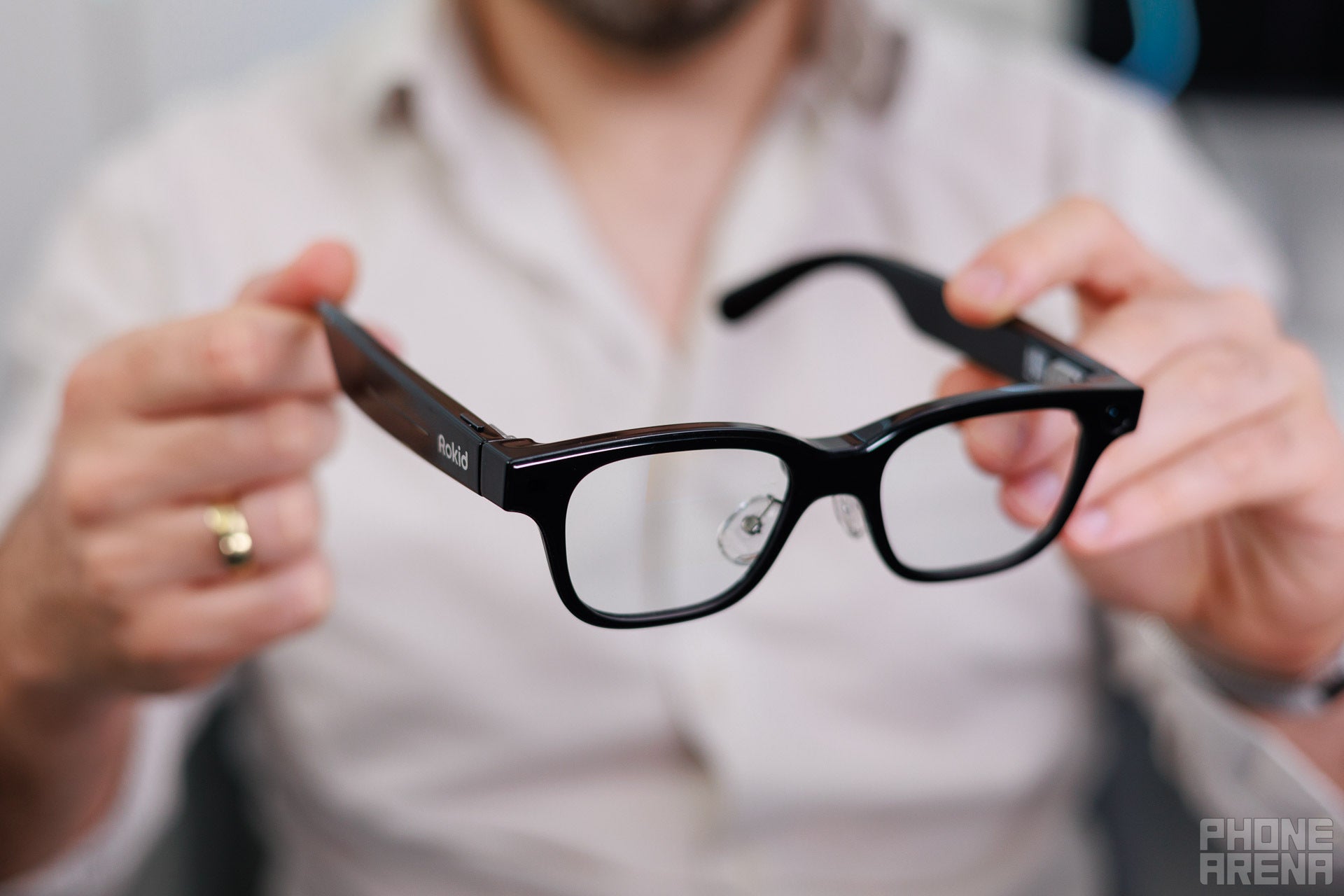
Lightweight and adjustable! | Image by PhoneArena
The OS is quite minimal in terms of presentation. To me, the total package consists of three distinct components:
- The on-board software, which defines what you can do without your phone
- The Rokid App
- AI, which involves a couple of models depending on your region, for me those were Gemini and ChatGPT
The glasses were set to Gemini by default, so that’s what I stuck to for the purposes of this review. I changed the setting to ChatGPT just to give it a go, and I didn’t notice any major differences. I think you’ll get a solid experience regardless of which you choose.
It got the watch model wrong, by the way. | Images by PhoneArena
- When I put on the glasses for the first time, I was shocked that the AI didn’t have any failsafes. It didn’t care who was asking the questions, and it was ready to deliver answers to all sorts of spicy questions. I overstepped as much as I could without creeping myself out, and I can certainly say that I’ve never had such a “vibrant” experience elsewhere. A few weeks later, this has changed and now the glasses are ready to censor words that could even imply a bit of spiciness.
- Initially, the only way to configure the display was to tap the Settings wheel while specifically in the Teleprompter segment of the Rokid app. This is obviously not the most intuitive way to do it, so Rokid changed things. Now we’ve got a dedicated Settings page for the screen, which is great.
And I can carry on. My point being: this is very much a work in progress, and what I say now could very well not represent the product a month or two down the line. I haven’t seen any changes that negatively affect the overall experience, so I’m hopeful for the future of the Rokid Glasses. But keep in mind that what I’m about to discuss probably isn’t set in stone.
When you get the glasses, you need to download the app to pair them, which is a pretty painless process. The Rokid app is core to the Glasses experience, because the specs themselves can’t interact with anything outside of it, except notifications. This means that the glasses can’t look at stuff on your phone, they can’t reach into your Calendar or notes app to get your tasks, and thus: they can’t show them to you on the built-in display.
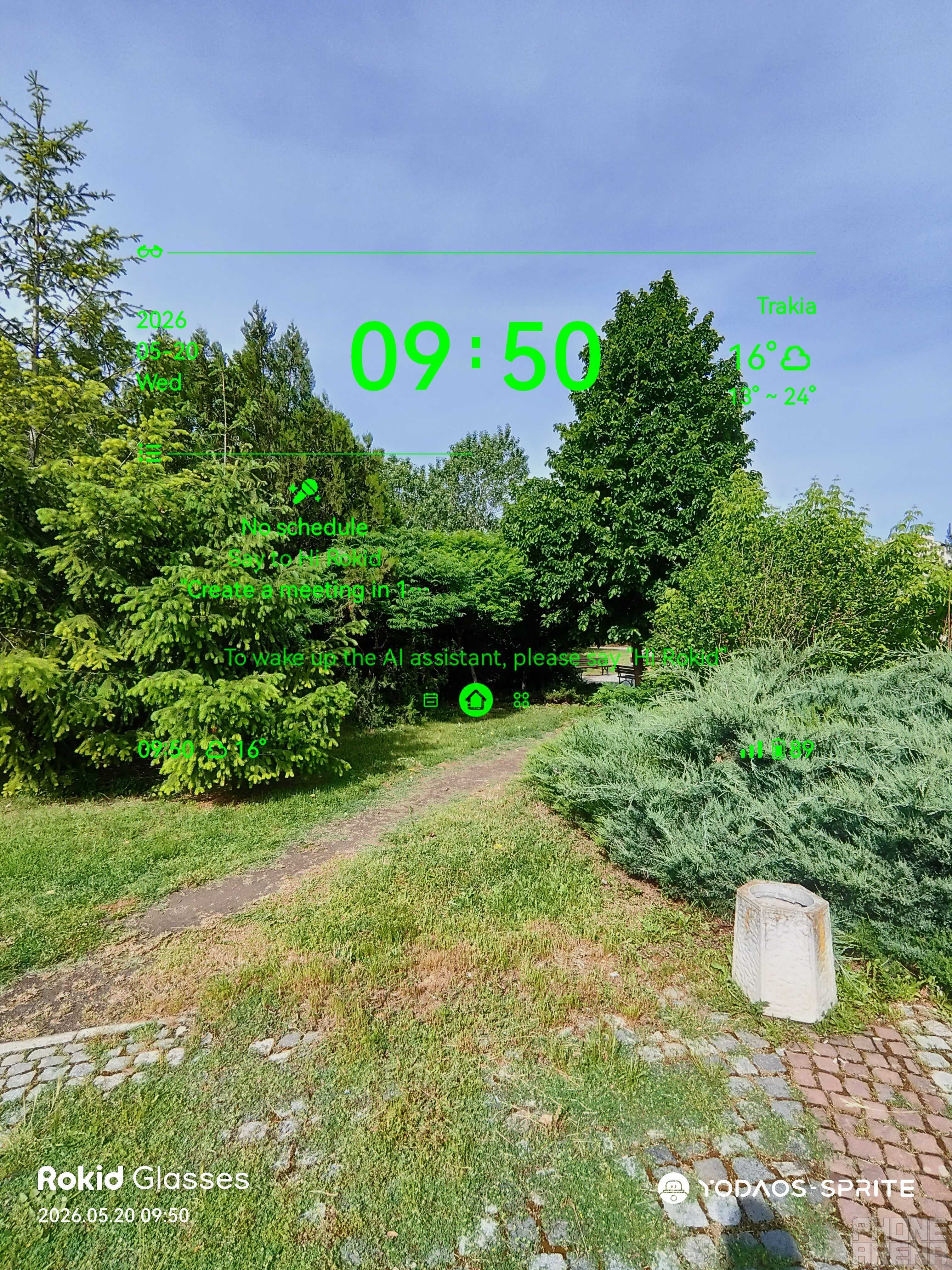
The screen remains visible even against more difficult backgrounds. | Image by PhoneArena
The Rokid app itself is well designed and doesn’t create extra friction when you use it. There are five main categories: Assistant, Home, Gallery, Discover and Me. Here’s a quick rundown:
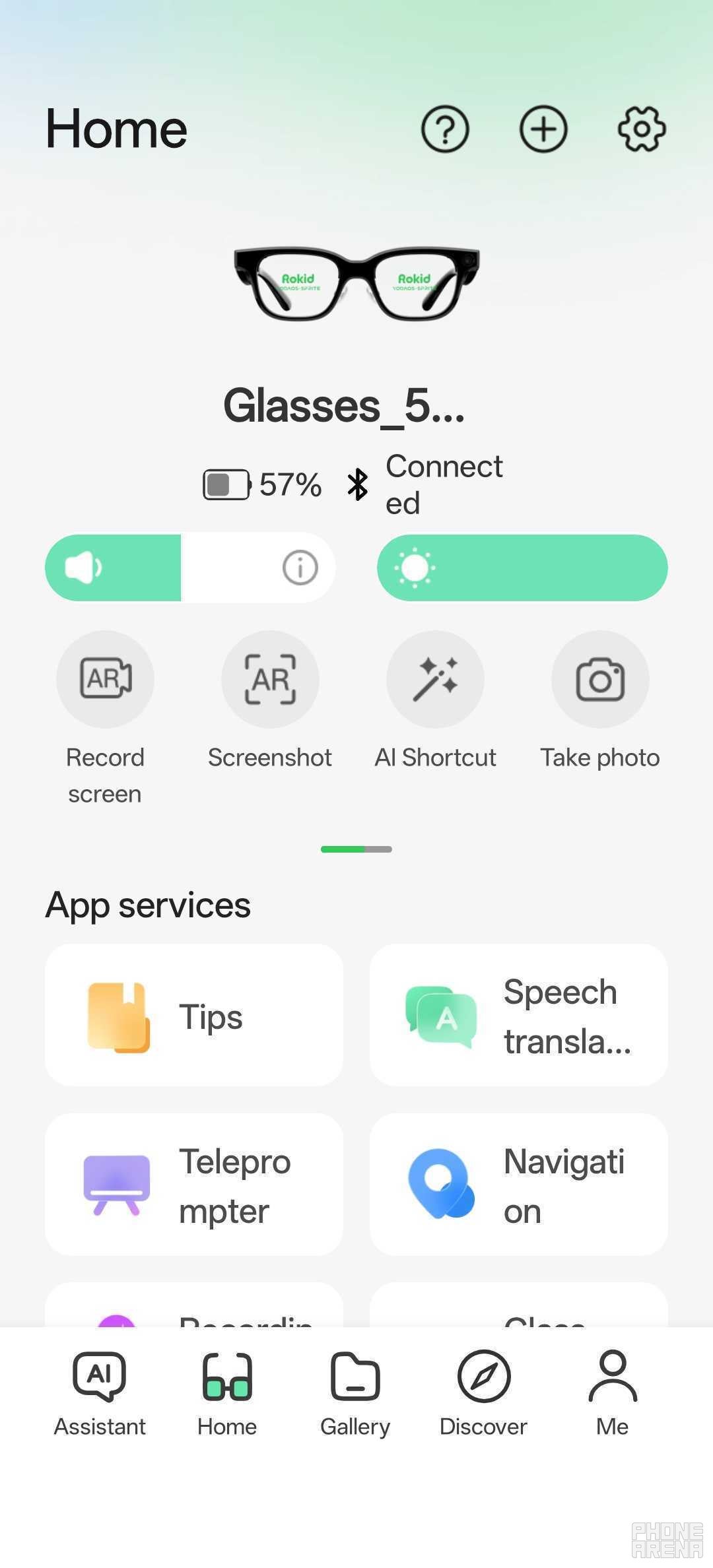
The Rokid app’s main menu. | Image by PhoneArena
- Home: this is where your quick settings live, and from where you’ll need to set up and use some of the Glasses’ main features like the teleprompter or navigation.
- Assistant: This is just an archive of your ever-evolving conversation with the AI. You can’t write to it or do anything else other than just go back to reminisce on the fun moments you’ve had together.
- Gallery: You’ll stop by here often to transfer images and vids from the specs to your phone. Beyond that: it is just a folder of the content captured on the specs, mirrored in the app. You can do staple stuff like sharing, but you can also use your phone’s gallery app for browsing.
- Discover: This is just a news feed for the Glasses themselves, and other Rokid products — not much to say here.
- Me: This is where your account management happens.
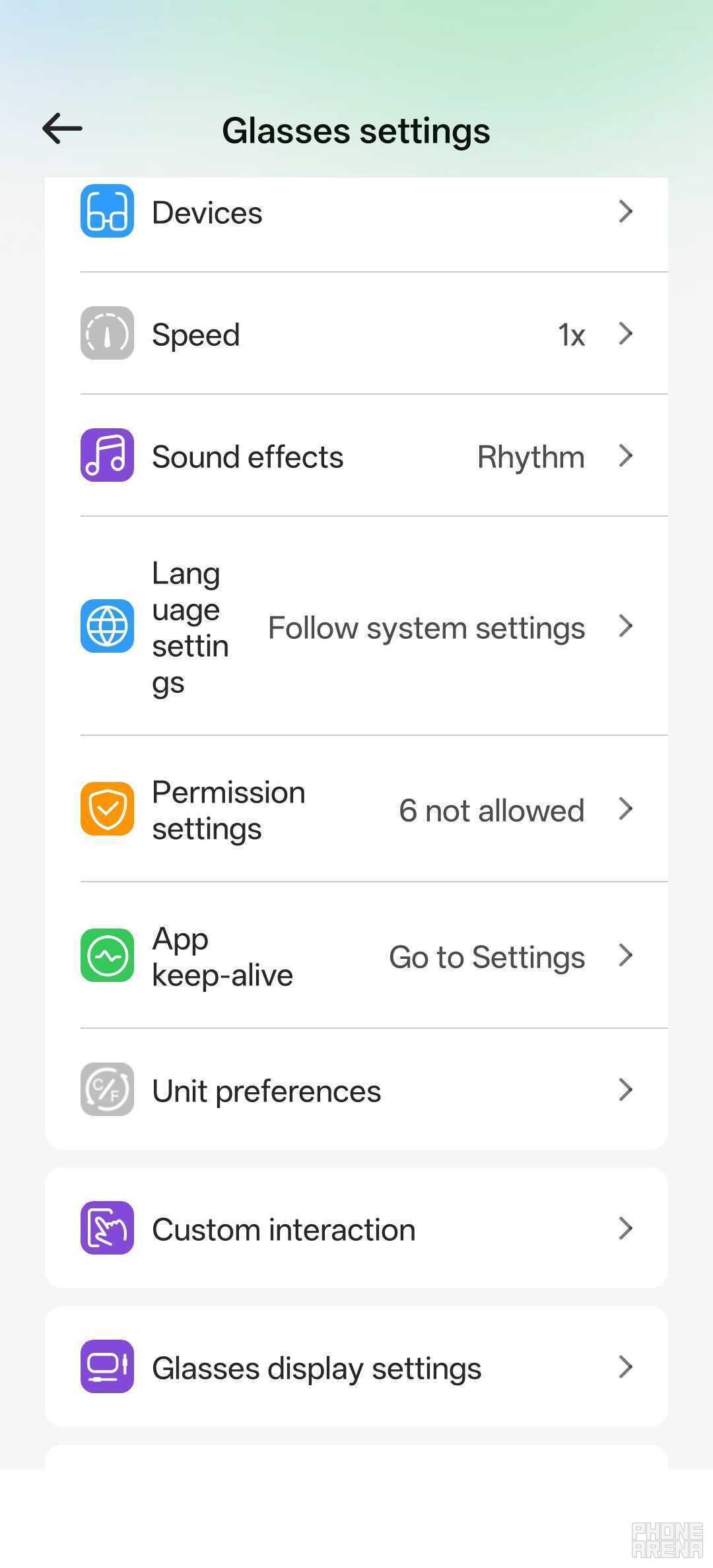
One of the several Settings menus. | Image by PhoneArena
The main features of the Rokid Glasses are all available from the Home pane, and include:
- Speech translation
- Teleprompter
- Navigation
- Recording
- GlassPay
- Widget Control
The model allegedly supports 89 languages, but I’m not quite sure if they are all rolled out, since it did refuse to translate some languages. Again — it’s a bit of a work in progress, and maybe the ultimate goal is to have all 89 supported eventually.
The teleprompter is a great idea for glasses with a screen, and it works great. The AI follows along with your speech to auto-scroll the text, which is really helpful. One thing to keep in mind is that the screen is on and visible for anyone looking at you, so you can’t exactly pretend you are not looking at a prompter. The details are really minor, though, so maybe for things like video production, the issue could be easily edited out in post.
Navigation uses Google Maps, but not to its full feature set, and that’s a real shame. One of the coolest things about smart specs like these is that you can have a real-life minimap, just like in a video game. Alas, it’s not as enjoyable of an experience, because you can’t use the full Google Maps app. Instead, you must utilize a limited, emulated version inside the Rokid app.
This means that you don’t have any of your saved locations, and more importantly: touch input is completely unavailable. For me, this is a huge disadvantage, and one of my most-wanted future updates. Let me ensure you get the picture: this means that you have to tell the AI assistant where you want to go, and hope that it gets it right. It probably works great in Chinese, English, Spanish and other major languages, but when you are abroad?
This thing always tries to “English-ify” everything, which ultimately causes it to find no such locations in Google Maps. In my experience, I couldn’t even get it to send me to the nearest big-chain store, it was just impossible to use.
Recordings are easy to do and sound solid. There’s a 4-mic array around the glasses, which makes noise cancellation easier for the specs. You can respond to calls on these, and I’ve been told that the incoming sound quality is great. But that’s about it: it’s just recording. In a way, it feels like a tacked on feature, because to use it, you must use the Rokid app on your phone, and all of our phones already have decent voice recorders built-in.
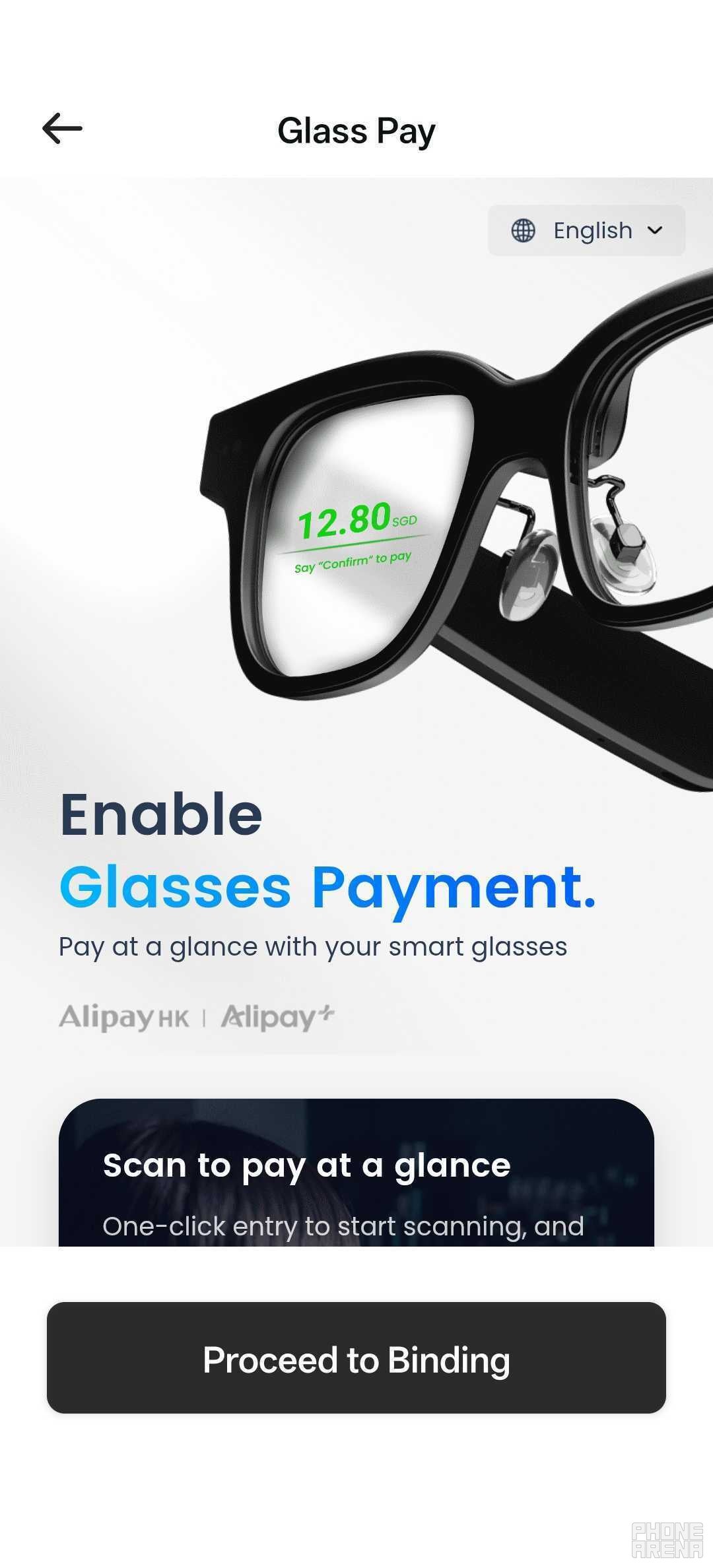
I’m rather not the target demographic for this one, folks. | Image by PhoneArena
One of the new features that I did appreciate, however, is Widget Control. Initially, the specs’ home screen was just a barren space with some info on the top and bottom. Now, I can fill in the gaps with widgets if I wanted to, which is remarkable. For now, the available widgets are pretty generic, like two flavors of weather: expanded or compact. This could turn into a killer feature if the community is allowed to develop custom widgets, but we’ll have to wait and see if that happens.
There are a couple of other neat tricks that the glasses can do beyond these main features. For example, you can control your music through the glasses via the touch panel on the side. This does, however, imply that you are listening to music on the glasses. While that’s not a bad experience, it probably isn’t something you’ll want to do.
The home screen also shows the time, weather and battery status — of the Glasses only. One issue I couldn’t help but notice is that the glasses don’t automatically turn off when you start driving. It was sort of my fault that I expected such a feature, but then again: it seems like a no-brainer, given Rokid’s decision to place the screen front and center. I think that such an update should be implemented if possible. If not to make them turn off, to at least disable the screen if the glasses pick up fast motion.
As you can probably tell, despite having a screen, the Rokid Glasses’ main selling point is AI. They are absolutely meant as a competitor to the Meta Ray-Bans. The great news is that Rokid claims that both models will remain free forever, but I have to remind everyone that the price jump between the two products is still $200.
Rokid Glasses Battery
Or lack there of
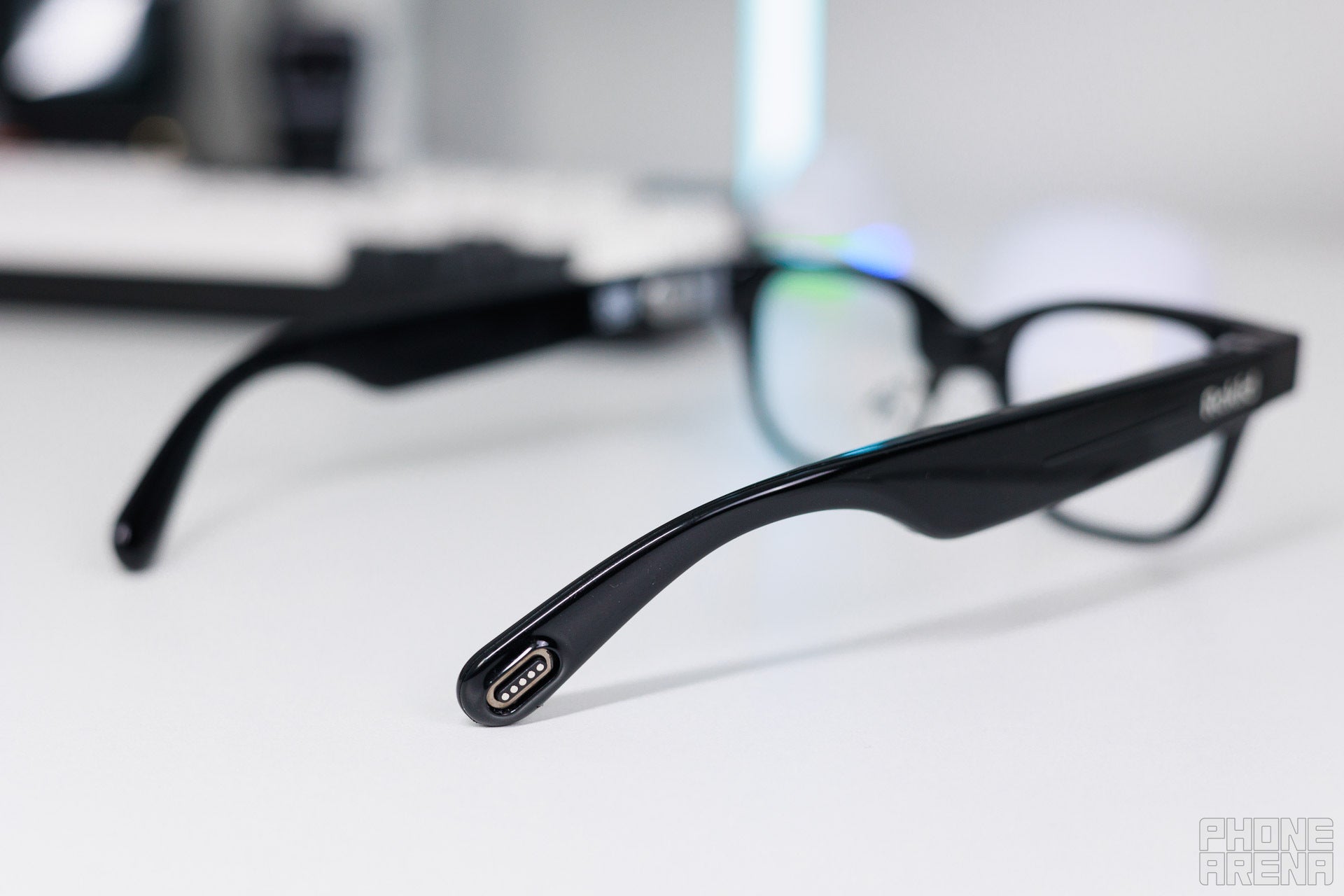
Here’s the charging connector, and I think you get what I meant above. | Image by PhoneArena
I needed to verify some specifics while working on this review, which took about 2 hours. For that time, the glasses lost 50% of their battery life, and I wasn’t even actively using them all the time. I have to be honest here: I haven’t really used any other products like the Glasses, so I’m not sure how standard this is. But I can surely say that it doesn’t feel like enough.
Even when not at full brightness, the Glasses tire out after about 3,5-4 hours of active use. If inactive: a huge chunk of battery life gets eaten away by the mandatory standby time, in the case.
I hope that a future update allows users to bring this setting down to 5, 3 or even 1 minute, which would probably save you at least 25% of extra battery. I think that there’s a bigger chance that you won’t need the Glasses right after you’ve taken them off, rather than something incredibly exciting happening (which you would go on to record on the Glasses, specifically).
The great news is that they recharge pretty quickly. It takes about half an hour to recharge them to max, so depending on the type of user you are, this might work great for you.
I think that Rokid should’ve done its fans a solid and released these bundled with the aforementioned rechargeable case. One of the biggest draws that the Rokid Glasses have is the ability for them to act as your guide, which eats up a lot of battery. As such, if I want to use them all day long while traveling abroad, visiting new places, I need to be able to rely on them to carry me through. And this simply isn’t possible out of the box.
Currently, it feels like I need to buy a separate ticket for such an experience, which isn’t ideal considering the already hefty $599 price tag.
Rokid Glasses Audio Quality and Haptics
Good, but not in the conventional sense
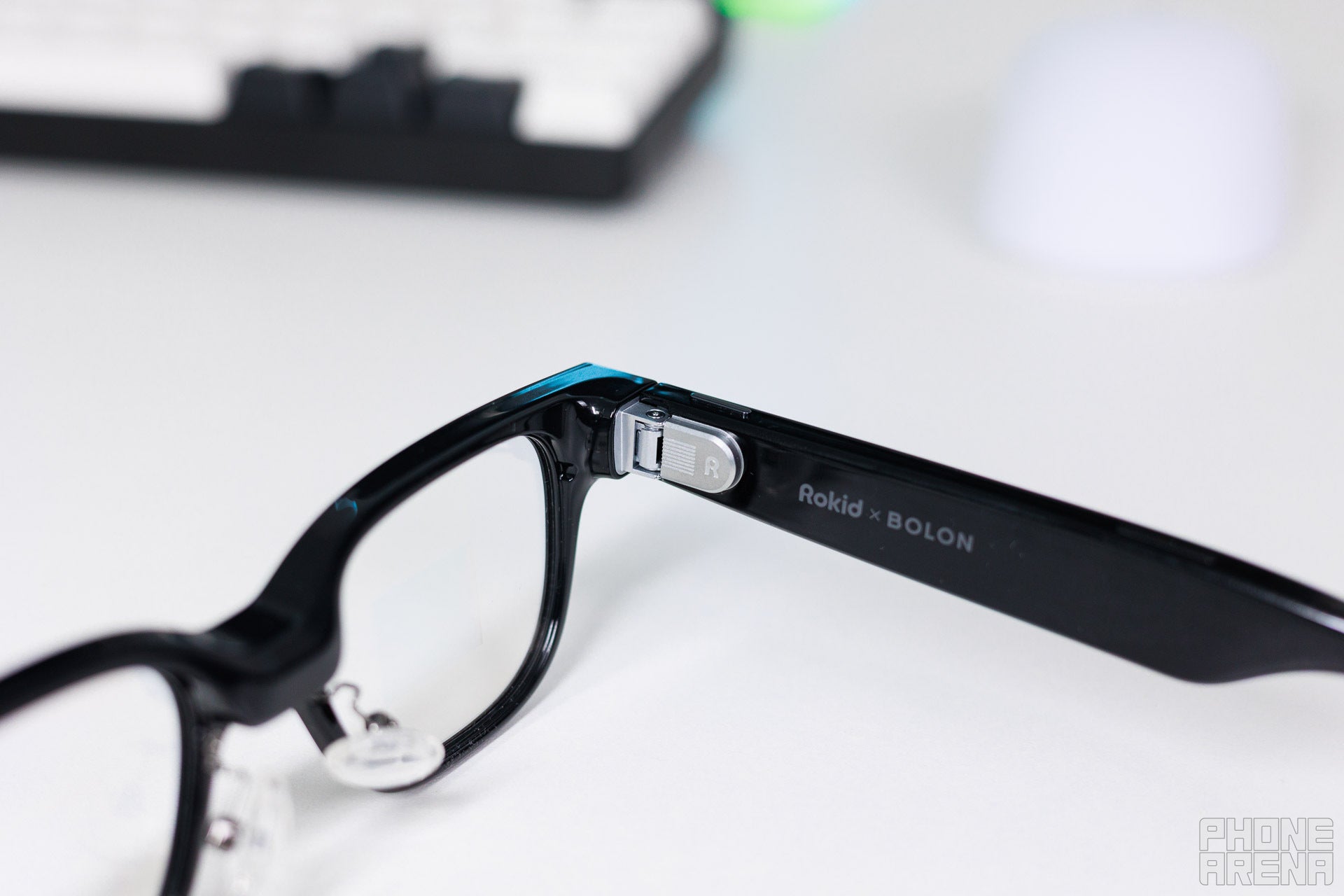
Impressive audio, but not for everyday listening. | Image by PhoneArena
While I won’t be throwing my headphones away in favor of the Rokid Glasses, I must say that audio quality is great. No matter what I listened to, the audio was clear and not muddy, which is impressive for these two tiny near-ear speakers.
I was most pleasantly surprised that I was able to clearly hear the AI voice assistant even when outside, walking on the busy streets. Of course, some of the background noise did suppress the incoming fun facts about local wildlife, but I never failed to comprehend what I was being told.
This may or may not have been boosted by the fact that I was also being actively shown what I was hearing too, on a purely subconscious level.
Of course, by design, the implementation of open speakers implies that there’s audio leakage. Those around you will certainly be able to tell that something is going on, but the party in the far end of the room might not be able to instantly guess the precise flavor of black metal you are listening to. Those close, however, might get a fright in.
Beyond that, there are no haptics to speak of, which makes tuning some settings a bit difficult. Some taps are quick to register, others take a moment, and without proper feedback, my finger often keeps hanging there, waiting for confirmation.
Should you buy the Rokid Glasses?
First-gen woes or great potential to be realized soon?
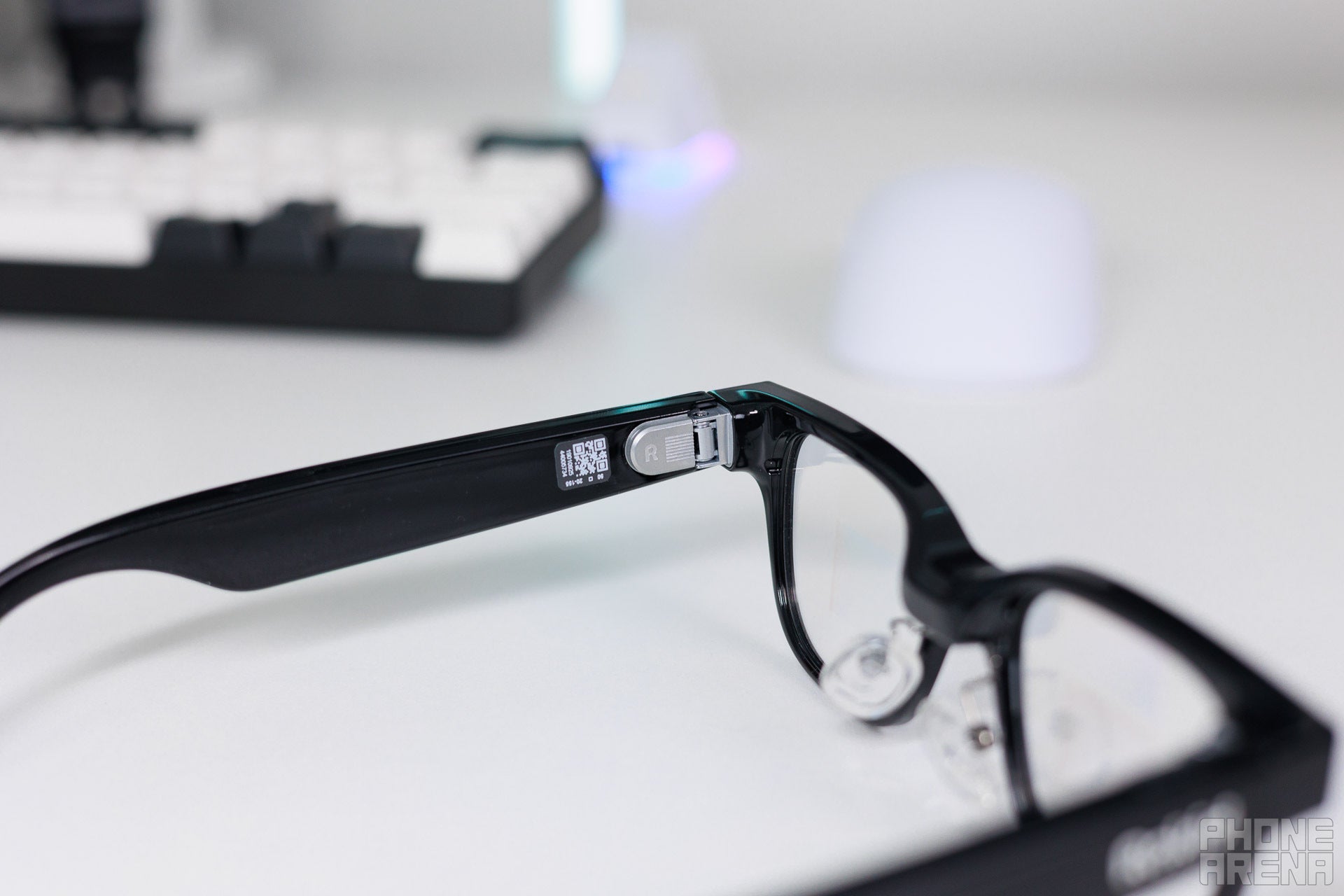
An impressive product with potential, but not for everyone. | Image by PhoneArena
I honestly think that buying the Rokid Glasses is a very subjective decision. This is an emerging type of technology, which is sure to rapidly evolve in the coming years, especially with Google and Samsung joining the race just a few days ago. The Rokid Glasses certainly feel like a product suffering from first-gen woes, but at the same time: the promise is here.
On paper, this is a very compelling package. At least, until you reach the price point. The last time I was this excited about testing out a product, I had the Vision Pro in my hands. But at the same time, I can’t say that the Rokid Glasses live up to the hype just yet.
I can’t help but think back to the Meta Quest 3 just because of the price point. Yes, that’s a headset: it’s much more powerful, and much more uncomfortable, and nowhere near the same category. But it lets you watch content, play games, experience impressive spatial AR features — all for the same asking price. That’s just insane to me. Rokid’s decision to price the Glasses at this point makes it impossible not to compare.
For the same price, you could get the new MacBook Neo. Let that sink in.
The alternative is Meta’s offering with the Ray-Ban specs, which I haven’t tested. But from what I’ve seen and heard, they offer a pretty similar experience, at a notably lower price. You may or may not be paying that difference with your data though, who knows?
The real killer feature on the Rokid Glasses is the screen, but as of now: it’s just feels underutilized, almost like an afterthought. Most of the available features are already on your phone, and the few that could make a difference are very difficult to use, to an extent where — again — I’d rather use my phone.
As such, it feels fair to factor that out and if you do, what you’re left with is basically a reasonable, but costlier competitor to the Ray-Bans. The options are clear: pay extra for potential that might never unfold or go with what’s established and working well.
That being said, I’ve seen enough improvements on the Rokid Glasses over the last few weeks to know that this story isn’t done. I don’t know where the devs will take the Glasses from here, but I do know they show real promise. If an active commitment is made to diversify the feature set and improve what is already available, then yes: the Rokid Glasses may be worth the asking price.
But not now, and certainly not for everyone. If you think you’ll love them, you can check them out here.
If you’re thirsty for more AR/VR, check out:
