If you are anything like me, you’ve been waiting for this day for a long time. I was going to write that it wasn’t nearly as long as the number of years that Steve Jobs said he was looking forward to unveiling the iPhone when he took the stage at Macworld on January 9, 2007. On that date, Jobs told the packed convention venue that he had been looking forward to introducing the iPhone for two and a half years.
Siri AI is here for eligible Apple devices running the latest developer beta software
Following today’s WWDC keynote, I installed the iOS 27 developer beta on my iPhone 15 Pro Max and the new version of Siri was not immediately enabled. I went to the Settings menu and tapped on the Siri listing and was sent to a settings page where there was a small link that read, “Try the new Siri.” Tapping the link took me to a button that I pressed to join the Siri waitlist.
Siri AI gives me closing stock prices for the Big 3. | Image by PhoneArena
You might remember that back in June 2024, when Apple released the first developer beta for iOS 18, it did not include Apple Intelligence. That feature was first made available with the release of the iOS 18.1 beta in July 2024. At that time, Apple had users join a waitlist, although most iPhone users were able to access Apple Intelligence the same day. That gives me some hope that we might be able to use Siri AI as soon as today.
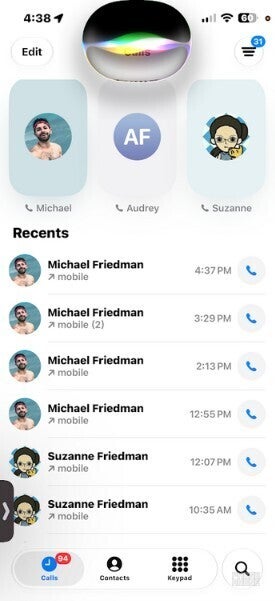
Siri AI comes out of the Dynamic Island. | Image by PhoneArena
After a brief period of time on the waitlist, I received Siri AI
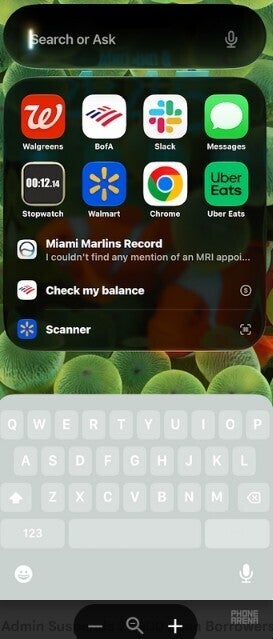
And sure enough, I now have Siri AI on my iPhone 15 Pro Max. Say “Hey Siri,” and a new Siri logo comes out of the Dynamic Island. Swipe down from the center of the screen to see a prompt that says “Search or Ask.” I asked for the closing stock prices for AT&T, T-Mobile, and Verizon, and Siri answered in a box that came out of the Dynamic Island.
Swipe down from the top center of the screen to see the Search or Ask interface. | Image by PhoneArena
I’ve been able to tack on follow-up questions although Siri will sometimes shut down before the second query can be asked. When it comes to Personal Context, Siri couldn’t find an appointment that I had listed in my Apple Calendar for tomorrow, but did mention some MRI appointments I had in the past.
Siri now knows what is on your screen
After using Gemini as my assistant on my Pixel 6 Pro, I can tell you that Siri AI is not at that level yet. It will get better. For example, when I ask for the weather tomorrow in Salem, Siri tells me the high and low. Gemini shows me a card with hourly temperatures and precipitation percentages. It is not a big deal, but for those who like to see as much data as possible, there is a difference.
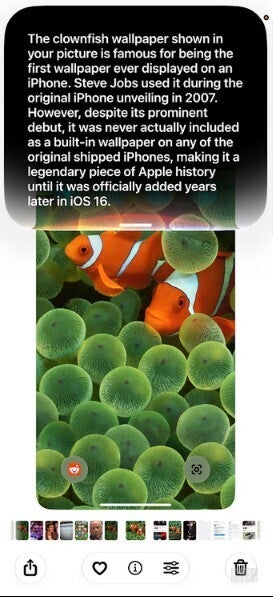
Siri can tell what is on your screen. | Image by PhoneArena
Most Apple iPhone users who never used Gemini or other chatbots will love Siri AI
For iPhone users who are just used to using Siri all of these years, it will seem as though Siri had a brain transplant and is the most amazing source of information ever. But for those of us who have used Gemini on Android, or have used AI chatbot apps like ChatGPT or Copilot, Siri might not seem as impressive. This is not to put down Siri AI, and I’m sure once Apple does all the fine-tuning, Siri AI will be right up there with Gemini as a mobile assistant.
As for Siri’s ability to know what is on your iPhone display, there are no issues here. Siri correctly identified photos and other content I put on my display.
The Siri app will appear in the App Library once you have the iOS 27 developer beta installed. The app will show you past conversations with a search icon on the bottom left and an icon that when tapped, will allow you to write your demand or question to Sir.