

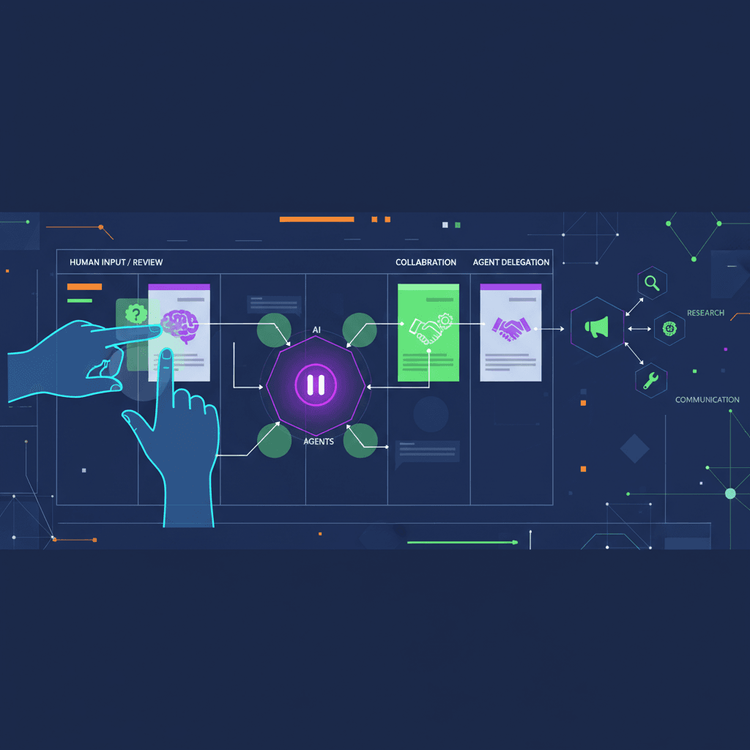
Fully autonomous multi-agent AI pipelines carry a fundamental flaw: they fail silently. This tutorial walks through building a content-review pipeline where a research agent gathers sources, a draft agent writes content, a human reviews via a Kanban board, and a publishing agent finalizes the work — all coordinated through Arvo events, with NoCoDB serving as the shared visual workspace.
How to Build a Human-AI Collaborative Kanban Pipeline with ArvoWorks
- Provision the local stack with Docker Compose (NoCoDB, Redis, Deno agent runtime).
- Configure a NoCoDB Kanban board with Status columns mapping to each workflow stage.
- Define Arvo event contracts for research, draft, review, and publish stages.
- Implement research and draft agents that call an LLM and update card state via the NoCoDB API.
- Create a webhook bridge that translates NoCoDB status changes into Arvo events.
- Wire agents to the orchestrator with routing rules, including a human-blocking review gate.
- Test end-to-end by emitting a seed event and approving or revising the card on the Kanban board.
Table of Contents
Why AI Agents Need a Shared Workspace
Fully autonomous multi-agent AI pipelines carry a fundamental flaw: they fail silently. When an agent makes a poor judgment call three steps into a chain, the error compounds without any opportunity for human correction. There are no approval gates, no transparency into intermediate state, and handoffs between agents are brittle because nothing external validates the work product. Building a human-AI collaborative workflow requires a different pattern, one where agents can pause, request human judgment, and resume without losing state.
The Kanban board offers a natural metaphor for this kind of orchestration. Columns map to workflow states. Cards represent discrete units of work. Work-in-progress limits function as backpressure, preventing agents from overwhelming human reviewers. This is not a novel observation about project management, but it gives agents and humans a shared, queryable state machine when the board is treated as a first-class coordination surface between AI agents and human decision-makers.
Building a human-AI collaborative workflow requires a different pattern, one where agents can pause, request human judgment, and resume without losing state.
This tutorial walks through building a content-review pipeline where a research agent gathers sources, a draft agent writes content, a human reviews via a Kanban board, and a publishing agent finalizes the work. All coordination flows through Arvo events, with NoCoDB serving as the shared visual workspace. The result is a fully event-driven, human-in-the-loop orchestration layer built on familiar tooling.
Prerequisites
Before starting, ensure you have:
- Docker Engine ≥ 24.0 with the Docker Compose v2 plugin (
docker compose, notdocker-compose) - Deno ≥ 2.0 (the
deno addcommand and npm specifier support require Deno 2.x) - Node.js ≥ 18 and npm (required for the
arvoworks-cliscaffolding tool) - An OpenAI API key with GPT-4o access and billing enabled
- Working knowledge of TypeScript, basic Docker proficiency, and familiarity with event-driven architecture
Important — Package Verification: At the time of writing, the
arvo-core,arvo-event-handler, andarvoworks-clipackages should be verified as available on npm before proceeding. Runnpm show arvo-core versionandnpm show arvo-event-handler versionto confirm. If these packages are not yet published or are available only through a private registry, consult the ArvoWorks GitHub repository for alternative installation instructions. Treat all ArvoWorks-specific API surfaces in this tutorial as subject to change if you cannot verify the packages.
Architecture Overview: The Human-Agent Interaction Loop
Core Components
Four components form the backbone of this system.
The ArvoWorks orchestrator routes typed events between agents, tracks correlation IDs across asynchronous boundaries, and provides the replay and audit capabilities that make the system recoverable. It owns agent lifecycle and state transitions.
NoCoDB acts as the shared visual workspace. It is an open-source Airtable alternative that exposes a REST API and supports webhooks on row updates. When a human moves a card from one column to another, a webhook fires, and that status change becomes an event in the system.
The agent mesh groups four specialized sub-agents: research, draft, review-request, and publish. Each agent communicates exclusively through Arvo event contracts, which define the schema of what each agent accepts and emits.
Finally, Deno handlers process incoming events and update board state through the NoCoDB API. These are single-file functions with no framework dependency. All implementation code in this tutorial uses Deno-specific APIs. If you prefer Node.js, replace Deno.env.get(...) with process.env.VAR_NAME, and replace Deno.serve(...) with an HTTP framework such as Hono or Express.
The Interaction Loop Explained
Here is how the loop works. An agent performs its work (research, drafting) and then moves the corresponding card to the “Needs Review” column via the NoCoDB REST API. The agent yields control. It emits a completion event, and the orchestrator suspends that event chain until a matching “human-responded” event arrives.
The human inspects the card on the Kanban board, reads the agent’s output, adds comments or edits in the “Human Feedback” field, and moves the card to either “Approved” or “Revise.” This column change triggers a NoCoDB webhook. A single-endpoint webhook bridge receives that payload, parses the human’s decision and feedback, and emits the corresponding Arvo event back into the event bus.
If the decision is “approved,” the publish agent picks up the work. If “revise,” the draft agent receives the feedback and iterates. The critical mechanism here is that agents emit a completion event and the orchestrator suspends the chain until the correlated human-response event arrives. The agent’s state is preserved in the event bus, not in memory.
Setting Up the Environment
Environment Variables
Create a .env file in your project root with the following variables:
NOCODB_API_TOKEN=your_nocodb_api_token_here


LLM_API_KEY=sk-your-openai-api-key-here


REDIS_URL=redis://redis:6379


NOCODB_BASE_ID=your_base_id_here
NOCODB_TABLE_ID=your_table_id_here


WEBHOOK_SECRET=your_webhook_secret_here
Docker Compose for NoCoDB and the Agent Runtime
The entire stack runs locally via Docker Compose: NoCoDB for the Kanban board, Redis as the event queue backing store, and a Deno-based runtime for the agent handlers.
WARNING: The credentials below (exposed Redis port) are for local development only. Change all credentials and restrict network access before any non-local deployment.
version: "3.8"

services:
  nocodb:
    image: nocodb/nocodb:0.204.2
    ports:
      - "8080:8080"
    environment:
      NC_DB: "pg://postgres:5432?u=noco&p=noco_password&d=noco_db"
    depends_on:
      - postgres
    networks:
      - agent-net

  postgres:
    image: postgres:16-alpine
    environment:
      POSTGRES_USER: noco
      POSTGRES_PASSWORD: noco_password
      POSTGRES_DB: noco_db
    volumes:
      - pg_data:/var/lib/postgresql/data
    networks:
      - agent-net

  redis:
    image: redis:7-alpine

    command: redis-server --appendonly yes
    networks:
      - agent-net

  agent-runtime:
    image: denoland/deno:2.0.0
    working_dir: /app
    volumes:
      - ./src:/app
    command: ["deno", "run", "--allow-net", "--allow-env", "--allow-read", "main.ts"]
    ports:
      - "3000:3000"
    environment:
      NOCODB_URL: "http://nocodb:8080"
      NOCODB_API_TOKEN: "${NOCODB_API_TOKEN}"
      LLM_API_KEY: "${LLM_API_KEY}"
      REDIS_URL: "redis://redis:6379"
      NOCODB_BASE_ID: "${NOCODB_BASE_ID}"
      NOCODB_TABLE_ID: "${NOCODB_TABLE_ID}"
      WEBHOOK_SECRET: "${WEBHOOK_SECRET}"
    depends_on:
      - nocodb
      - redis
    networks:
      - agent-net

volumes:
  pg_data:

networks:
  agent-net:
    driver: bridge
Configuring the NoCoDB Kanban Board
After starting the stack with docker compose up -d, navigate to http://localhost:8080 and create a new base table with the following fields:
- Title (Single Line Text): the content topic.
- Status (Single Select): the Kanban grouping field with options:
Backlog,In Research,Drafting,Needs Review,Approved,Publishing,Done. - Agent Notes (Long Text): where agents write research findings and intermediate output.
- Human Feedback (Long Text): where the human reviewer adds comments, corrections, or approval notes.
- Event ID (Single Line Text): the Arvo correlation ID linking the card to its event chain.
Switch to Kanban view grouped by the Status field.
Retrieving the base ID and table ID: You need these IDs for the NoCoDB REST API. Run:
curl -s http://localhost:8080/api/v1/db/meta/projects/ \
  -H "xc-token: $NOCODB_API_TOKEN" | jq '.'
This returns your base ID (e.g., p_abc123). To find the table ID, inspect the table settings in the NoCoDB UI or use the meta API. Update your .env file with the real NOCODB_BASE_ID and NOCODB_TABLE_ID values.
Under the table’s webhook settings, create a webhook that fires on row update, filtered to changes on the Status field. Point it at http://agent-runtime:3000/webhook/nocodb. This hostname is Docker-internal and works because NoCoDB and agent-runtime share the same agent-net Docker network. Configure the webhook to send a custom header x-webhook-secret with the same value you set in WEBHOOK_SECRET.
Installing ArvoWorks and Arvo SDK
mkdir content-pipeline && cd content-pipeline
deno init


npm show arvo-core version && npm show arvo-event-handler version


deno add npm:arvo-core npm:arvo-event-handler


npx arvoworks init --runtime deno --queue redis
Note: The
npx arvoworks initcommand uses the npm toolchain. This is why Node.js is listed as a prerequisite even though the runtime code uses Deno. The scaffold creates the project structure with event handler templates, contract definitions, and the orchestrator configuration. The resulting project structure should include./src/main.ts,./src/contracts.ts, and an./src/agents/directory.
Defining Arvo Event Contracts
What Are Event Contracts?
Arvo event contracts are typed agreements between agents. Each contract specifies: “I accept event X with this schema, and I emit event Y with that schema.” The uri field in each contract serves as the routing identifier that the orchestrator uses to match events to handlers. Contracts function as the formal interface between agents, ensuring that every handoff point in the pipeline has a predictable shape. For human-AI collaboration, contracts are essential because they enforce the structure of the pause and resume points. The human-blocking contract explicitly defines what data the human receives and what data the system expects back.
Contracts for the Content Pipeline
The pipeline requires four contracts, each mapping to a stage in the workflow. Save the following as ./src/contracts.ts:
import { createArvoContract } from "npm:arvo-core";
import { z } from "npm:zod";

export const researchContract = createArvoContract({
  uri: "content.research",
  accepts: z.object({
    topic: z.string(),
    cardId: z.union([z.string(), z.number()]).transform((v) => String(v)),
    depth: z.enum(["shallow", "deep"]),
  }),
  emits: {
    "content.research.completed": z.object({
      cardId: z.string(),
      sources: z.array(z.string()),
      summary: z.string(),
    }),
  },
});

export const draftContract = createArvoContract({
  uri: "content.draft",
  accepts: z.object({
    cardId: z.union([z.string(), z.number()]).transform((v) => String(v)),
    researchSummary: z.string(),
    sources: z.array(z.string()),
    priorFeedback: z.string().optional(),
  }),
  emits: {
    "content.draft.completed": z.object({
      cardId: z.string(),
      draftContent: z.string(),
    }),
  },
});


export const reviewContract = createArvoContract({
  uri: "content.review",
  accepts: z.object({
    cardId: z.union([z.string(), z.number()]).transform((v) => String(v)),
    draftContent: z.string(),
    reviewPrompt: z.string(),
  }),
  emits: {
    "content.review.responded": z.object({
      cardId: z.string(),
      decision: z.enum(["approved", "revise"]),
      humanFeedback: z.string(),
    }),
  },
});

export const publishContract = createArvoContract({
  uri: "content.publish",
  accepts: z.object({
    cardId: z.union([z.string(), z.number()]).transform((v) => String(v)),
    finalContent: z.string(),
    approverFeedback: z.string(),
  }),
  emits: {
    "content.publish.completed": z.object({
      cardId: z.string(),
      publishedUrl: z.string(),
    }),
  },
});
The reviewContract is the critical one. Its accepts schema defines the data surfaced to the human reviewer on the Kanban card. Its emits schema defines the structured response the system expects: a binary decision and free-text feedback. This contract is the formal boundary between autonomous execution and human judgment.
Building the Agent Mesh
Shared Configuration Utility
All agents rely on environment variables that must be present at startup. Save this utility as ./src/config.ts and import it in each agent module:
export function requireEnv(name: string): string {
  const value = Deno.env.get(name);
  if (!value) {
    throw new Error(
      `Required environment variable "${name}" is not set. ` +
      "Check your .env file and Docker Compose environment block."
    );
  }
  return value;
}
The Research Agent
The research agent triggers on content.research.requested, calls an LLM to gather and summarize sources, writes results to the NoCoDB card, advances the card to “Drafting,” and emits the next event. Save this as ./src/agents/research.ts:
import { createArvoEventHandler } from "npm:arvo-event-handler";
import { researchContract } from "../contracts.ts";
import { requireEnv } from "../config.ts";

const NOCODB_URL = requireEnv("NOCODB_URL");
const NOCODB_API_TOKEN = requireEnv("NOCODB_API_TOKEN");
const LLM_API_KEY = requireEnv("LLM_API_KEY");
const BASE_ID = requireEnv("NOCODB_BASE_ID");
const TABLE_ID = requireEnv("NOCODB_TABLE_ID");

export const researchAgent = createArvoEventHandler({
  contract: researchContract,
  handler: async ({ event, emit }) => {
    const { topic, cardId, depth } = event.data;


    const controller = new AbortController();
    const timeoutId = setTimeout(() => controller.abort(), 30_000);

    let llmResponse: Response;
    try {
      llmResponse = await fetch("https://api.openai.com/v1/chat/completions", {
        method: "POST",
        headers: {
          "Authorization": `Bearer ${LLM_API_KEY}`,
          "Content-Type": "application/json",
        },
        body: JSON.stringify({
          model: "gpt-4o",
          messages: [
            {
              role: "system",
              content: `Research the following topic at ${depth} depth. Return a summary and list of sources.`,
            },
            { role: "user", content: topic },
          ],
        }),
        signal: controller.signal,
      });
    } finally {
      clearTimeout(timeoutId);
    }

    if (!llmResponse.ok) {
      throw new Error(`LLM API error: ${llmResponse.status}`);
    }

    const result = await llmResponse.json();
    if (!result.choices?.length) {
      throw new Error("LLM returned empty choices array (possible content filter refusal)");
    }
    const summary = result.choices[0].message.content;


    const sources: string[] = [];


    const nocoRes = await fetch(
      `${NOCODB_URL}/api/v1/db/data/noco/${BASE_ID}/${TABLE_ID}/${cardId}`,
      {
        method: "PATCH",
        headers: {
          "xc-token": NOCODB_API_TOKEN,
          "Content-Type": "application/json",
        },
        body: JSON.stringify({
          "Agent Notes": summary,
          Status: "Drafting",
        }),
        signal: AbortSignal.timeout(10_000),
      }
    );
    if (!nocoRes.ok) {
      const body = await nocoRes.text();
      throw new Error(
        `NoCoDB PATCH failed: HTTP ${nocoRes.status} — ${body}`
      );
    }

    emit("content.research.completed", {
      cardId,
      sources,
      summary,
    });
  },
});
The Draft Agent
The draft agent generates content from research notes and emits a completion event. The orchestrator then routes this event to the review step, where the pipeline yields to human judgment. Save this as ./src/agents/draft.ts:
import { createArvoEventHandler } from "npm:arvo-event-handler";
import { draftContract } from "../contracts.ts";
import { requireEnv } from "../config.ts";

const NOCODB_URL = requireEnv("NOCODB_URL");
const NOCODB_API_TOKEN = requireEnv("NOCODB_API_TOKEN");
const LLM_API_KEY = requireEnv("LLM_API_KEY");
const BASE_ID = requireEnv("NOCODB_BASE_ID");
const TABLE_ID = requireEnv("NOCODB_TABLE_ID");

export const draftAgent = createArvoEventHandler({
  contract: draftContract,
  handler: async ({ event, emit }) => {
    const { cardId, researchSummary, sources, priorFeedback } = event.data;


    const messages = priorFeedback
      ? [
          {
            role: "system" as const,
            content:
              "You are a content writer. Revise the draft based on the feedback provided.",
          },
          {
            role: "user" as const,
            content: `Original research:
${researchSummary}`,
          },
          {
            role: "user" as const,
            content: `Revision feedback:
${priorFeedback}`,
          },
        ]
      : [
          {
            role: "system" as const,
            content:
              "You are a content writer. Write a draft article based on the research provided.",
          },
          {
            role: "user" as const,
            content: `Research:
${researchSummary}

Sources:
${sources.join("
")}`,
          },
        ];


    const controller = new AbortController();
    const timeoutId = setTimeout(() => controller.abort(), 30_000);

    let llmResponse: Response;
    try {
      llmResponse = await fetch("https://api.openai.com/v1/chat/completions", {
        method: "POST",
        headers: {
          "Authorization": `Bearer ${LLM_API_KEY}`,
          "Content-Type": "application/json",
        },
        body: JSON.stringify({
          model: "gpt-4o",
          messages,
        }),
        signal: controller.signal,
      });
    } finally {
      clearTimeout(timeoutId);
    }

    if (!llmResponse.ok) {
      throw new Error(`LLM API error: ${llmResponse.status}`);
    }

    const result = await llmResponse.json();
    if (!result.choices?.length) {
      throw new Error("LLM returned empty choices array (possible content filter refusal)");
    }
    const draftContent = result.choices[0].message.content;


    const nocoRes = await fetch(
      `${NOCODB_URL}/api/v1/db/data/noco/${BASE_ID}/${TABLE_ID}/${cardId}`,
      {
        method: "PATCH",
        headers: {
          "xc-token": NOCODB_API_TOKEN,
          "Content-Type": "application/json",
        },
        body: JSON.stringify({
          "Agent Notes": draftContent,
          Status: "Needs Review",
        }),
        signal: AbortSignal.timeout(10_000),
      }
    );
    if (!nocoRes.ok) {
      const body = await nocoRes.text();
      throw new Error(
        `NoCoDB PATCH failed: HTTP ${nocoRes.status} — ${body}`
      );
    }


    emit("content.draft.completed", {
      cardId,
      draftContent,
    });
  },
});
The orchestrator is configured (see below) to route content.draft.completed to the review step, where it suspends the event chain until a correlated content.review.responded event arrives from the webhook bridge. The agent’s state is preserved in the event bus, not in memory.
The Publish Agent
The publish agent activates only when content.review.responded arrives with decision === 'approved'. It handles final formatting, publishes to a CMS endpoint, and moves the card to “Done.” Save this as ./src/agents/publish.ts:
import { createArvoEventHandler } from "npm:arvo-event-handler";
import { publishContract } from "../contracts.ts";

export const publishAgent = createArvoEventHandler({
  contract: publishContract,
  handler: async ({ event, emit }) => {


    throw new Error(
      "publishAgent is not implemented. " +
      `Received cardId=${event.data.cardId}. ` +
      "Implement before production use."
    );
  },
});
Note: The publish agent above is a minimal stub that prevents a startup crash. Implement it following the same pattern as the research and draft agents, using the
publishContractschema. Replace thethrowwith your CMS integration logic, a NoCoDB PATCH to move the card to “Done,” and anemitcall forcontent.publish.completed.
The Webhook Bridge: Listening for Human Decisions
The webhook bridge is a small HTTP server that translates NoCoDB webhook payloads into Arvo events. It is the seam between the visual collaboration surface and the event-driven runtime. Save this as ./src/webhook-bridge.ts:
import { ArvoEventBus } from "npm:arvo-core";
import { createClient } from "npm:redis";
import { requireEnv } from "./config.ts";

const redisUrl = requireEnv("REDIS_URL");
const eventBus = new ArvoEventBus({ redisUrl });

const redis = createClient({ url: redisUrl });
await redis.connect();

Deno.serve({ port: 3000 }, async (req: Request) => {
  if (req.method === "POST" && new URL(req.url).pathname === "/webhook/nocodb") {


    const secret = Deno.env.get("WEBHOOK_SECRET");
    const provided = req.headers.get("x-webhook-secret");
    if (!secret || provided !== secret) {
      return new Response("Unauthorized", { status: 401 });
    }

    const payload = await req.json();


    if (!payload?.data?.row) {
      return new Response("Unexpected payload shape", { status: 400 });
    }

    const previousStatus = payload.data?.previous?.Status;
    const currentStatus = payload.data?.row?.Status;


    if (previousStatus !== "Needs Review") {
      return new Response("Ignored", { status: 200 });
    }

    if (currentStatus !== "Approved" && currentStatus !== "Revise") {
      return new Response("Ignored", { status: 200 });
    }

    const cardId = payload.data.row.Id;
    const eventId = payload.data.row["Event ID"];
    const humanFeedback = payload.data.row["Human Feedback"] ?? "";

    if (cardId == null) {
      return new Response("Bad payload: missing row.Id", { status: 400 });
    }
    if (!eventId) {
      return new Response("Bad payload: missing Event ID", { status: 422 });
    }

    const decision = currentStatus === "Approved" ? "approved" : "revise";


    const idempotencyKey = `webhook:${cardId}:${currentStatus}`;
    const acquired = await redis.set(idempotencyKey, "1", {
      NX: true,
      EX: 300,
    });
    if (acquired === null) {
      return new Response("Duplicate ignored", { status: 200 });
    }

    await eventBus.emit({
      type: "content.review.responded",
      correlationId: String(eventId),
      data: {
        cardId: String(cardId),
        decision,
        humanFeedback,
      },
    });

    return new Response("Event emitted", { status: 200 });
  }

  return new Response("Not found", { status: 404 });
});
The bridge filters strictly for status changes originating from the “Needs Review” column. It extracts the human’s decision from the new column name and their written feedback from the card’s “Human Feedback” field. The correlationId ties the response back to the original blocking event, enabling the orchestrator to resume the correct pipeline instance.
Orchestrating the Full Pipeline
Wiring Agents to the Event Bus
The main entry point registers all handlers with the ArvoWorks orchestrator, then connects to the Redis-backed event queue. Save this as ./src/main.ts — this is the file referenced in the Docker Compose command:
import { ArvoOrchestrator } from "npm:arvo-core";
import { researchAgent } from "./agents/research.ts";
import { draftAgent } from "./agents/draft.ts";
import { publishAgent } from "./agents/publish.ts";
import { requireEnv } from "./config.ts";

const orchestrator = new ArvoOrchestrator({
  redisUrl: requireEnv("REDIS_URL"),
});


orchestrator.register(researchAgent);
orchestrator.register(draftAgent);
orchestrator.register(publishAgent);


orchestrator.route("content.research.completed", "content.draft");


orchestrator.route("content.draft.completed", "content.review");

orchestrator.route("content.review.responded", (event) => {
  if (event.data.decision === "approved") {
    return "content.publish";
  }
  return "content.draft";
});


await orchestrator.start();
console.log("ArvoWorks orchestrator running. Agents registered and listening.");
Note: The
ArvoOrchestrator,.register(),.route(), and.start()APIs shown above are based on expected ArvoWorks conventions but are unverified against a published API reference. Iforchestrator.route()does not accept a callback as its second argument, consult the ArvoWorks documentation for the supported conditional routing mechanism. Rundeno eval "import {ArvoOrchestrator} from 'npm:arvo-core'; console.log(typeof ArvoOrchestrator)"to confirm the export exists before debugging further.
Running the Pipeline End-to-End
First, create a row in your NoCoDB table for the content topic. Note the row’s integer ID (NoCoDB assigns auto-incrementing integer IDs). Then trigger the pipeline by emitting a seed event from the CLI:
npx arvoworks emit content.research.requested \
  --data '{"topic": "WebAssembly in 2025", "cardId": "1", "depth": "deep"}'
Note: Replace
"1"with the actual integer row ID from your NoCoDB table. Thenpx arvoworks emitcommand uses the ArvoWorks CLI — verify it is available by runningnpx arvoworks --helpfirst.
Watch the NoCoDB Kanban board. The card moves from “Backlog” to “In Research” to “Drafting” to “Needs Review,” where it stops. Open the card, read the draft in “Agent Notes,” type feedback in “Human Feedback,” and drag the card to “Approved” or “Revise.” The pipeline resumes automatically.
Key Design Patterns for Human-Agent Collaboration
Blocking Events and Resume Tokens
Arvo’s event correlation ID links a “pause” event to its “resume” event. When the draft agent emits content.draft.completed, the orchestrator records the correlation ID and suspends that event chain. When the webhook bridge emits content.review.responded with the same correlation ID, the orchestrator matches them and resumes execution. The agent treats this as deterministic and stateless: it does not hold a connection open or poll for results. The event bus and Redis handle all state persistence.
Kanban WIP Limits as Agent Backpressure
NoCoDB supports WIP limits on Kanban columns. Setting a limit of, say, 5 on the “Needs Review” column prevents agents from flooding human reviewers with more cards than they can reasonably process. Tune this to your reviewer throughput: count cards resolved per day and set the limit at roughly one day’s capacity. Note that NoCoDB WIP limits may be enforced only in the UI; API-level enforcement is not guaranteed across all NoCoDB versions. To be safe, implement WIP checks in your agent handler by querying the column’s card count via the NoCoDB API before attempting a PATCH. If the count meets or exceeds the limit, the agent should either retry with exponential backoff or emit a backpressure event that the orchestrator uses to throttle upstream work.
Delegation to Sub-Agents
The draft agent can spawn a fact-check sub-agent before requesting human review. The sub-agent runs as a linked event chain, and the corresponding sub-task appears as a linked card on the Kanban board. This keeps the orchestration graph visible to human participants. The parent card does not move to “Needs Review” until all sub-agent cards reach completion.
Auditability and Replay
Every state transition in this system is an Arvo event. This produces a complete audit log by default, without adding instrumentation, provided Redis is configured with AOF persistence (appendonly yes, as set in the Docker Compose above) for event durability. Without AOF, Redis stores data in memory only, and events are lost on container restart.
If a pipeline fails partway through (the publish endpoint was down, for instance), and if ArvoWorks checkpointing is enabled per the ArvoWorks documentation, the orchestrator can replay from the last successful checkpoint. The orchestrator skips the research and draft steps and reruns only the failed publish step. This works because each event is immutable and each agent should be implemented as idempotent, meaning that reprocessing the same event produces the same side effects without duplication.
The agent’s state is preserved in the event bus, not in memory.
Common Pitfalls and How to Avoid Them
Webhook reliability. NoCoDB may retry webhook deliveries on timeout. The webhook bridge uses an atomic Redis SET NX command to deduplicate deliveries. The idempotency key is derived from the card ID and the new status value, with a 5-minute TTL. This prevents duplicate Arvo events even under concurrent webhook retries.
Schema drift. As the pipeline evolves, event schemas change. Keep contracts versioned and use Arvo’s contract testing utilities to validate that handlers still conform to their declared contracts before deployment.
If your NoCoDB webhook retries faster than expected, you may also see over-automation issues. Not every column transition should trigger an agent. Moving a card from “Backlog” to “In Research” is an agent concern. Moving a card from “Done” back to “Backlog” for re-processing is a human-initiated action that should not automatically trigger the research agent without explicit intent. Define an allowlist of agent-relevant transitions.
Check that cards are not stalling in review. Cards stuck in “Needs Review” for extended periods block the pipeline. Set up a monitoring event that fires when a card has been in “Needs Review” for more than two hours, triggering a notification to the reviewer via Slack, email, or another channel.
LLM API errors and costs. The OpenAI API calls in the research and draft agents have no rate limiting, retry logic, or cost guardrails. In production, wrap LLM calls with retry logic (exponential backoff on 429 responses) and set budget alerts in your OpenAI dashboard to prevent unexpected spend on long research topics.
Verification Checklist
After assembling the project, verify the stack works end-to-end:
docker compose up -d— all four containers should show as “Up” indocker ps.- Navigate to
http://localhost:8080— NoCoDB should be accessible. - Retrieve your base ID and table ID from the NoCoDB meta API and update
.env. - Restart the agent runtime:
docker compose restart agent-runtime. - Create a test row in the NoCoDB table and note its integer row ID.
- Emit a seed event and watch the card progress through the Kanban columns.
- Move the card to “Approved” or “Revise” — confirm the pipeline resumes.
- Confirm the card advances to “Done” (approved) or loops back to “Drafting” (revised).
Where to Go from Here
The Kanban board in this architecture is not a passive visualization. It is an active coordination surface where AI agents and human reviewers share state, exchange structured feedback, and maintain mutual visibility into workflow progress.
What this tutorial produced: a four-agent content pipeline with a human approval gate, fully event-driven, reproducible via Docker Compose, with typed contracts governing every handoff.
Natural extensions include adding more human checkpoints (editorial sign-off before publish, legal review for sensitive content), replacing the stub source-extraction logic with real LLM-output parsing, and using ArvoWorks’ built-in observability tooling to trace event flows across the full agent mesh.
ArvoWorks documentation and source code are available at the ArvoWorks GitHub repository. If this URL is unavailable or the repository has moved, treat all ArvoWorks-specific API claims in this tutorial as unverified and consult the npm registry for current package status. A companion repository containing the complete working code from this tutorial is linked there as well.
