

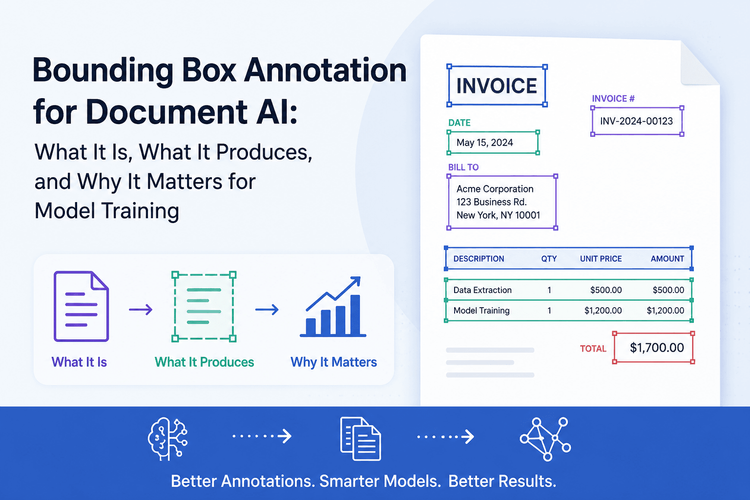
Every document AI model that can locate a table on a financial statement, extract a clause from a contract, or identify a header in a medical record learned to do that from labeled training data. Specifically, it learned from bounding box annotations — rectangles drawn around regions of a document, paired with text content, label classifications, and confidence scores.
Bounding box annotation is one of the most consequential steps in building a document AI pipeline, and one of the least understood outside specialist circles. Teams that approach it without understanding what it produces, how coordinate systems work, or how annotation quality connects to downstream model accuracy end up with models that look solid in testing and fall apart in production.
This article covers the technical mechanics of bounding box annotation for document AI in depth: what the annotation actually is, what format the output takes, how models consume that output, and what quality standards actually matter for training.
What Bounding Box Annotation Is (and Isn’t)
A bounding box is a rectangle defined by coordinates that marks the location of a region of interest in an image or document page. In the context of document AI, it tells the model exactly where on a page a specific element lives — and what that element is.
The annotation has two components working together:
The spatial component encodes position. It answers the question “where on this page is this element?” using a set of coordinates relative to the document image.
The semantic component encodes meaning. It answers “what is this element?” using a label from your taxonomy, such as “header,” “invoice number,” “party name,” “table,” or “clause.”
These two components together are what distinguishes bounding box annotation from plain text extraction. Optical character recognition (OCR) can extract the text “Total Due: $4,200.00” from an invoice. It cannot tell you that this text belongs to the totals section, that it appears in the bottom-right quadrant, that it is spatially adjacent to a payment terms block, and that its layout relationship to the line items above it is meaningful for a downstream model. Bounding box annotation captures all of that.
This distinction matters because the most capable document understanding models — particularly the LayoutLM family — were designed to process text and spatial position simultaneously. They do not treat a document as a bag of words. They treat it as a two-dimensional grid of tokens with positional relationships, and bounding box coordinates are exactly what feeds those positional relationships into the model.
The Coordinate Systems You Will Actually Encounter
Before going deeper, it’s worth being precise about coordinate formats, because this is where annotation pipelines break silently. The same bounding box can be described in several different formats, and passing the wrong format to a model produces incorrect training data without any obvious error.
The (x_min, y_min, x_max, y_max) Format
The most common general format uses four values: the x and y coordinates of the top-left corner of the box, and the x and y coordinates of the bottom-right corner. This is written as [x0, y0, x1, y1] in most documentation.
In this system, x increases left to right and y increases top to bottom — the standard image coordinate convention where (0, 0) is the top-left corner of the image. A box covering the top-left quadrant of a 1000×1000 pixel image would be [0, 0, 500, 500].
The COCO JSON Format
The COCO format — widely used as a standard for training datasets — describes boxes as [x_min, y_min, width, height]. Note the difference from the corner-corner format: instead of providing the bottom-right corner explicitly, COCO provides the width and height of the box as positive numbers.
json
{
  "bbox": [120, 45, 380, 28],
  "category_id": 3,
  "area": 10640
}
Here the box starts at x=120, y=45, has a width of 380 pixels and a height of 28 pixels. Its bottom-right corner would be at (500, 73). Many annotation pipelines default to COCO format because it is what models trained on COCO-standard datasets (the dominant benchmark in computer vision) expect.
The YOLO Format
YOLO and YOLO-derived models (YOLO11, RT-DETR, and related architectures) use a normalized center-point format: class_id x_center y_center width height, where all position values are expressed as fractions of the image dimensions between 0 and 1.
3 0.35 0.12 0.38 0.03
This says: class 3, center at 35% from the left and 12% from the top, width 38% of image width, height 3% of image height. The normalization makes the format resolution-independent, which is useful for training across images of different sizes.
The LayoutLM Coordinate Format (Critical for Document AI)
For document understanding specifically, LayoutLM and its successors (LayoutLMv2, LayoutLMv3) use a normalized (x0, y0, x1, y1) format where all coordinates are scaled to a 0–1000 range rather than pixel coordinates or 0–1 fractions.
From the official HuggingFace documentation: “Each bounding box should be in (x0, y0, x1, y1) format, where (x0, y0) corresponds to the position of the upper left corner in the bounding box, and (x1, y1) represents the position of the lower right corner. Note that one first needs to normalize the bounding boxes to be on a 0-1000 scale.”
python
def normalize_bbox(bbox, width, height):
    return [
        int(1000 * (bbox[0] / width)),   # x0
        int(1000 * (bbox[1] / height)),  # y0
        int(1000 * (bbox[2] / width)),   # x1
        int(1000 * (bbox[3] / height)),  # y1
    ]
This normalization step is non-negotiable when preparing data for LayoutLM. Passing raw pixel coordinates instead of 0–1000 normalized coordinates silently corrupts the model’s positional embeddings, producing a model that appears to train normally but does not learn spatial relationships correctly.
What a Fully Annotated Document Produces
A bounding box annotation at the document level is not a single rectangle — it is a structured dataset of regions across potentially multiple pages, each with its own coordinate set, text content, label, and metadata. Understanding what the complete output looks like is essential for building a pipeline that works end to end.
A Document-Level JSON Annotation
A well-structured annotation for a single page of a contract might look like this:
json
{
  "document_id": "contract_nda_0042",
  "page": 1,
  "page_width": 2480,
  "page_height": 3508,
  "annotations": [
    {
      "id": "ann_001",
      "bbox": [142, 88, 2338, 142],
      "bbox_normalized": [57, 25, 942, 40],
      "label": "document_title",
      "text": "NON-DISCLOSURE AGREEMENT",
      "confidence": 0.97,
      "reading_order": 1
    },
    {
      "id": "ann_002",
      "bbox": [142, 188, 1200, 226],
      "bbox_normalized": [57, 53, 484, 64],
      "label": "effective_date_label",
      "text": "Effective Date:",
      "confidence": 0.99,
      "reading_order": 2
    },
    {
      "id": "ann_003",
      "bbox": [1210, 188, 1850, 226],
      "bbox_normalized": [488, 53, 746, 64],
      "label": "effective_date_value",
      "text": "June 1, 2026",
      "confidence": 0.96,
      "reading_order": 3
    },
    {
      "id": "ann_004",
      "bbox": [142, 290, 2338, 1200],
      "bbox_normalized": [57, 82, 942, 342],
      "label": "recitals_section",
      "text": "WHEREAS, the parties desire to explore...",
      "confidence": 0.91,
      "reading_order": 4,
      "children": ["ann_005", "ann_006"]
    }
  ]
}
Several elements of this structure are worth noting:
Both raw and normalized coordinates are preserved. Raw pixel coordinates are kept for human review and visualization. Normalized coordinates are what the model actually sees during training.
Confidence scores are attached to every annotation. Whether the annotation was produced by a human (confidence 1.0) or an automated labeling system, confidence scores let you apply quality gates before training. Low-confidence regions can be routed for human review rather than passed directly to the training set.
Reading order is captured. For document AI, the spatial sequence of elements — not just their positions — matters for models that need to understand document flow. A table that appears after a clause header is meaningfully related to that header.
Hierarchical relationships are expressed. The children field in ann_004 indicates that the recitals section contains sub-elements. This parent-child structure is what distinguishes document-level annotation from flat object detection and is essential for models that reason about document hierarchy.
How Models Consume Bounding Box Annotations
Understanding how training data flows into the model architecture clarifies why annotation quality at the box level has such a direct impact on what the model learns.
LayoutLM: The Standard Architecture for Document AI
LayoutLM, introduced by Microsoft Research, extended the BERT architecture specifically for documents by adding two-dimensional positional embeddings derived from bounding box coordinates. Each token in the document is embedded with four positional values — the normalized (x0, y0, x1, y1) of its bounding box — in addition to the standard token and segment embeddings.
During pre-training on large document corpora, the model learns to associate token identity with spatial position. A token that consistently appears in the top-left quadrant of invoices and is labeled “vendor_name” teaches the model that vendor names live in that region. A model that has seen thousands of well-labeled invoices across diverse layouts learns to generalize: it recognizes vendor names by their semantic context and typical spatial relationship to other elements, not just by absolute position.
LayoutLMv3 — the current standard — extends this further with unified text and image masking, allowing the model to learn from both the textual content and the visual rendering of documents simultaneously. The bounding boxes feed both the text branch (positional embeddings for each token) and the image branch (spatial context for visual patches).
What Sloppy Bounding Boxes Actually Teach the Model
A key insight for annotation teams is that every bounding box in the training set is a direct instruction to the model about what to learn. A box that is too large and captures surrounding whitespace or adjacent text teaches the model that whitespace is part of the labeled element. A box that clips a word teaches the model that partial text belongs to that class.
Research from MIT CSAIL quantifies this: annotation errors of just 5–10% in training data reduce model mean Average Precision (mAP) by 15–30%. For document AI specifically, the errors compound because the model uses both the text content and the spatial position of each annotation. An inaccurate box corrupts both signals simultaneously.
This is not a problem you can recover from at inference time. The model bakes annotation quality into its weights during training. The only fix is cleaner training data.
Intersection over Union: The Quality Metric That Drives Everything
How do you measure whether a bounding box is accurate? The standard metric is Intersection over Union (IoU), which calculates how well a predicted box (or an annotated box, for quality control purposes) overlaps with the ground truth.
IoU = Area of Intersection ÷ Area of Union
A perfect box produces an IoU of 1.0. No overlap produces 0. The metric captures both position accuracy (is the box in the right place?) and size accuracy (is the box the right size?) simultaneously in a single number.
IoU Thresholds in Practice
Different applications use different IoU thresholds for what counts as a “correct” detection:
- IoU ≥ 0.50: The COCO benchmark minimum. A prediction must overlap with ground truth by at least 50% to count as a true positive. This is the standard for general computer vision benchmarking and is relatively lenient.
- IoU ≥ 0.75: The target for enterprise production document AI. At this threshold, the model must localize elements precisely enough to reliably extract their text content without capturing adjacent text.
- IoU ≥ 0.90: The standard for safety-critical applications such as medical document analysis or financial regulatory compliance, where misidentifying a field boundary can have downstream consequences.
For inter-annotator agreement during dataset creation, a matching-based IoU score above 0.70 is generally considered sufficient to proceed with single-annotator protocols. Below 0.70, the annotation task is too ambiguous for individual annotators to handle consistently without additional guideline clarification.
The IoU framework is also what connects annotation quality to model performance metrics. When you evaluate a trained document AI model using Average Precision (AP) at IoU=0.50 versus AP at IoU=0.75, you are asking two different questions: “Can the model find the element?” versus “Can the model find the element precisely?” A model trained on imprecise annotations may score well on AP@0.50 but poorly on AP@0.75, which is the production-relevant threshold.
The Document-Specific Annotation Challenges That Computer Vision Guides Miss
Most bounding box annotation documentation focuses on computer vision tasks: cars in traffic, objects on shelves, faces in photographs. Document AI has a distinct set of annotation challenges that those guides do not address.
Multi-Line and Multi-Column Text Blocks
In document annotation, a single logical element — a paragraph, a clause, an address block — often spans multiple lines and potentially multiple columns. The annotation decision here is not obvious: annotate each line separately, or annotate the entire block as one box?
The answer depends on what your model needs to do. If you are training a model to extract the full text of a clause, a single bounding box around the entire clause is correct — even if it spans six lines. If you are training a model to detect reading order or text flow, individual line-level boxes may be necessary. Getting this decision wrong before you start annotating is expensive, because changing it requires re-annotating everything.
Tables and Multi-Cell Structures
Tables are the hardest annotation problem in document AI. A well-structured annotation of a table needs to capture the table boundary, the header row, each cell, and the relationships between cells (row-column position, spanning cells). Depending on the model architecture, you may need separate annotations for the table container and individual cell-level annotations within it.
Annotating only the table boundary produces a model that can detect tables but cannot extract their contents. Annotating only cells without the container loses the hierarchical structure. The right taxonomy captures both levels, and the bounding boxes at each level must be nested correctly without overlapping non-hierarchically.
Overlapping Regions
Document elements sometimes overlap in their visual representation. A footnote marker inside a paragraph, a running header inside a table column, a watermark behind text — all of these create overlap scenarios where a simple non-overlapping bounding box taxonomy breaks down.
Most document annotation tools handle this by supporting hierarchical region assignment rather than requiring all boxes to be non-overlapping. The bounding box around a paragraph can legitimately contain a footnote marker box as a child annotation. Teams that force non-overlapping boxes on documents that have legitimate overlaps end up with annotations that misrepresent the actual document structure.
Page Coordinate Normalization for Multi-Page Documents
PDFs are multi-page documents, and bounding box coordinates are always page-relative — (0,0) is the top-left corner of each page, not the top-left corner of the document. This is a consistent source of pipeline bugs when coordinates from different pages are accidentally treated as being on the same coordinate plane.
The correct data model assigns each annotation both a page number and a page-relative coordinate set. When the annotation platform renders the document for visualization, it handles the mapping to screen coordinates. When the model consumes the data, it treats each page independently.
Annotation Formats and ML Pipeline Compatibility
The format you annotate in needs to match what your training framework expects. This is not just a data engineering concern — choosing the wrong output format forces a conversion step that introduces its own errors.
PyTorch DataLoaders
PyTorch-based training pipelines consume annotations through custom Dataset classes. The most common pattern for document AI is to load the JSON annotation file, normalize coordinates to the expected range (0–1000 for LayoutLM, or 0–1 for YOLO-based pipelines), and batch the token sequences with their corresponding bounding boxes.
python
class DocumentDataset(torch.utils.data.Dataset):
    def __init__(self, annotations_path, processor):
        self.annotations = json.load(open(annotations_path))
        self.processor = processor

    def __getitem__(self, idx):
        doc = self.annotations[idx]
        words = [ann["text"] for ann in doc["annotations"]]
        boxes = [ann["bbox_normalized"] for ann in doc["annotations"]]
        labels = [label_map[ann["label"]] for ann in doc["annotations"]]

        encoding = self.processor(
            doc["image"],
            words,
            boxes=boxes,
            word_labels=labels,
            return_tensors="pt",
            truncation=True,
            padding="max_length"
        )
        return encoding
The critical piece here is that boxes must contain pre-normalized coordinates in the exact format LayoutLM’s processor expects. The processor will not silently correct mis-normalized coordinates.
HuggingFace Datasets
HuggingFace’s datasets library is the most common way to distribute and version document AI training data. A LayoutLM-compatible dataset typically includes columns for id, words, bboxes (normalized 0–1000), ner_tags (label integers), and image (optional, for LayoutLMv3).
The key consideration when preparing data for HuggingFace Datasets is consistency: every example in the dataset must have the same column types and the same coordinate normalization. Mixed normalization — some examples with pixel coordinates, some with 0–1000 normalized coordinates — will train a model that behaves unpredictably.
Practical Quality Control for Document Bounding Boxes
Quality control in document bounding box annotation is not a post-processing step. It is an ongoing process that needs to be built into the annotation pipeline from the start.
Inter-Annotator Agreement Measurement
Before deploying annotators on a full dataset, run a calibration phase where at least two annotators independently annotate the same set of 50–100 sample documents. Calculate IoU for each corresponding pair of boxes and average across all pairs to get your inter-annotator agreement score.
If agreement is below 0.70, the issue is almost always with the annotation guidelines, not the annotators. Ambiguous taxonomy definitions — “is this a subheading or a section title?” — produce inconsistent boxes even when annotators are equally skilled. Resolve the ambiguity in the guidelines before scaling.
Confidence Score Thresholding
When annotations are produced by an automated system — whether a pre-annotation model that human annotators correct, or a fully automated pipeline — every annotation carries a confidence score. Establish a confidence threshold before training, and route low-confidence annotations to human review rather than passing them directly to the training set.
A common setup: annotations with confidence above 0.90 go directly to training, annotations between 0.70 and 0.90 are sampled for random human review, and annotations below 0.70 always go to human review. This prevents low-confidence automated labels from degrading the training set without requiring every annotation to be manually verified.
Visualization Before Training
Always render your annotations onto the actual document images before starting a training run. IoU calculation on a test set catches position errors after the fact. Visualization catches them before the fact.
A bounding box that is ten pixels too wide is not visible in the coordinate numbers but is immediately obvious when drawn on the page. Systematic errors — boxes that consistently clip the rightmost character, boxes that consistently include one line of context below the target element — are visible in visualization and invisible in raw coordinate inspection.
This is the annotation equivalent of reading your code aloud before submitting it. It catches a category of errors that no automated check will surface.
How Auto-Labeling Changes the Annotation Equation
Modern document AI pipelines increasingly use automated pre-labeling rather than starting annotation from a blank page. A pre-trained document segmentation model produces an initial set of bounding boxes and label suggestions; human annotators correct the errors rather than drawing boxes from scratch.
The efficiency gains are significant. Research on LLM-assisted annotation workflows shows 40–60% reduction in annotation time per document when human annotators are reviewing and correcting model predictions rather than annotating from scratch. The quality outcome is better too — it is faster and more accurate for a human to correct a slightly mis-positioned box than to draw one from scratch.
The catch is that pre-labeling quality has a floor effect on human review quality. If the pre-labeling model is systematically wrong about a particular element type — consistently labeling table cells as paragraphs, for example — annotators can develop anchoring bias where they accept incorrect pre-labels rather than correcting them. This is why confidence scores and randomized quality sampling matter even in human-in-the-loop pipelines.
For teams building document AI pipelines and evaluating annotation tooling, it is worth reading through SitePoint’s piece on building JSON training datasets from PDF documents without manual annotation for context on where automated approaches work and where they require human oversight.
The Connection Between Annotation Quality and Downstream Model Behavior
There is a direct, measurable chain from annotation quality to production model behavior that most teams do not trace explicitly until something goes wrong.
A clean, well-bounded annotation of a “Total Due” field on an invoice teaches the model to associate that label with a specific token pattern (number format, currency symbol) and a specific spatial pattern (bottom-right quadrant of the page, below line items, above payment terms). A sloppy annotation of the same field — a box that captures “Total Due: $4,200.00 (USD)” plus two lines of surrounding whitespace — teaches the model that whitespace and surrounding context are part of the “Total Due” class.
At inference time, the model trained on sloppy annotations will produce boxes that are too large, capturing adjacent text and failing to extract clean values. This is not a model architecture problem. It is a training data quality problem that no post-training optimization can fully correct.
This chain is what the SitePoint article on the hidden cost of noisy training data documents in detail for label-level errors. The same propagation mechanism applies to spatial annotation quality: bad boxes produce bad weights, and bad weights produce bad predictions, and bad predictions compound when the model’s outputs feed into downstream pipelines.
The implication is that annotation quality is not a “nice to have” that you optimize after your baseline model is working. It is the primary input to model quality, and investing in it before training produces a model that requires less retraining than one built on a shortcuts-heavy dataset.
Dataset Design Decisions That Affect Bounding Box Annotation Upstream
Several design decisions made before a single box is drawn determine how hard the annotation work will be and how useful the resulting dataset will be for training.
Taxonomy Granularity
The number of label classes and how finely they are distinguished determines both annotation difficulty and model capability. A taxonomy with three classes (text block, table, figure) is easy to annotate consistently but produces a model that cannot distinguish between a clause and a paragraph or between an invoice header and an address block.
A taxonomy with 40 classes can express all the distinctions your model needs to make, but it produces annotation ambiguity — annotators will disagree about whether a given region is a “section_title” or a “subsection_header,” and that disagreement will degrade your IoU scores and your model quality.
The practical approach is to start with a medium-granularity taxonomy that covers your critical extraction targets clearly, measure inter-annotator agreement, and only add label classes where the agreement is high and the distinction is genuinely needed for the downstream application.
Page Resolution and DPI
Bounding box coordinates are pixel-level, which means that the accuracy of your coordinates is bounded by the resolution of the document images you are annotating. A contract scanned at 150 DPI and rendered at 800×1100 pixels gives annotators approximately 3mm precision on the page. The same contract at 300 DPI at 1600×2200 pixels gives 1.5mm precision.
For document types where the boundaries between adjacent elements are visually tight — financial tables where column boundaries are close together, contracts with dense line spacing — higher resolution consistently produces better-quality bounding boxes. The tradeoff is storage and processing cost.
Handling Document Variation
If your document dataset contains the same document type from multiple sources — invoices from 50 different vendors, contracts from 20 different law firms — your annotation strategy needs to account for that variation explicitly. This means deliberately sampling documents from different sources for your training set rather than annotating 1,000 documents from the same source.
A model trained predominantly on invoices from three ERP systems will have tight IoU scores on those systems and poor generalization to invoices generated by other software. Source diversity in the training set is not just a best practice. It is a prerequisite for a model that works in production.
Tools that automate the initial layout detection step — such as the document labeling platform at AI Asset Management, which uses semantic segmentation to identify document regions before annotation — can help surface layout variation quickly across a large document corpus, making it easier to spot gaps in source diversity before they become training data problems.
Evaluating a Trained Document AI Model Using Bounding Box Metrics
Once your model is trained on bounding box annotations, you evaluate it using the same spatial metrics. Understanding these evaluation metrics helps you interpret what your model has actually learned.
Mean Average Precision (mAP)
mAP is the primary benchmark metric for object detection models and is increasingly used for document layout analysis. It measures average precision across all label classes and across a range of IoU thresholds.
mAP@0.50 tells you: across all document element classes, what fraction of the model’s predictions correctly identify both the element class and its location (at the lenient 50% overlap threshold)?
mAP@0.50:0.95 — the COCO standard — averages mAP across IoU thresholds from 0.50 to 0.95 in 0.05 increments. This is a more demanding metric that penalizes models that can find elements but cannot localize them precisely.
For document AI specifically, the class-level breakdown is often more informative than the aggregate mAP. A model with high mAP on headers and paragraphs but low mAP on tables is a common failure pattern — tables are structurally complex and require more annotated examples before the model generalizes well.
Precision and Recall per Document Element Class
For each label class in your taxonomy, precision and recall tell you different stories:
Precision answers: “Of all the boxes the model drew and labeled ‘invoice_number,’ how many were actually invoice numbers?” Low precision means the model is over-detecting — applying a label to regions that don’t belong to it.
Recall answers: “Of all the actual invoice numbers in the test documents, how many did the model find?” Low recall means the model is missing elements — failing to detect regions it should be detecting.
A model with high precision and low recall on a class like “effective_date” is probably being too conservative — only detecting effective dates when it is very confident. A model with high recall and low precision on the same class is detecting too broadly — finding effective dates but also labeling adjacent text as effective dates.
The right balance depends on your application. For a compliance workflow where missing a date field is more expensive than flagging a non-date for human review, optimize for recall. For an automated extraction pipeline where false detections cause downstream processing errors, optimize for precision. The IoU threshold choice at evaluation time is one lever for making this tradeoff explicitly.
What to Take Into the Next Training Run
Bounding box annotation for document AI is not a one-time exercise. Production document collections evolve: vendors change invoice templates, regulatory changes alter the fields in compliance documents, new document types enter the processing pipeline. Building a labeling pipeline that you can update and extend is as important as building it correctly the first time.
Concrete practices that make the pipeline sustainable:
Version your label schemas explicitly. When you add a new label class or change the definition of an existing one, increment the schema version and tag all existing annotations with the schema version that produced them. This prevents a common failure mode where annotations from different schema versions are mixed in a single training run.
Keep a fixed evaluation set. Designate a set of documents that never enters training data and use only for evaluation. As you add new annotations, retrain on the expanded training set but always evaluate on the same fixed set. This makes performance changes between training runs attributable to training data changes rather than evaluation set changes.
Track annotation source. When annotations come from a mix of human review, automated pre-labeling, and legacy labels, tracking which annotations came from which source lets you isolate quality problems. If model performance degrades after adding a batch of new labels, knowing that the new batch was predominantly auto-labeled at lower confidence tells you where to look first.
The SitePoint article on managing AI asset lifecycles covers the broader data management practices around labeled datasets — provenance tracking, versioning, and the organizational infrastructure that keeps training pipelines reproducible over time.
Summary
Bounding box annotation for document AI is a more structured and technically demanding task than its computer vision equivalent, because document elements carry both spatial and semantic significance that must be captured precisely.
The core technical requirements are: correct coordinate format for your model architecture (particularly the 0–1000 normalized scale for LayoutLM), complete output JSON with text content, label classification, confidence score, reading order, and hierarchical relationships, and annotation quality sufficient to maintain IoU ≥ 0.75 for production applications.
The quality chain is direct: imprecise boxes produce imprecise spatial embeddings, imprecise embeddings produce models that cannot localize elements reliably, and unreliable localization produces extraction errors in production. The only place to break that chain is at the annotation stage, before training begins.
Getting bounding box annotation right is not a detail to be optimized later. It is the structural decision that determines the ceiling on everything your document AI model can achieve.
