

So many marketers are running multiple workflows where one can do the trick.
You ask ChatGPT for keyword ideas, get generic suggestions, then switch over to Semrush to pull actual search volumes.
Or you draft a competitor analysis in Claude, realize you need more up-to-date backlink data, and switch back to export a CSV. You then analyze the CSV and add the relevant data to your competitor analysis.
Every insight requires context-switching, and by the time you’ve put everything together, you’ve lost your train of thought.
Semrush One MCP removes this friction entirely. It connects Semrush’s 26+ billion keywords, 808 million domain profiles, and 43 trillion backlinks directly into AI tools like ChatGPT, Claude, and Cursor. This means you get real SEO intelligence inside the same conversation where you’re building strategy, creating content, or analyzing performance.
In this guide, we’ll explain what Semrush One MCP is, how to set it up, and give you three practical ways marketers are using it to make AI tools actually useful for competitive research.
What Is Semrush One?
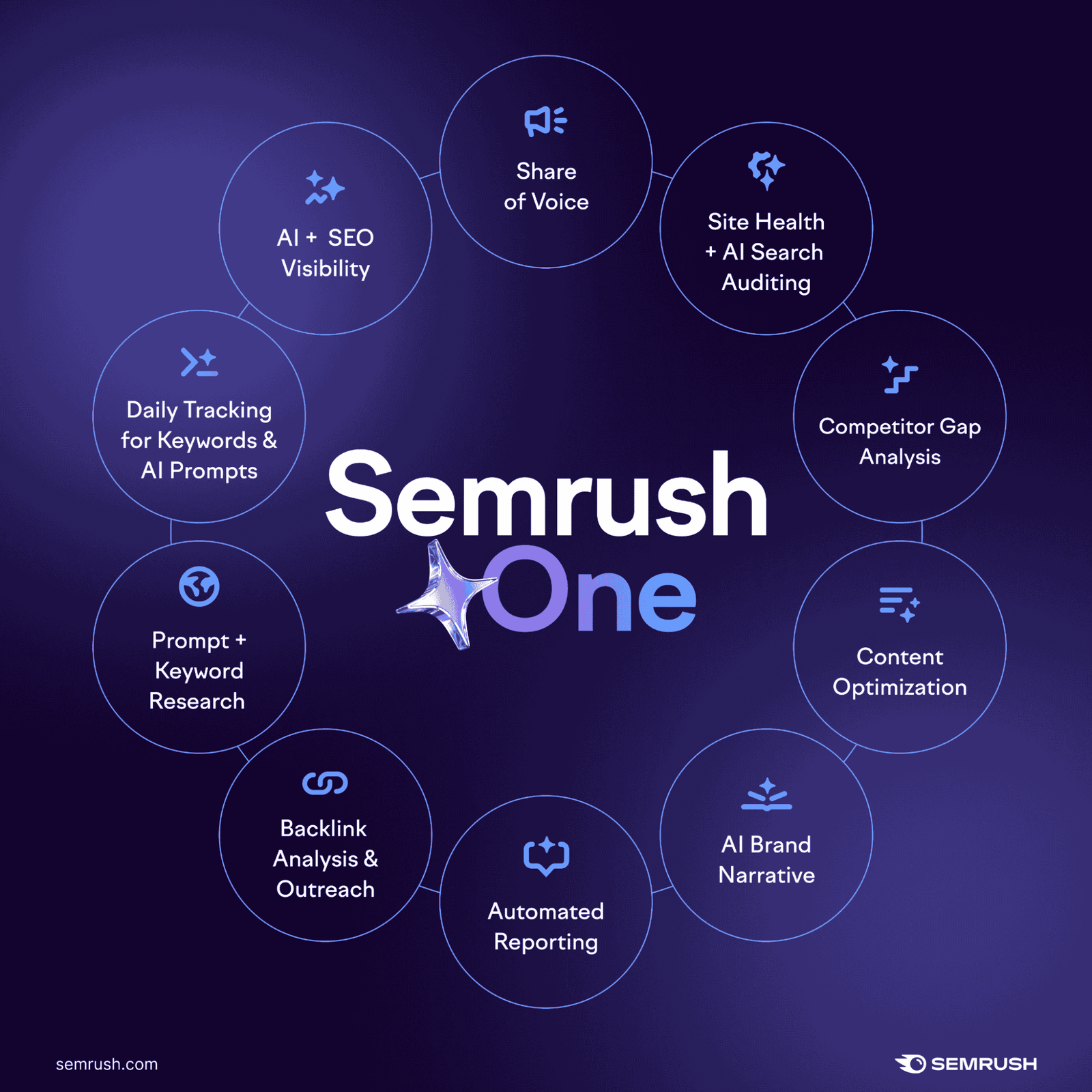
Semrush One is an online visibility solution that combines traditional SEO tools with AI search visibility tracking under one subscription. Instead of working on separate platforms and buying separate subscriptions to monitor Google rankings and AI platform mentions, you get both toolkits working together in a single, unified interface.
The bundle includes two core components:
- The SEO Toolkit: For keyword research, site audits, rank tracking, and competitor analysis
- The AI Visibility Toolkit: For tracking how your brand appears in ChatGPT, Perplexity, Gemini, Google AI Mode, and Google AI Overviews
This matters because search behavior has fragmented. Users now discover brands through both traditional search engines and AI chat platforms, and Semrush One lets you measure and optimize for both channels from one dashboard.
Semrush One is designed for SEOs and content marketers who need visibility beyond Google, agencies managing client performance across multiple discovery platforms, and brands that want a complete view of where they appear when people search for solutions in their industry.
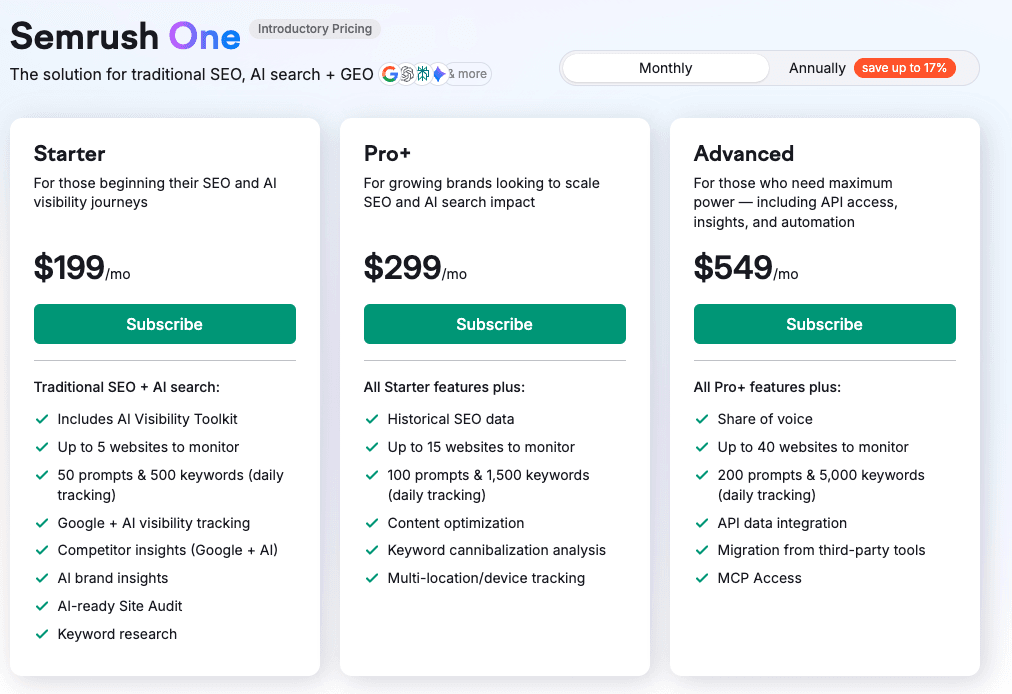
There are three subscription tiers for Semrush One:
- Starter ($199/month) for up to 5 projects, 500 tracked keywords, and 50 tracked prompts
- Pro+ ($299/month) for 15 projects, 1,500 keywords, and 100 prompts, along with historical data and content optimization tools
- Advanced ($549/month) for 40 projects, 5,000 keywords, and 200 prompts, along with API access
What Is Semrush One MCP?
MCP (Model Context Protocol) is like a bridge that connects AI tools to live data sources. Instead of AI tools working from static training data or generic web searches, MCP lets them query specific databases in real-time and pull current information directly into conversations.
Think of it as a universal adapter between AI agents and the tools you already use. Rather than building custom integrations for every combination of AI platform and data source, MCP provides a standardized way for AI tools to request information and get it back in a format they can understand and present naturally (i.e., in a way that you can understand).
How Semrush One MCP Works
The Semrush MCP server gives AI agents secure, direct access to Semrush’s APIs. Once connected, you can ask ChatGPT, Claude, Cursor, or VS Code questions about keywords, competitors, or website performance. Then, you’ll get answers based on real Semrush data without leaving your chat or coding environment.
For example, you might ask:
- “What are the top 10 keywords driving traffic to [competitor domain]?”
- “Show me backlink profiles for these three domains and compare their Authority Scores”
- “Which keywords have the highest search volume but lowest competition in [industry]?”
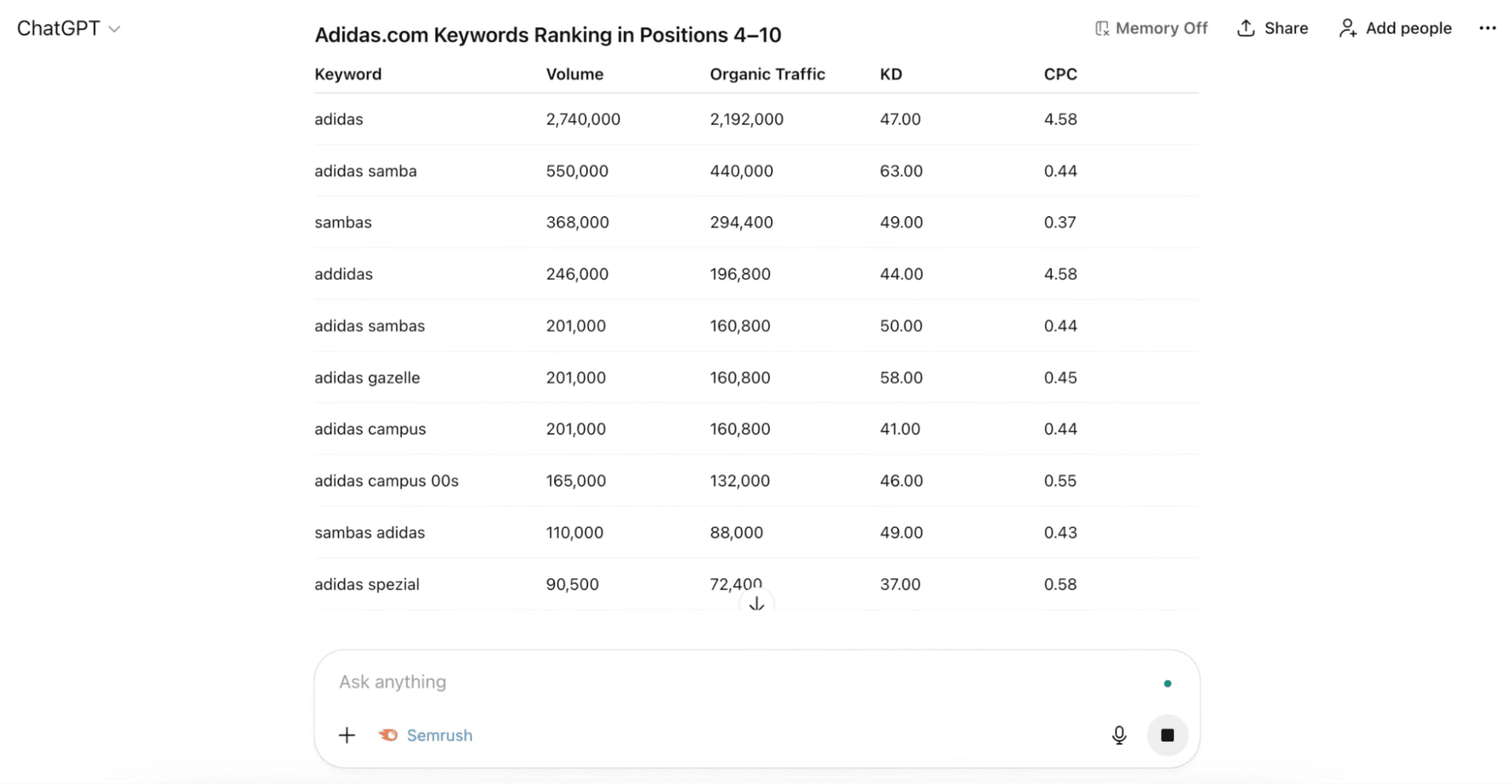
The AI then queries the relevant Semrush tools…
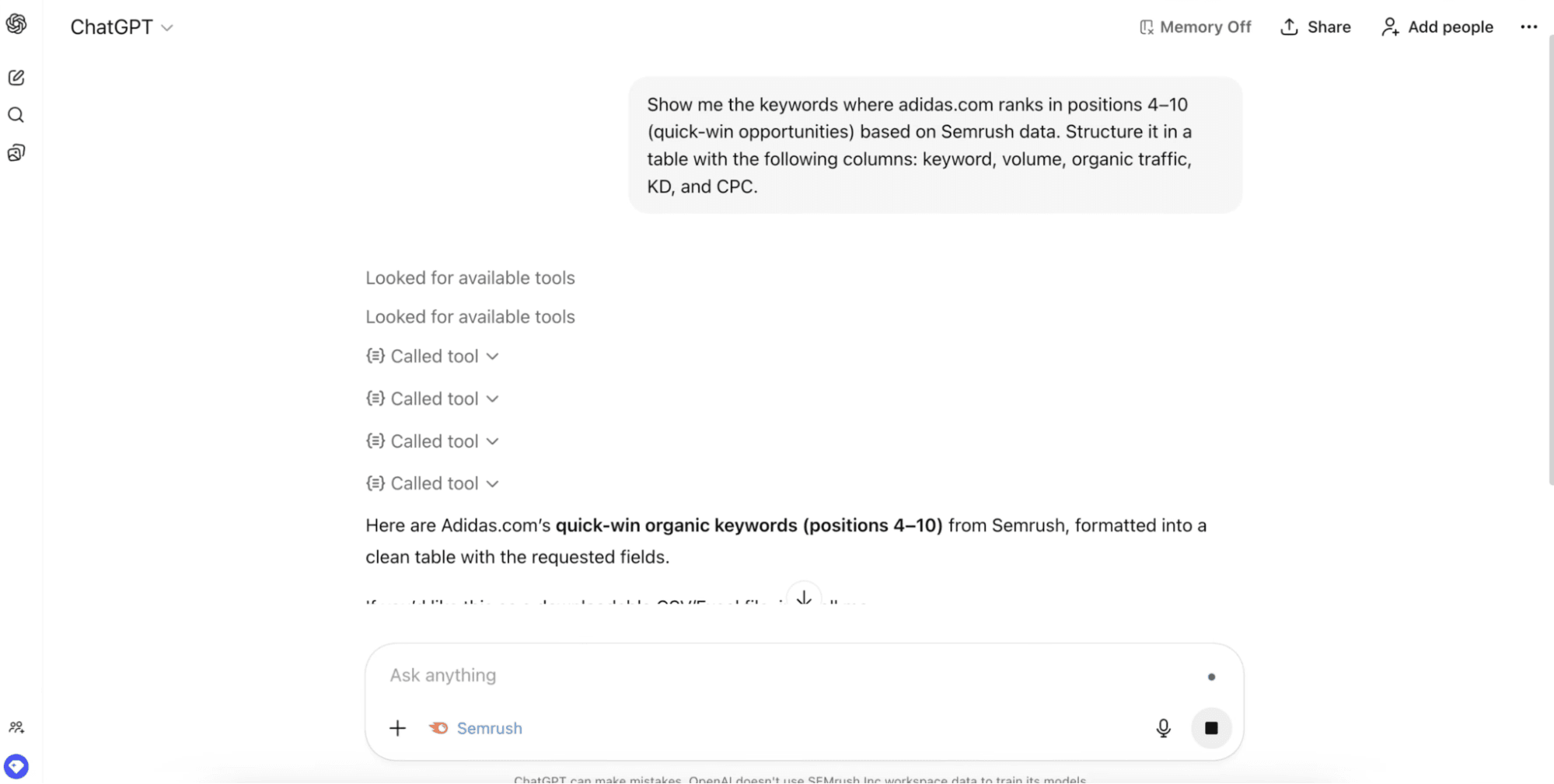
…and outputs what you asked for:
What’s Included
Every Semrush One plan (Starter, Pro+, and Advanced) and SEO Classic plan (Pro, Guru, and Business) now includes MCP access with 50,000 API units per month. No add-ons required, no extra setup fees, no separate API subscription to manage. If you have an active Semrush One subscription, you can use the MCP, even during a free trial.
The MCP server provides access to Semrush’s Analytics API (including domain analytics, keyword research, and backlink data), Projects API (for site audit data and position tracking), and the Trends API if your subscription includes it.
This means nearly everything you can access through the Semrush web interface becomes accessible through AI agents using natural language prompts.
How to Use Semrush One MCP
Here’s how to start using the Semrush One MCP:
Step 1: Verify Your Subscription
Make sure you have an active Semrush One plan (Starter, Pro+, or Advanced). As we mentioned above, MCP access is included automatically in all these plans, even during free trials.
If you’re not currently subscribed, Semrush One offers a 7-day free trial that includes full MCP access, giving you the chance to test the integration before committing to a paid plan.
Step 2: Choose Your AI Tool
Semrush MCP works with many of the most popular AI platforms and development environments, including:
- ChatGPT
- Claude
- Claude Code
- Cursor
- VS Code
You can connect multiple tools to the same Semrush account, and your 50,000 monthly API units are shared across all of them.
You might want to start with ChatGPT or Claude, since these are the most common conversational AI tools. But if you have development experience, try connecting Claude Code, Cursor, or VS Code to pull in SEO data during your coding workflows.
Step 3: Connect the MCP Server
The connection process varies slightly by tool, but generally follows the same authentication pattern.
For ChatGPT:
- Navigate to Account > Settings > Apps
- Find and select Semrush from the available apps
- Click Connect
- You’ll be redirected to Semrush to approve access
- Once approved, return to ChatGPT, and the connection will be active and ready to use
For Claude:
- Go to Settings > Connectors > Add custom connector
- Name your connector (e.g., “Semrush MCP”)
- Add the MCP server URL: https://mcp.semrush.com/v1/mcp
- Save the changes
- It will automatically redirect you to the Semrush login page to authorize the connection
If you’re using Claude Code, Cursor, or VS Code, see the official Semrush MCP documentation for how to set that up.
Step 4: Start Querying
Once you’ve connected your AI tool to the Semrush MCP, you can start asking Semrush-powered questions immediately. The way you reference Semrush data depends on your tool:
In ChatGPT: You can type @Semrush before your question to ensure ChatGPT pulls data from Semrush rather than using general knowledge. For example: “@Semrush what are the top organic keywords for nike.com?”
In Claude and other tools: Just ask naturally, as the AI agent automatically recognizes when you’re asking about domains, keywords, backlinks, or competitive data and queries Semrush accordingly. For example: “Show me keyword difficulty scores for these 10 keywords” or “Compare the backlink profiles of these three competitor domains.”
The connection persists across all your sessions, so you only need to set it up once. After that, every time you open your AI tool and ask SEO-related questions, it’ll pull live Semrush data automatically.
Use Cases for Semrush One MCP
Here are two simple but effective ways to use Semrush One MCP within your marketing workflows:
Use Case 1: Daily Competitive Monitoring Without Manual Checks
You need to track how your competitors are moving, whether that’s new content, ranking changes, or backlink gains. But checking manually every day sucks up a lot of valuable time.
With Semrush MCP connected to an AI agent, you can automate this process.
Just prompt your AI tool with something like: “Set up a task that checks keyword rankings, AI traffic, and backlink changes for [competitor domain] every day and flags any significant movements. Share the report with me each day at 12PM.”
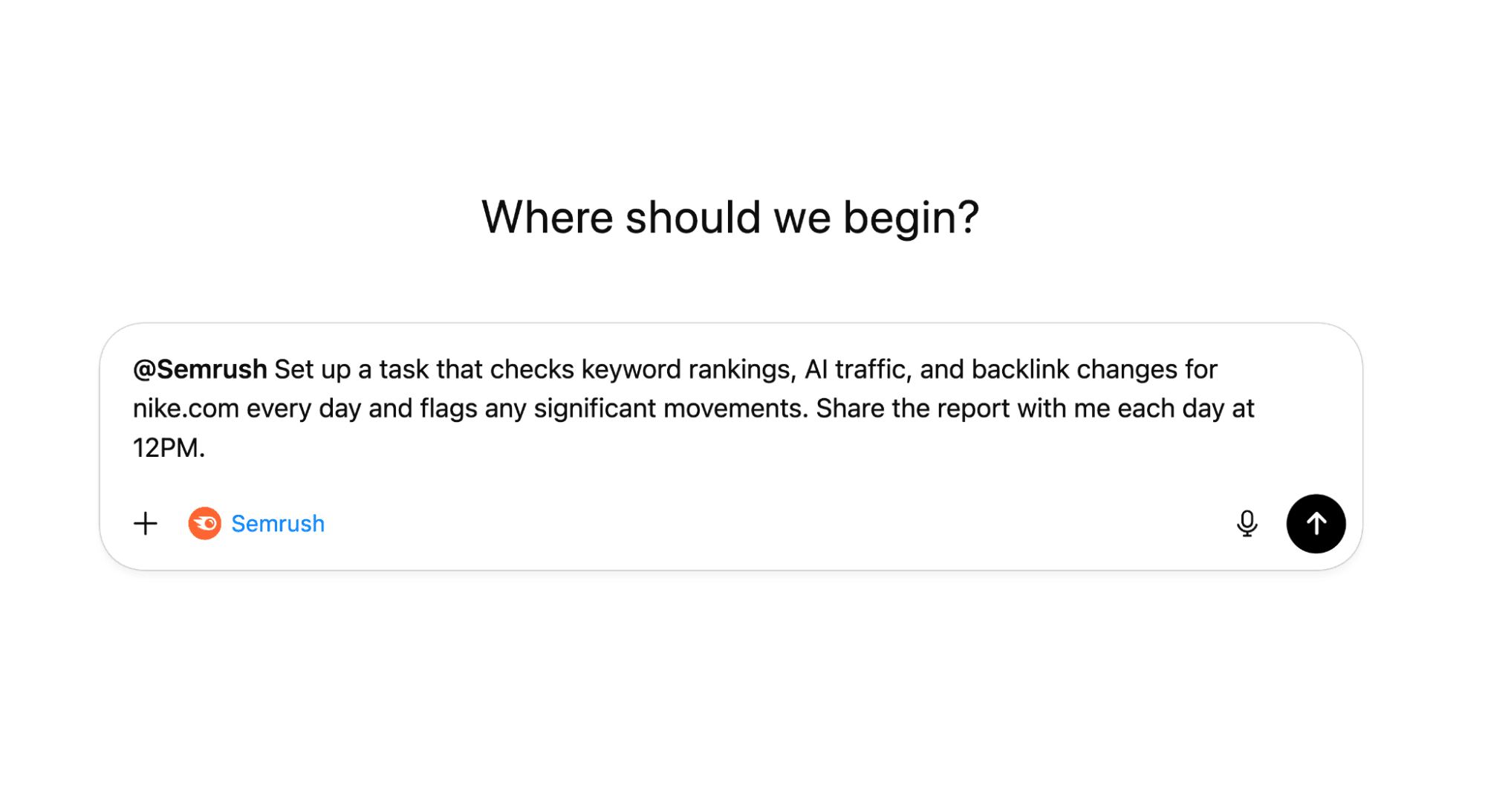
The AI queries Semrush, pulls current data, and tells you what’s changed.
Did your competitor launch a new content hub and gain 200 backlinks? You know immediately.
Did their traffic from key AI platforms grow 20% overnight? You see it before they do, and can dig into why to help inform your own AI visibility strategy.
Set this up as a recurring prompt or task for multiple rivals to always have up-to-date competitor insights.
Use Case 2: Real-Time Keyword Research Inside Drafts
Imagine you’re drafting a blog post in Claude or writing product copy in ChatGPT. Mid-draft, you realize you need keyword variations, search volumes, and difficulty scores to optimize the piece.
Without MCP, you’d stop writing, open Semrush, run keyword research, export results, and paste them back into your draft. With MCP, you just ask: “What related keywords should I target for [topic], and what are their search volumes and difficulty scores?”
The AI pulls live Semrush data, suggests keywords you should use, and you keep writing. All without having to switch tools, so you can just focus on writing.
Try Semrush One MCP Today
Semrush One MCP turns generic AI assistants into data-powered research engines. Instead of choosing between fast AI responses and accurate SEO data, you get both.
Every Semrush One plan includes MCP access with 50,000 API units per month. No extra cost, no technical setup, no custom integrations. Just connect once and start querying.
Try it today with a Semrush One subscription.
