

Most marketers treat SEO data like a weather report: you check it when you remember, note the conditions, and hope things look better next time you log in.
But static competitive intelligence is inherently limited in value. The landscape is shifting all the time. Your competitor just launched a new content hub. A backlink opportunity expired. A keyword you were targeting just got 10x harder to rank for as your rivals all published content in the past week.
The Semrush API solves this value issue.
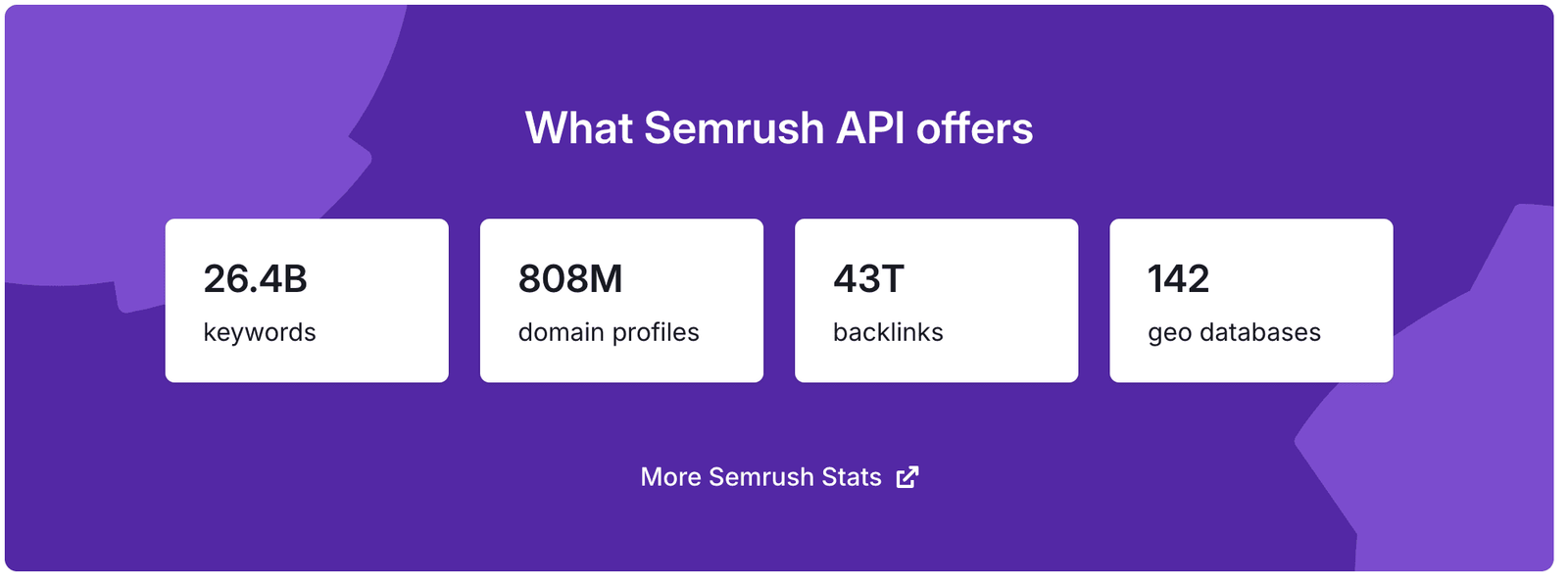
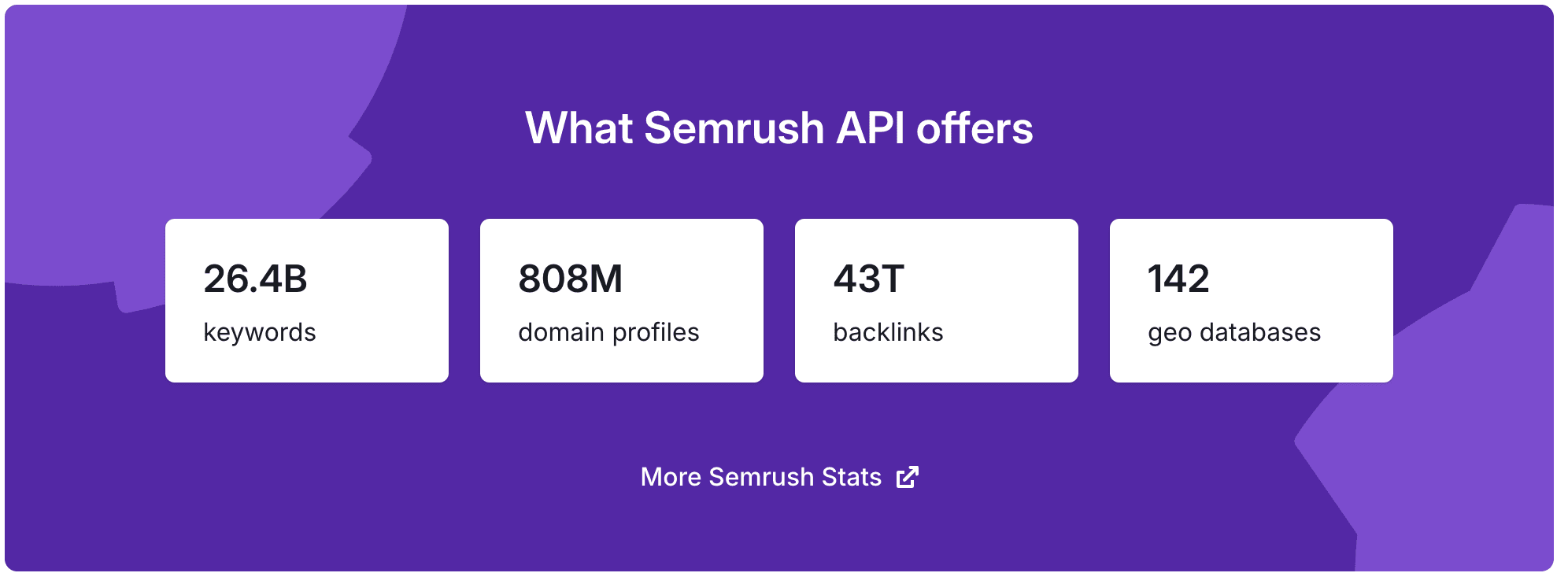
Instead of manually pulling reports, you can programmatically access Semrush’s 26+ billion keywords, 808 million domain profiles, and 43 trillion backlinks, and route that intelligence directly into your actual workflows.
In this guide, we’ll talk through five ways businesses can use the Semrush API to gain competitive advantages that manual research and reporting simply can’t deliver.
But first, a quick explainer of what the Semrush API actually is, and the different types you can use.
What Is the Semrush API?
The Semrush API is a programmatic interface that lets you pull SEO and competitive intelligence directly into your own systems. Instead of navigating through the Semrush web interface to generate reports manually, you write code that fetches exactly the data you need, when you need it, and routes it wherever it’s actually useful.
So right away, it’s a big win for getting buy-in for decisions and budgets, since you can bring the data to the people that need to see it, in a way they’ll understand it.
Semrush offers various different APIs for different use cases. Here’s a quick breakdown of what they are and what they do:
| API Type | Data Available | Use Cases |
|---|---|---|
| Analytics API | Domain, keyword, advertising, and backlink data | Perfect for scaling competitor analysis, keyword-level performance, and advertising insights |
| Projects API | Data about your specific projects, covering Position Tracking and Site Audit campaigns | Ideal for staying on top of ranking drops and technical issues across your projects |
| Trends API | Traffic metrics and behavior data | Helpful for conducting effective competitor analysis at scale |
| Listing Management API | Lets you connect your tools to push your data (like business information) to the Listing Management tool | Great for pushing updates to multiple businesses or locations to ensure listing information is always up to date |
| Map Rank Tracker API | Data related to campaigns, keywords, and competitors | Ideal for tracking local SEO performance at the street level |
Note that in this guide we’ll focus on the Standard API, which covers the Analytics and Projects API types, and the .Trends API. You can learn more about the different types and versions of the API in this Semrush API guide.
5 Ways to Use the Semrush API
Use Case 1: Monitoring Partner Performance at Scale
Picture this:
You’ve signed 20 affiliate partners, advertising or sponsorship relationships, or integration partners. Now you need to track whether they’re actually growing their audiences or quietly declining. Because if their metrics are trending the wrong way, they’re no longer a win-win partnership.
For example, if you’re paying big money to display custom banner ads on a website with shrinking traffic, your investment’s value is declining without you realizing.
Manually checking each partner’s traffic in Semrush every month means 20 separate:
- Logins
- Exports
- Spreadsheet updates
Every time you want to analyze their performance.
Miss a month and you lose trend visibility. Do it quarterly and you’re reacting to problems that started weeks (or even months) ago.
With the .Trends API, you automate the entire process. A simple script pulls traffic data for all 20 partner domains weekly, tracks month-over-month changes, and flags any partner experiencing significant drops or spikes.
You get a single dashboard showing which partnerships are gaining momentum and which ones are losing steam. All without touching the Semrush interface yourself.
Why is this useful for you? (Beyond the obvious convenience factor.)
Because you set it up once, and your partner health metrics update automatically. When a key partner’s traffic drops 30%, you know immediately, and can adjust your strategy. In other words: adjust how much of your budget goes towards those campaigns.
When another partner sees a doubling of traffic over the past two weeks, you can prioritize deeper collaboration while they have momentum.
Keeping your finger on the pulse of all of these partnerships in this way means you can make the right calls at the right time. It saves you time and has the potential to grow your returns on your investments as well.
Use Case 2: Qualifying Sales Leads with Traffic Intelligence
Your sales team probably faces hundreds of potential leads every month. Some represent serious opportunities. Others will waste weeks of follow-up before going nowhere.
Imagine if you could know from the start which leads are going to turn into paying customers or clients?
Okay, you can’t know for certain. But you can get pretty close.
Here’s how:
Standard lead qualification relies on understanding metrics like company size, industry, or self-reported pain points. But a prospect claiming they “need more traffic” could mean 10,000 monthly visitors or 10 million. Are they recovering from a traffic dip, or just looking to expand? That context changes everything about your pitch, pricing, and whether they’re even a fit.
And they’re not always going to give you these numbers upfront, which means hunting for them yourself. This is quick for one or two leads, but slow for hundreds.
With the .Trends API integrated into your CRM, you can automatically enrich every lead with actual traffic data the moment they enter your pipeline.
Here’s how it might look:
- A Zapier webhook triggers when a new lead hits Salesforce
- This then calls the .Trends API with their domain
- It then appends traffic volume, engagement metrics, and trend direction directly to the lead record
Now your sales team sees real intelligence before the first call:
- A lead with declining traffic and high bounce rates? Perfect fit for your conversion optimization service.
- A prospect with massive traffic but low session duration? They need content strategy, not more visitors.
- A domain showing 50% month-over-month growth? Prioritize them immediately, since they’re scaling and need solutions now.
No manual lookups. No switching between tools. Traffic intelligence simply becomes part of your standard lead qualification, automatically, for every prospect that enters your system. This gives your sales team the information they need to provide a tailored (and more effective) onboarding experience for every prospect.
Use Case 3: Building Competitive Intelligence Dashboards
Tracking competitors manually means logging into Semrush weekly, pulling the same reports, copying data into spreadsheets, and building charts to spot trends. It’s repetitive, time-consuming, and potentially out of date by the time you share it.
Semrush’s Standard API lets you build a competitive dashboard that updates itself. You can pull keyword rankings, backlink growth, and organic traffic estimates for your top 10 competitors daily. Then, feed that data into a Looker Studio dashboard, Tableau visualization, or custom internal tool that your entire team can access.
Instead of asking yourself, “How did Competitor X perform last month?” and spending 20 minutes generating a report, your team can open a live dashboard showing ranking movements on a daily basis.
This means you can spot when a competitor launches a new content cluster, because their keyword count jumps 15% overnight. You see backlink velocity changes in real-time, not weeks later during your monthly review. This lets you react to changes in your competitive landscape much faster.
Use Case 4: Automating Client Reporting for Agencies
Agencies running SEO or content marketing for dozens of clients need consistent, timely performance updates. Each client expects keyword rankings, traffic trends, backlink profiles, and competitor comparisons delivered on schedule.
Semrush’s built-in reporting system handles this well. You can create templated reports, customize branding, and add widgets with the intuitive drag-and-drop builder that cover all the standard metrics clients care about. For many agencies, these templates provide everything you need for helpful monthly client updates.
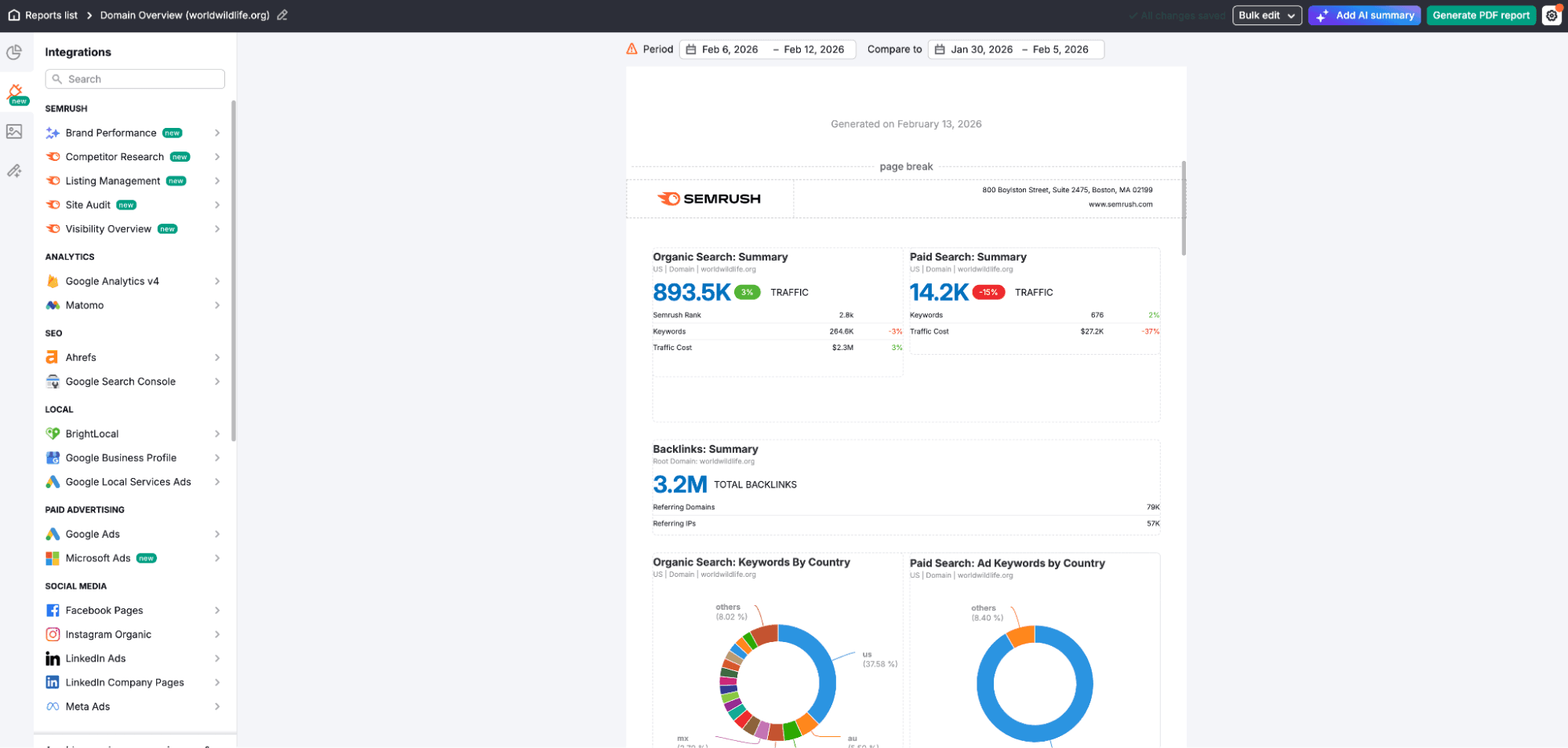
But even with templates, the process requires manual execution at scale. You still need to generate each client’s report individually, review the data, and send it out before billing cycles close. A 30-client agency likely spends hours each month just running through the report generation workflow for each account.
The Semrush API eliminates the entire manual process, without losing the comprehensive data inputs.
You can build a reporting script that loops through all client domains, pulls the exact metrics each client cares about, and populates branded PDF reports or live dashboards automatically. Run it on the first day of every month, and all 30 client reports generate while you sleep.
Better yet, the API lets you offer clients access to live dashboards that update daily. Instead of waiting for your monthly PDF, they see current rankings and traffic whenever they want. You differentiate your service with real-time transparency while eliminating your own reporting burden entirely.
This requires a bit of setup on your side, but the customization and access to real-time data are well worth it for those managing dozens of clients at a time.
Use Case 5: Letting AI Agents Query Competitive Data On Demand
SEO research typically involves a lot of switching between contexts and tools. You’re drafting strategy in a doc, realize you need competitor keyword data, jump over to Semrush, run a report, copy the results back, and lose your train of thought.
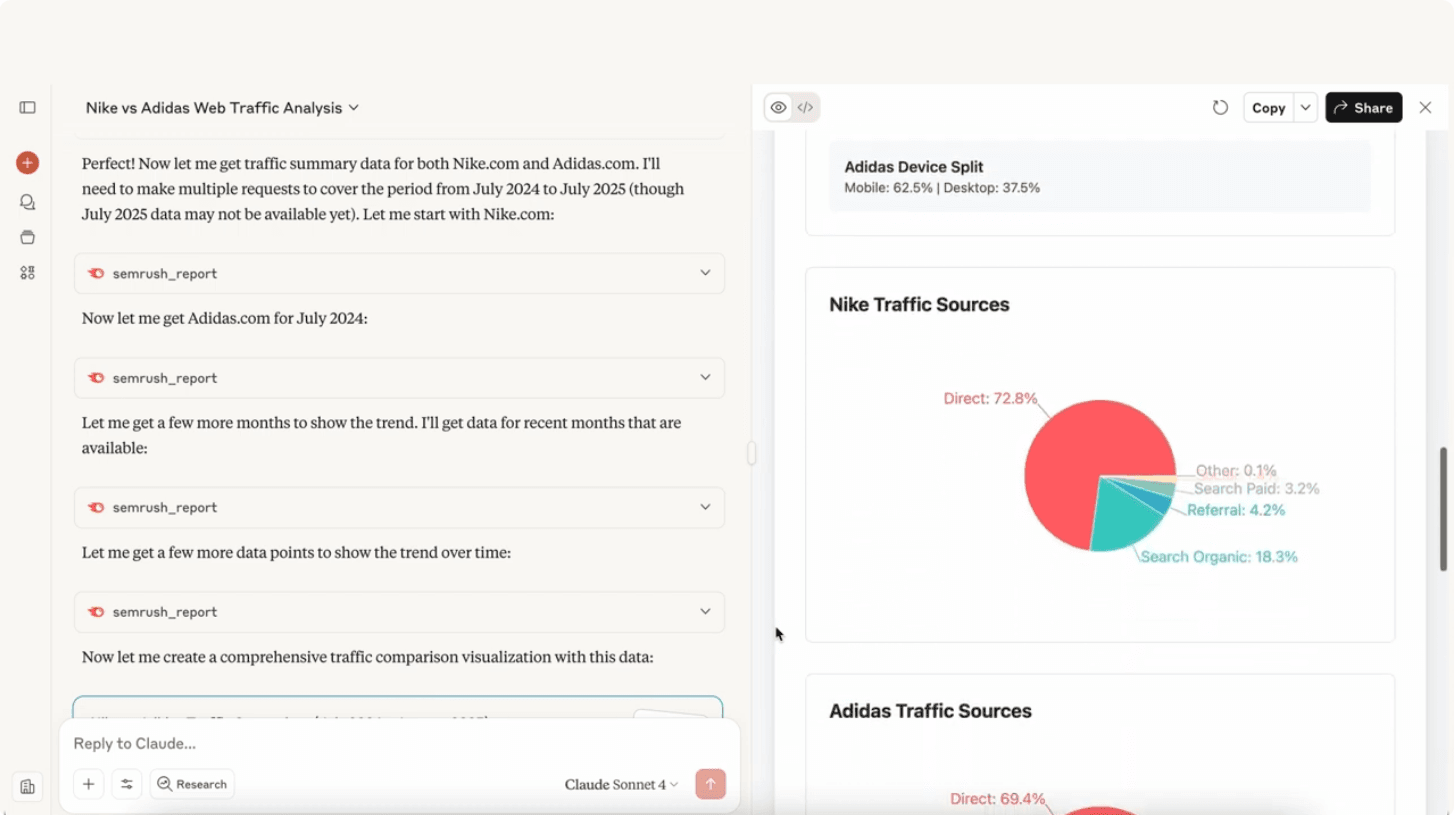
The Semrush MCP (Model Context Protocol) server changes this workflow entirely. It connects Semrush’s API directly to AI tools like Claude, ChatGPT, Cursor, and VS Code, letting AI agents pull competitive data without making you leave your workspace. Plus, you can communicate with it using natural language, making it super easy to use for everyone in your team.
You can just ask Claude, “Who’s gaining traffic among project management tools in the US this month?” and it queries the Trends API, fetches current traffic data, and responds with ranked competitors, all in the same conversation where you’re building your strategy.
Need keyword or content gaps between your site and a competitor? The AI agent pulls that data directly via MCP and formats it however you need.
This works across your entire workflow:
- Writing a competitive analysis in Google Docs? Your AI agent can fetch backlink profiles and insert them inline.
- Building a pitch deck? Ask for traffic trends on key competitors and get charts generated from live API data.
- Reviewing code in VS Code? Query domain authority metrics without opening a browser.
MCP transforms Semrush data from a separate research tool into always-on intelligence that you can access wherever you’re already working. No API calls to write, no authentication to manage, just natural language requests that pull live competitive data into your active workflow.
How Will You Use the Semrush API?
The five use cases above barely scratch the surface of what you can do with the Semrush API. Agencies are building custom client portals. Product teams are integrating competitive data into feature prioritization. Marketing ops teams are triggering campaigns based on competitor movements detected via the API.
To start using it yourself, pick one repetitive task that wastes the most time or delivers the weakest insights. Build the integration, prove the value, then expand from there.
Ready to get started? Sign up for a 14 day exclusive trial at this link Semrush One to get access to the Standard API, MCP, and dozens of other SEO and AI visibility tools to grow your business online.
