

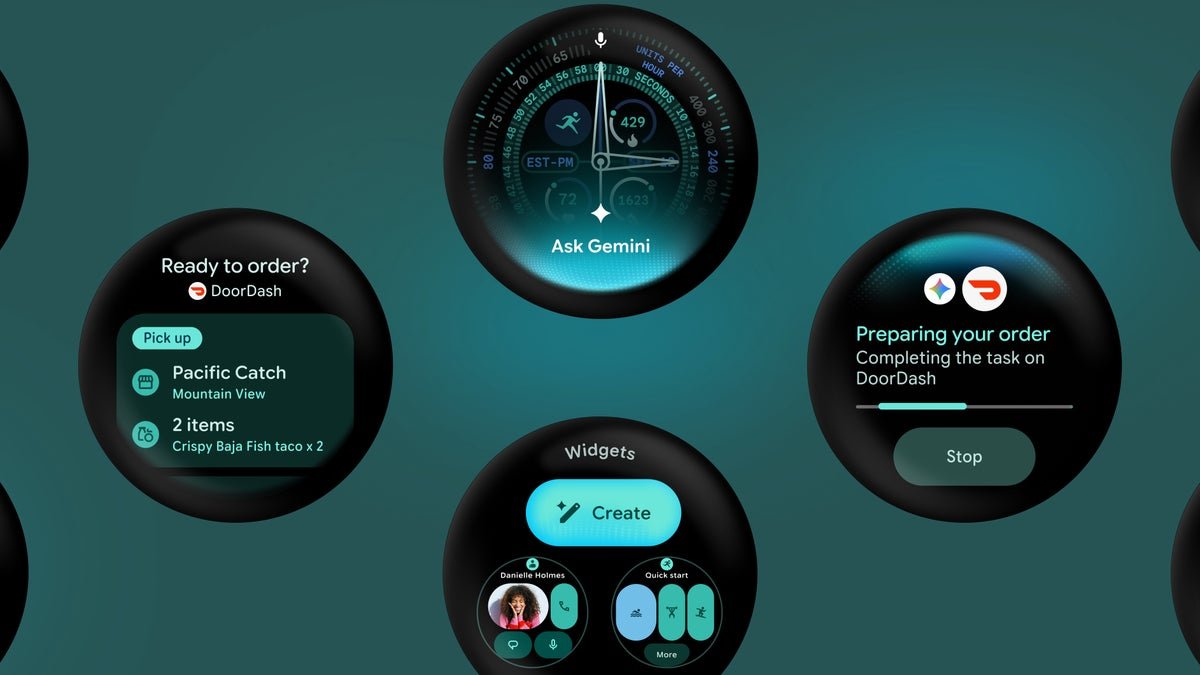
Wear OS 7 is officially here, built on Android 17
Google announced Wear OS 7 at I/O 2026 and laid out the full breakdown in a new developer blog post. The Canary emulator is already live for developers, and the platform ships on watches arriving later in 2026.
Battery and Gemini Intelligence lead the charge
Watches upgrading from Wear OS 6 can expect around 10% better battery life. That stacks on top of the dual-chip efficiency gains we covered when the Pixel Watch 4 launched, and it adds up quickly.Gemini Intelligence is also rolling out to select watches later this year, promising proactive, personalized help so you can spend less time poking at a tiny screen.
Tiles are out, Wear Widgets are in
The full-screen swipeable Tiles you have used for years are being replaced by Wear Widgets in 2×1 and 2×2 sizes that match the widget formats on your phone. Your home screen is about to feel a lot more flexible and consistent across devices.
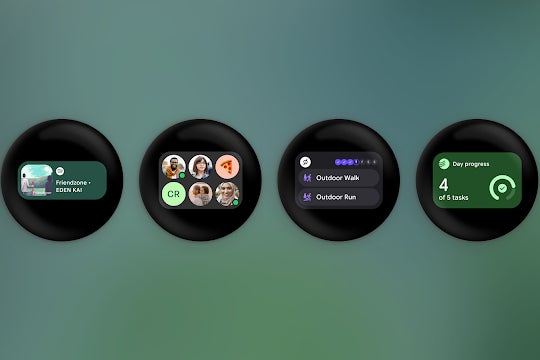
Wear OS 7 widgets. | Image by Google
Live Updates and Gemini-powered actions
Live Updates push real-time info straight to your watch face, things like rideshare ETAs, delivery tracking from Just Eat, and sports scores, all refreshing without you tapping anything. Updates started on a supported phone bridge to your watch automatically.
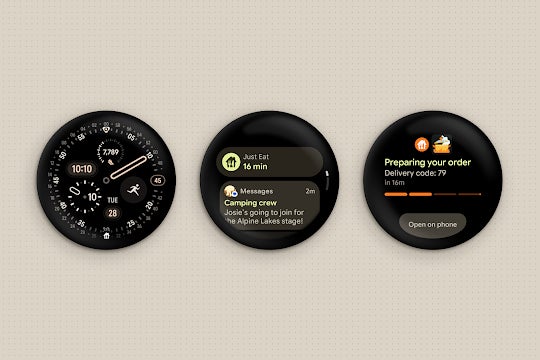
Live updates. | Image by Google
On the AI side, new AppFunctions let Gemini trigger app actions directly, so saying “start tracking my run” launches Samsung Health without a single tap. A separate task automation system also lets you kick off phone-side actions, like placing a DoorDash order, from your wrist. We have seen Google leaning hard into Gemini personalization across its ecosystem this year, and the wrist is the obvious next stop.

Task automation. | Image by Google
Better fitness, media, and watch faces
A new built-in Wear Workout Tracker handles heart rate, media controls, and other core fitness features, so third-party apps stop reinventing the wheel. ASICS Runkeeper is the first big partner using it.
Better workout tracking, per-app media auto-launch controls, and remote output switcher. | Images by Google
Media controls are getting smarter too. Per-app auto-launch lets specific apps pop their controls onto your watch automatically when playback starts on your phone, and a new Remote Output Switcher lets you swap playback devices, phone speaker to AirPods to Google Home, directly from your wrist.
What this means for current Pixel Watch owners
If you are wearing a Pixel Watch 4, your upgrade path looks clean. Older models, mine included, are a different conversation, especially with Wear OS bleeding manufacturer support over the past year.Still, this is the most compelling Wear OS pitch I have heard in a while. Whether it actually delivers depends on how fast Google rolls it out, and which watches get left behind.
If you want more hot takes, opinion pieces, and behind-the-scenes coverage, follow me on X and Threads.
